Quick Answer
Choose the Combo Touch if you want a protective case with a trackpad and a sturdy typing base; pick the Keys-To-Go 2 if you prioritize a featherlight, ultra-portable keyboard for occasional typing.
Portability vs Protection
The biggest difference between these two Logitech keyboards is how they attach to your iPad. The Combo Touch is a full protective case with an integrated keyboard, while the Keys-To-Go 2 is a separate, slim keyboard that you carry alongside your iPad.
If you often work on the go and want one accessory that shields your iPad and gives you a laptop-like setup, the Combo Touch's case design is a clear advantage. But that protection adds bulk and weight, which matters if you prefer a minimal carry.
The Keys-To-Go 2, by contrast, is designed for maximum portability. Its compact, lightweight build makes it easy to slip into a bag next to your iPad, but it offers no drop protection and requires a flat surface to type on.
Typing Experience and Trackpad
Typing comfort is a key factor in any iPad keyboard comparison. The Combo Touch provides a stable, laptop-style typing experience with a built-in trackpad, which can make navigation and editing faster. The Keys-To-Go 2 offers a full QWERTY layout but lacks a trackpad, so you'll need to touch the screen to move the cursor.
If you do a lot of document editing or spreadsheet work, a trackpad can be a productivity booster. But if your typing is mostly short emails or quick notes, the simplicity of the Keys-To-Go 2 may be all you need.
Refurbished Value
The Combo Touch in this comparison is a refurbished unit, which lowers its price compared to a new one. That makes it a more affordable way to get a full protective keyboard case. The Keys-To-Go 2 is already priced lower, so it's the budget-friendly pick if you don't need the case or trackpad.
Both options are cost-effective, but your choice depends on which features you value more: protection and trackpad versus portability and lower cost.
Trade-Offs at a Glance
- Portability: Keys-To-Go 2 is slim and lightweight, ideal for slipping into a bag. Combo Touch adds bulk because it's a full case. If you carry your iPad in a sleeve or backpack, measure the extra space the Combo Touch will take.
- Protection: Combo Touch wraps your iPad in a protective case, shielding it from bumps and drops. Keys-To-Go 2 offers no protection for the iPad itself. Consider how often you use your iPad in rugged environments before choosing.
- Trackpad & Typing: Combo Touch includes a trackpad for cursor control and a stable typing base. Keys-To-Go 2 has no trackpad and requires a flat surface. If you rely on precise cursor work, the trackpad is a significant advantage.
- Price: Keys-To-Go 2 is the lower-priced option, while the refurbished Combo Touch offers more features at a higher cost. Set a budget and decide if the trackpad and case justify the extra spend.
Product Facts
-
Refurbished Combo Touch for iPad - Oxford Grey - English US (QWERTY): This refurbished Combo Touch for iPad includes a full keyboard and a trackpad, and it's available in Oxford Grey or Graphite. A trackpad enables precise cursor control, making it easier to edit documents and navigate iPadOS without touching the screen.
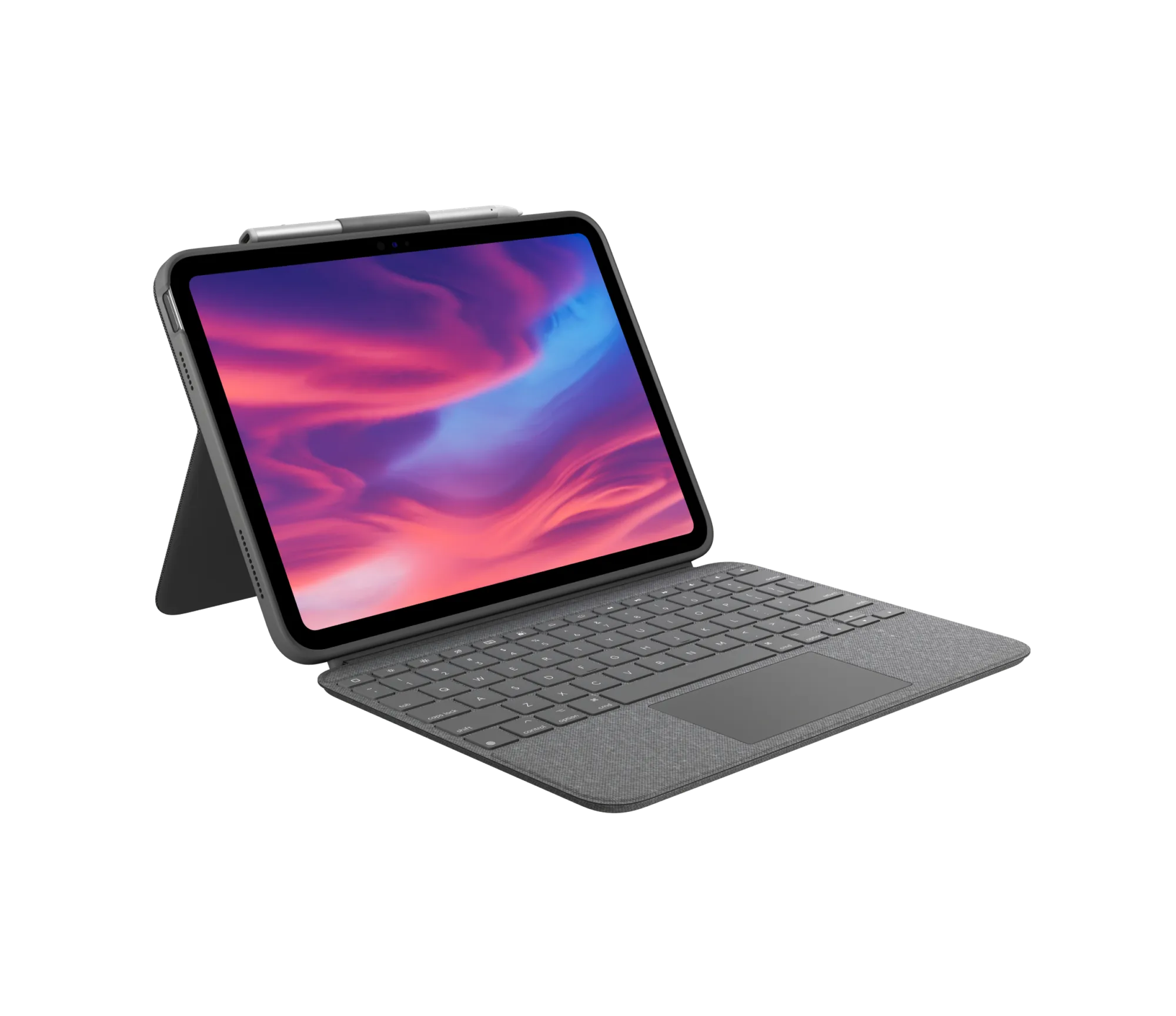
Refurbished Combo Touch for iPad - Oxford Grey - English US (QWERTY)
-
Keys-To-Go 2 for iPad - Pale Gray - English US (QWERTY): The Keys-To-Go 2 for iPad is a slim, lightweight keyboard with a full English US (QWERTY) layout, designed for on-the-go typing. Its compact size makes it easy to carry anywhere, but you'll need a flat surface and won't have the protection of a case.
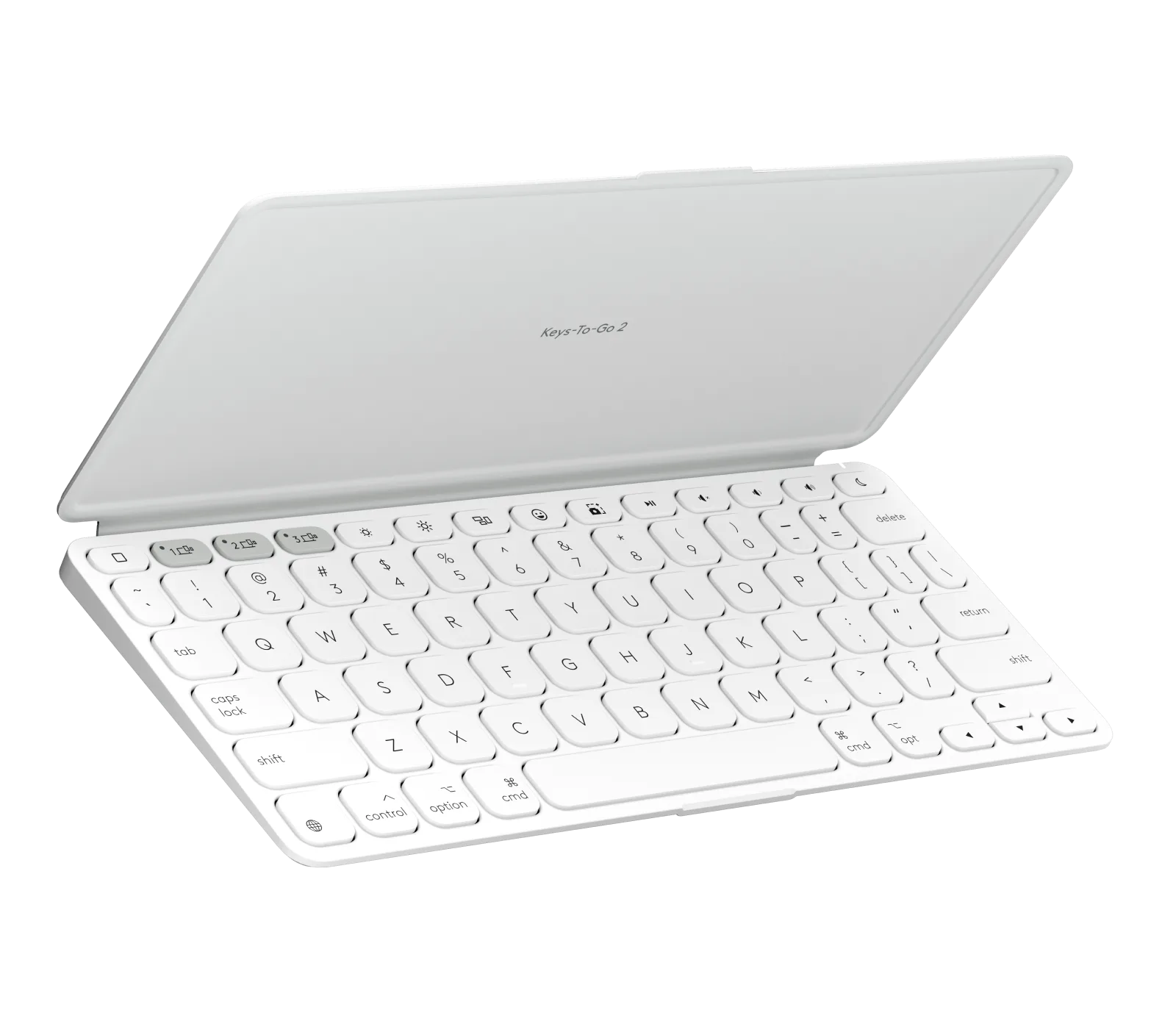
Keys-To-Go 2 for iPad - Pale Gray - English US (QWERTY)
Which One Fits You?
Best For
- Students or commuters who want a lightweight keyboard for note-taking on the go
- Users who already have a protective case and only need a typing solution
Not For
- Users who need drop protection and a trackpad in one accessory