Start with the phone holder and the tripod’s real limits
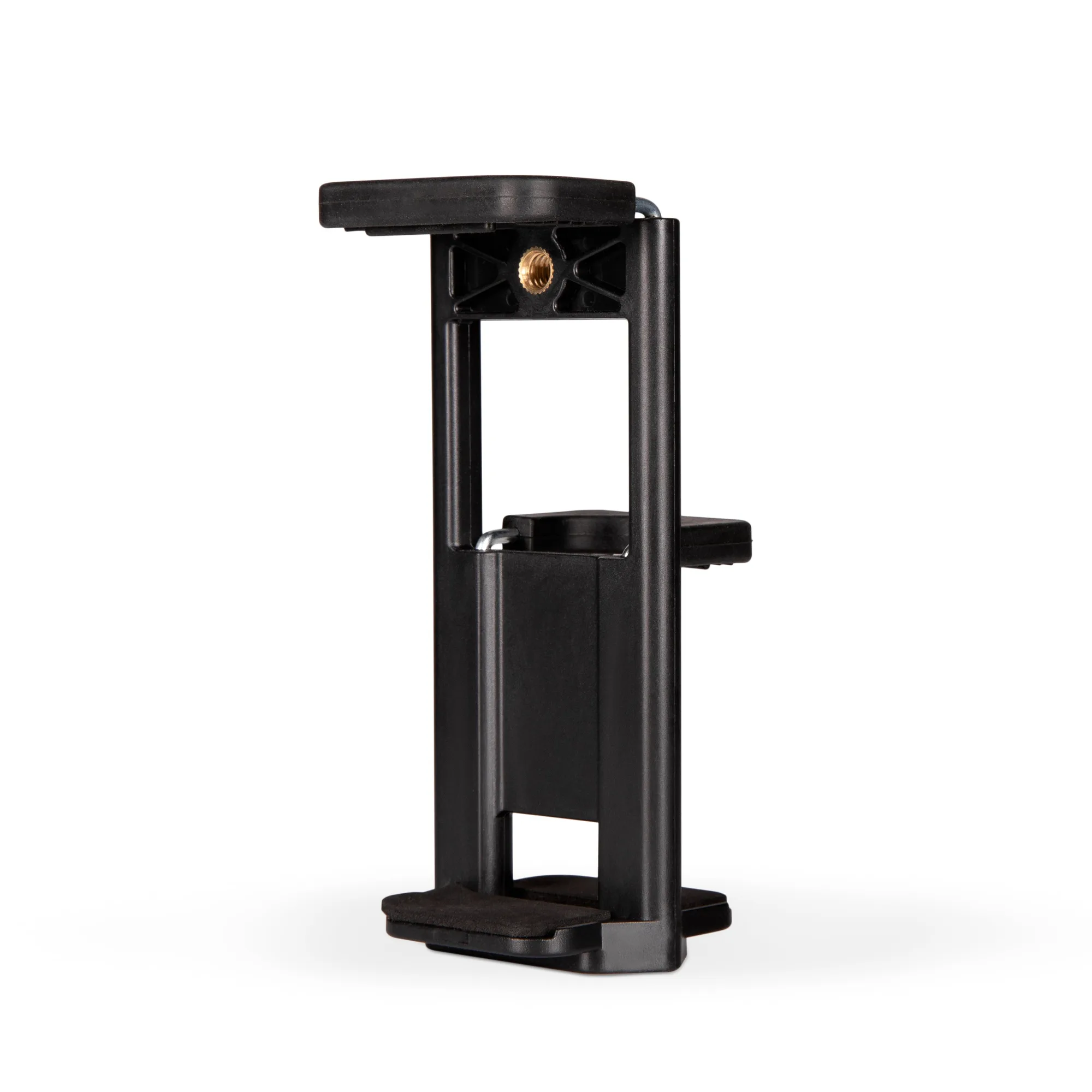
The K&F Concept 190cm Camera Tripod is supplied with a phone holder, so you can mount a compatible smartphone without buying a separate clamp. Before you extend anything, check the tripod’s working range: roughly 48cm to 190cm, a folded length of about 50cm, and a head rated for up to 4kg. Those numbers set the boundaries for every setup choice that follows.
This guide covers the phone-holder workflow only. The supplied information does not include step-by-step instructions for attaching the holder to a specific phone model, so treat the sequence below as a practical framework and confirm the clamp fits your phone before you rely on it outdoors.
Catalog details that shape the phone setup
-
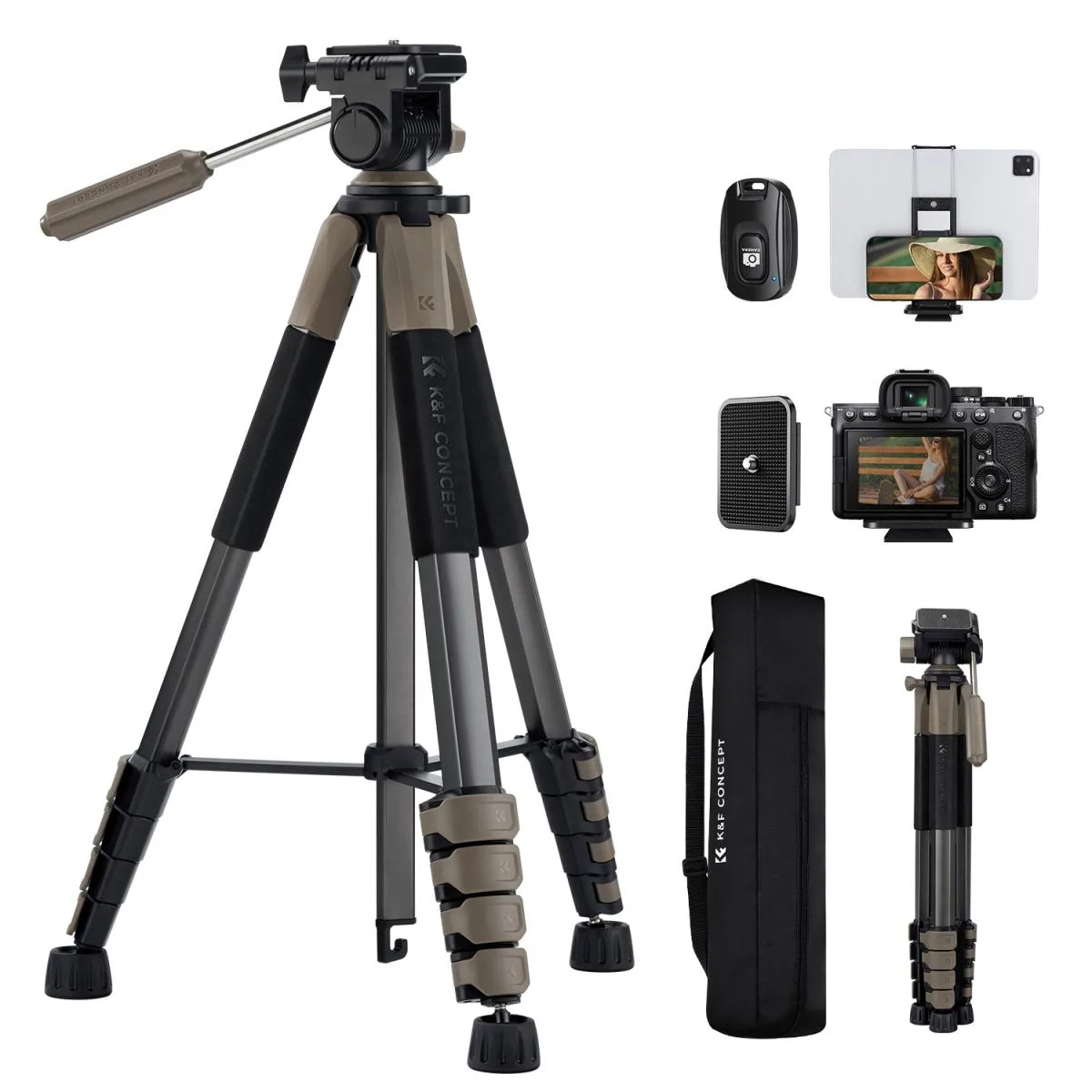
K&F Concept 190cm Camera Tripod with Phone Holder – Lightweight Travel Tripod: Adjustable working height from approximately 48cm to 190cm. You can shoot low-angle phone footage or raise the tripod for eye-level vlogging without swapping gear.
K&F Concept 190cm Camera Tripod with Phone Holder – Lightweight Travel Tripod
-
K&F Concept 190cm Camera Tripod with Phone Holder – Lightweight Travel Tripod: 360° rotating head with +100°/-70° tilt and up to 4kg load capacity. The tilt range lets you switch between landscape, portrait and overhead phone angles; the 4kg limit is the ceiling for everything mounted on the head.
-
K&F Concept 190cm Camera Tripod with Phone Holder – Lightweight Travel Tripod: Lightweight 1.2kg design that folds to approximately 50cm. The tripod is easy to carry between locations, but the low weight means stability depends on how you set it up.
Phone holder setup, step by step
- Open the legs on firm ground: Spread the legs fully so the compound triangular structure is engaged. The non-slip foot pads help on smooth indoor floors and outdoor surfaces, but the supplied information does not specify which surfaces are safe, so avoid steep or unstable ground.
- Set a working height before mounting the phone: Choose a height between 48cm and 190cm that matches your shot. For travel vlogging, a mid-height setting keeps the tripod lower and less exposed to wind; for overhead cooking or demo shots, raise the centre column only as far as you need.
- Attach the phone holder to the quick-release plate: The tripod includes a quick-release plate for attaching compatible equipment. Mount the holder to the plate first, then lock the plate onto the head. The supplied record does not describe the holder’s clamp mechanism, so check that your phone sits securely before letting go.
- Level and frame with the 360° head: Use the 360° horizontal rotation to pan and the +100°/-70° tilt to angle the phone. Tighten the head after framing; the record does not list separate pan and tilt locks, so confirm each axis is secure by hand.
- Add weight from the centre-column hook if needed: The bottom of the centre column has a hook for hanging a camera bag or other suitable weight. This can help increase stability outdoors, but keep the added weight within the tripod’s overall limits and avoid swinging loads.
Height tips for travel shots
- Keep the centre column low in wind: A 1.2kg tripod is portable, not heavy. Raising the centre column to reach 190cm puts the phone higher but also makes the setup more top-heavy. For exposed locations, use a lower height and rely on the tilt range for framing.
- Use 48cm for low-angle phone footage: The minimum working height of about 48cm is useful for ground-level travel shots, product demos and pet photography. Check that the legs are fully spread before lowering the head.
- Match height to your phone’s screen, not your eye level: For live streaming or vlogging, set the phone roughly at face height so you are not looking down at the screen. The 190cm maximum gives plenty of headroom for standing presenters, but you do not need to extend fully every time.
Stability checks before you walk away
The tripod’s compound triangular support structure and non-slip feet help, but the supplied record does not include a wind-resistance rating or a maximum safe wind speed. As a practical rule, keep the centre column retracted when conditions are gusty, hang a bag on the hook only if it can sit still, and avoid leaving a phone-mounted tripod unattended in crowded or exposed places.
Also respect the 4kg head load limit. A phone and holder are far below that, but if you later swap to a camera, include the plate, lens and any accessories in your total. The record does not specify a separate leg load limit, so treat the head figure as the governing number.
Packing and transport for lightweight travel
The five-sided leg tube design lets the tripod fold to about 50cm, which fits inside many daypacks and carry-on bags. Fold the legs before removing the phone, and remove the phone holder from the quick-release plate if it makes the pack bulge. The 1.2kg weight is light enough for day trips, but the record does not confirm whether a carry case is included, so plan your own protection for transport.