The core difference: speed versus control
When you edit a landscape photo in Lightroom, the main decision is whether to start with a preset or build every adjustment from scratch. The Landscape Preset Collection gives you seven one-click starting points designed for both Lightroom Desktop and the free Lightroom Mobile app. Manual editing, on the other hand, means you set every slider yourself—white balance, exposure, contrast, color grading, and more.
Neither approach is inherently better. The right choice depends on how much time you have, how consistent your editing needs to be, and how comfortable you are with Lightroom's manual tools.
Presets vs manual editing: key trade-offs
- Speed and consistency: Presets apply a full look in one click. The Landscape Preset Collection includes seven presets like Blaze, Copper Fields, and Sage that instantly add vibrant color and contrast. Manual editing requires you to dial in each setting per image, which takes longer but gives you full control over the final look.
- Customizability: The presets are fully customizable after application—you can adjust exposure, color temperature, or any other slider to fit your photo. Manual editing starts from zero, giving you complete freedom but no head start. For photographers who shoot many similar scenes, presets can save significant time.
- Learning curve: Using presets requires basic knowledge of Lightroom to apply and tweak them. Manual editing demands a deeper understanding of each slider's effect. If you are new to landscape editing, presets can serve as a learning tool by showing you what a well-balanced edit looks like.
- File compatibility: Both the presets and manual editing work with RAW and JPEG images on Mac and PC. The Landscape Preset Collection is optimized for Lightroom 5+, Lightroom Classic, Lightroom CC, and the Creative Cloud apps on desktop and mobile. Manual editing works in any version of Lightroom.
What the Landscape Preset Collection actually includes
-
Landscape Preset Collection: 7 landscape presets: B&W Barley, Blaze, Copper Fields, Forest, Nostalgic Autumn, Sage, Spice It Up The collection offers a range of looks from black-and-white to warm autumn tones and bold color, giving you several starting points without having to build each one manually.
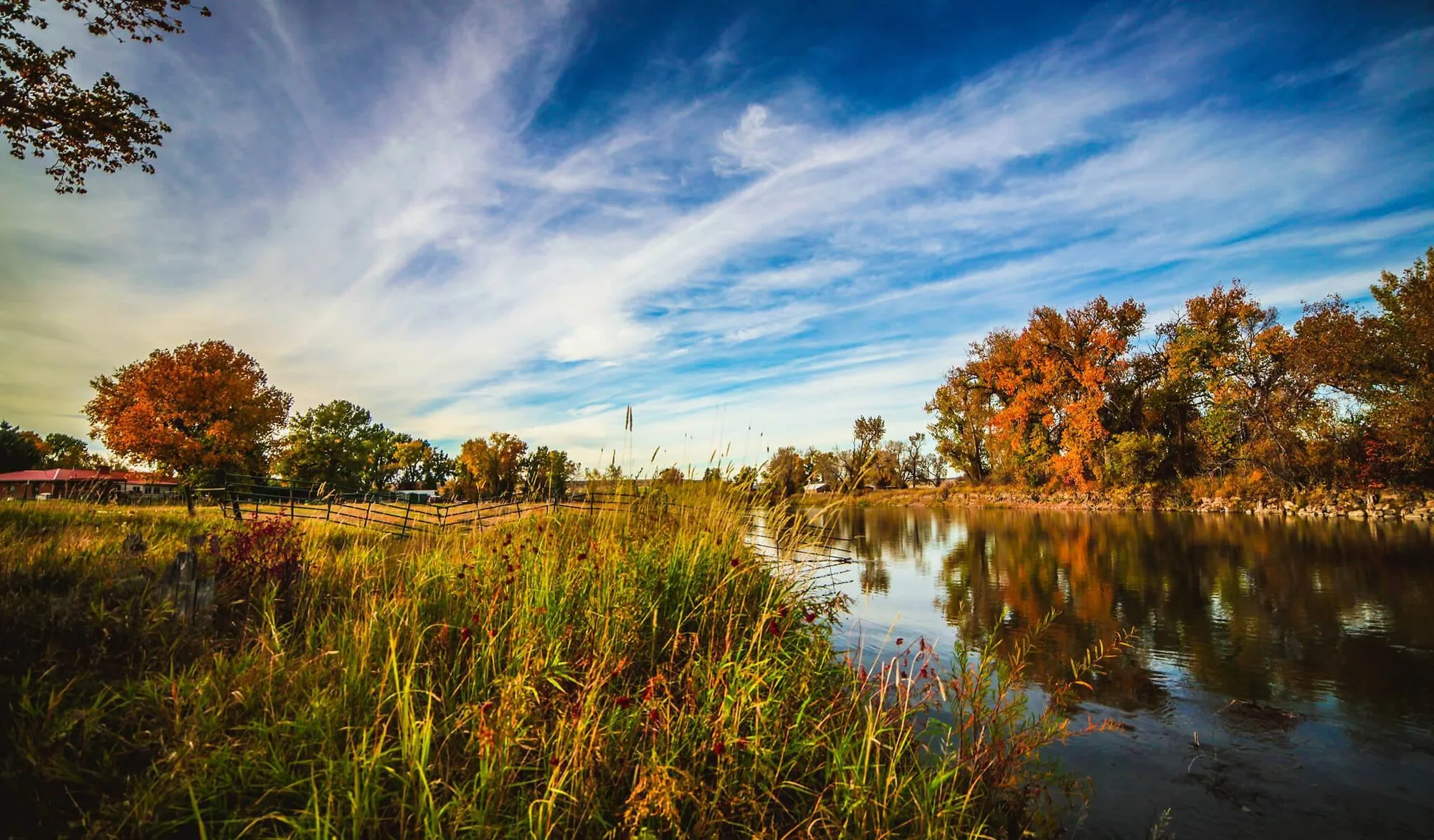
Landscape Preset Collection
-
Landscape Preset Collection: Compatible with Lightroom 5+, Lightroom Classic, Lightroom CC, and Creative Cloud for Desktop and Mobile This means you can use the same preset on your computer and phone, and the look will be consistent across devices—something manual adjustments don't easily replicate without careful note-taking.
-
Landscape Preset Collection: Presets are fully customizable to fit your style Even if you start with a preset, you can still fine-tune every setting. The preset is a starting point, not a final lock-in.
-
Landscape Preset Collection: Instruction guide and video tutorial links included If you are new to presets, the guide helps you get started quickly. Manual editing requires you to learn from other sources or experience.
When to choose presets over manual editing
Presets make sense when you edit a large batch of landscape photos from the same shoot or location. The one-click application gives you a consistent look across all images, and you can tweak individual photos afterward if needed. The Landscape Preset Collection's seven presets cover several common landscape moods—from dramatic black-and-white (B&W Barley) to warm fall tones (Nostalgic Autumn) and vivid greens (Forest).
If you are editing on your phone using the free Lightroom Mobile app, presets are especially convenient because they avoid fiddling with tiny sliders on a small screen.
When manual editing is the better route
Manual editing is the way to go when you have a very specific vision that doesn't match any preset's starting point, or when you want to learn how each adjustment affects the image. It also gives you full control over every pixel, which matters for high-end commercial work or when you need to match a brand's exact color palette.
If you only edit a few photos per session and you enjoy the process, manual editing can be more satisfying—but it will take more time per image.
The honest trade-off
The Landscape Preset Collection does not replace the need to understand Lightroom. You still need basic knowledge to apply the presets and adjust them to your photo. Manual editing requires more time and skill but offers unlimited flexibility. For most landscape photographers, a hybrid workflow works best: use a preset as a starting point, then manually fine-tune the result. That way you get speed and consistency without sacrificing control.
Note that the presets are a digital download and all sales are final. The license is for one photographer or studio only.