Quick answer
Start by measuring your laptop's diagonal screen size and checking the backpack's stated laptop compartment dimensions. A well-padded, dedicated sleeve with a false bottom offers the best drop protection.
Why dedicated compartments matter
A laptop backpack should have a separate padded compartment, not just a slip pocket inside the main cavity. Dedicated sleeves keep your device from sliding against books or a water bottle, and they usually sit against your back for better weight distribution. Look for a compartment that is raised off the bottom of the bag—this false-bottom design cushions the laptop if you set the backpack down hard.
Padding and protection trade-offs
Thicker padding (around 1 inch or more) provides better shock absorption but adds weight and reduces internal space. Thinner padding keeps the backpack lighter and more flexible, but offers less protection against drops. If you commute by bike or public transit, prioritize a well-padded compartment. If you walk a short distance to an office or classroom, a moderately padded sleeve may be sufficient.
Security features worth considering
Some laptop backpacks include an RFID-blocking pocket to protect credit cards and passports from electronic theft. While not directly related to laptop fit, this feature is valuable if you carry sensitive items in the same bag. A lockable zipper on the laptop compartment adds another layer of security when you are in crowded areas.
How to choose the right laptop backpack
- Measure your laptop: Measure the diagonal screen size and the actual dimensions (width, depth, height) of your laptop. Compare these to the backpack's stated laptop compartment size, not just the screen size claim.
- Check the compartment padding: Look for at least 0.5 inches of foam padding on all sides of the laptop sleeve. A false bottom (the sleeve sits above the bag's floor) is essential for drop protection. If the product page does not mention padding thickness or a false bottom, consider it a risk for fragile devices.
- Consider your daily load: If you carry a tablet, charger, and cables in addition to your laptop, choose a backpack with a dedicated tablet pocket and an organizer panel. If you only carry the laptop, a simpler design will be lighter.
Product highlights
-
SWISSGEAR Artz Pro Laptop Backpack: The SWISSGEAR Artz Pro Laptop Backpack features a steel-framed main compartment with a wide-mouth design inspired by vintage doctor bags. The steel frame keeps the bag's shape and makes packing and accessing your laptop easier, especially when the bag is full.
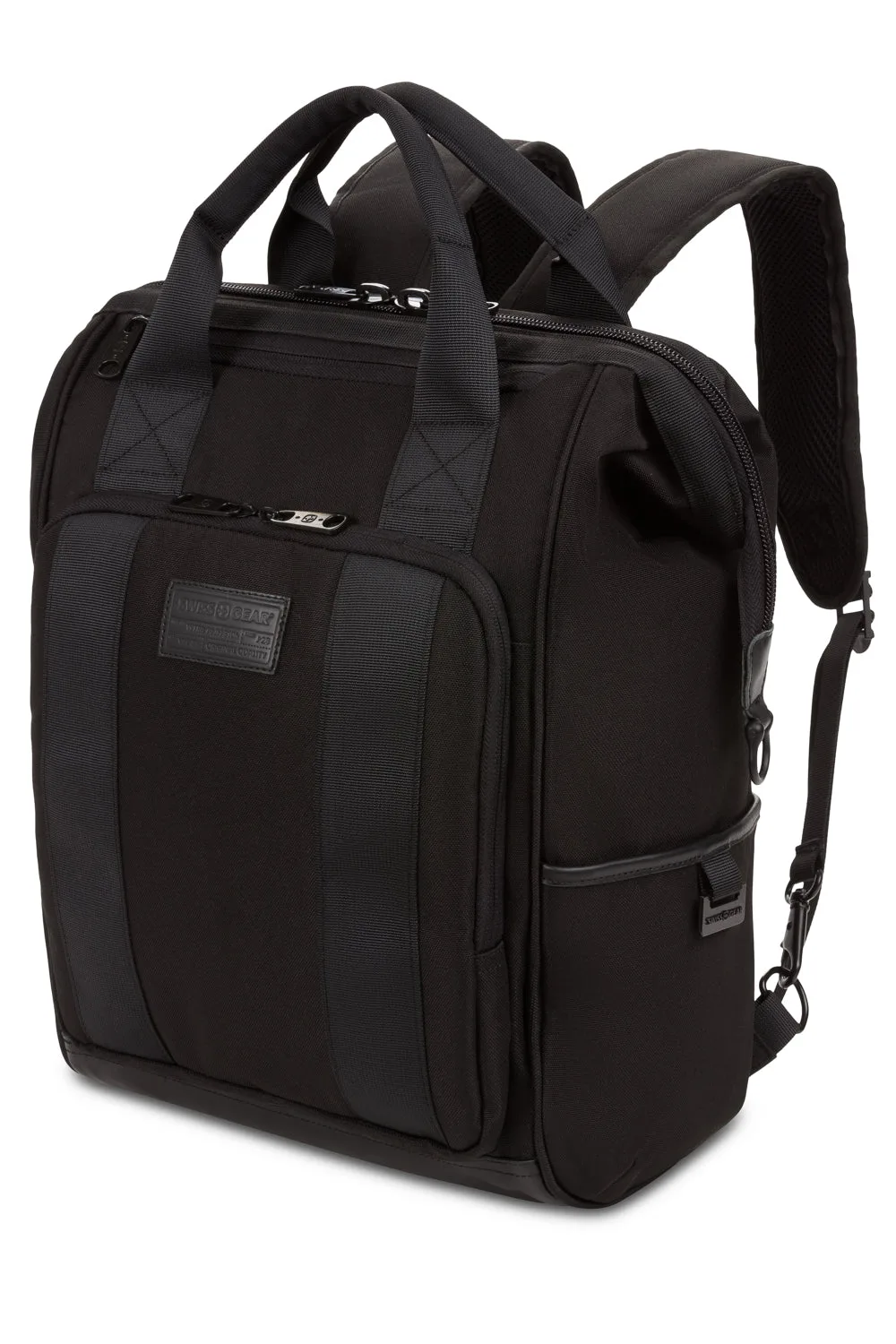
SWISSGEAR Artz Pro Laptop Backpack
-
SWISSGEAR Urban Tech Laptop Backpack: The SWISSGEAR Urban Tech Laptop Backpack includes a fully RFID-protected front pocket and a padded laptop compartment that fits devices up to 17 inches. If you carry a large laptop and want to protect your digital identity, this model combines generous device capacity with built-in security.
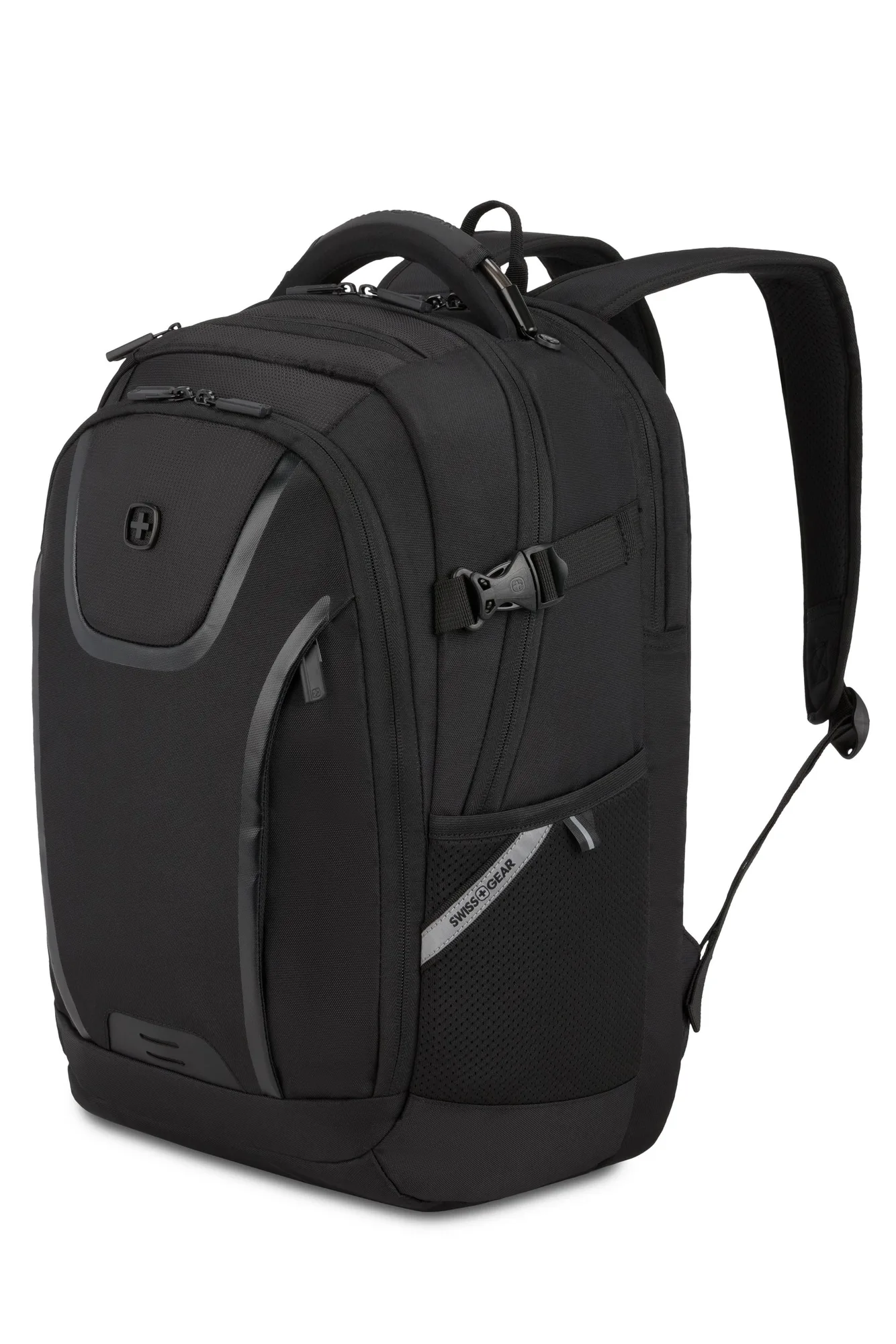
SWISSGEAR Urban Tech Laptop Backpack
Who should buy what
Best for
- Commuters who need a secure, organized bag for a 15-17 inch laptop and daily essentials
- Students who want a stylish backpack that doubles as a tote for class or the office
Not for
- Users who need a lightweight, minimalist backpack for a small tablet or 13-inch laptop only