What the LCD Laser Pen Can Do
The LCD Laser Pen is a handheld device designed to remove spots, freckles, moles, skin tags, and warts. It uses microcomputer-controlled technology and offers nine intensity levels. Lower levels target spots and freckles, while stronger levels are intended for moles and skin tags. The LCD display shows battery level and selected intensity.
Key Product Facts
-
LCD Laser - mole, freckle and Wart remover pen: Uses microcomputer control with 9 intensity levels. Lower levels for spots and freckles; strong levels for moles and skin tags. Choosing the correct intensity is critical for safe and effective treatment. Using too high a level on a freckle could cause unnecessary discomfort.
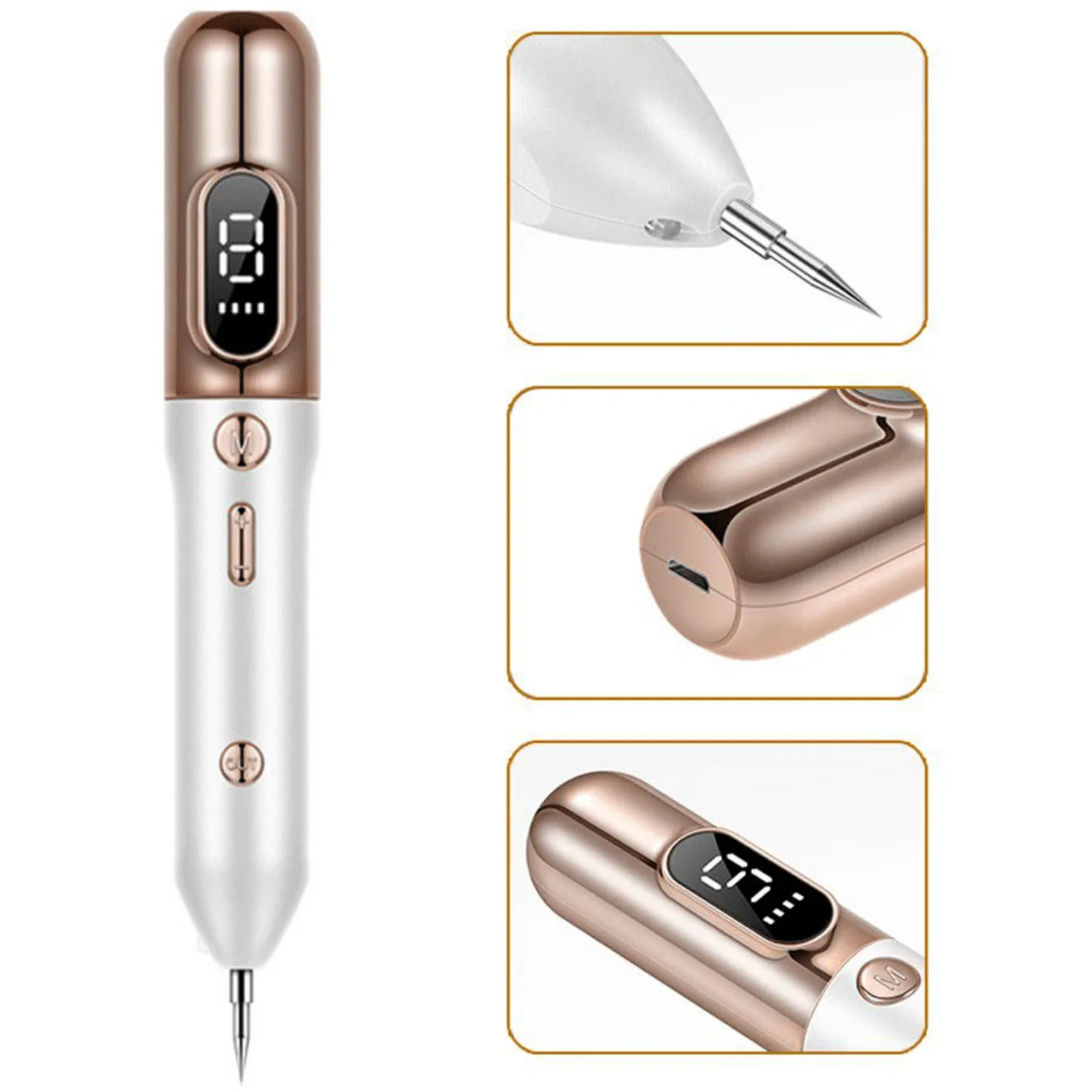
LCD Laser - mole, freckle and Wart remover pen
-
LCD Laser - mole, freckle and Wart remover pen: Powered by a rechargeable 1200 mAh battery, charged via USB cable. Includes 5 fine needles and 1 big needle. The rechargeable battery and included needles mean you have everything to start right away. The fine needles suit smaller spots; the big needle is for larger areas.
-
LCD Laser - mole, freckle and Wart remover pen: Stainless steel spot pen is non-toxic, hygienic, and rust-resistant. The material is safe for skin contact and easy to keep clean, which is important for a device used on the skin.
How to Use the LCD Laser Pen
Before using the pen for the first time, the manufacturer recommends testing it on fresh pigskin to become familiar with its performance and operation. This step helps you understand the intensity levels without risk.
- 1. Charge the device: Connect the pen to a USB power source. The LCD display shows the battery level so you know when it is fully charged.
- 2. Select the intensity level: Use the controls to choose a level based on what you are treating. Lower levels for spots and freckles; higher levels for moles and skin tags.
- 3. Prepare the treatment area: Clean the skin gently. Do not apply any lotions or creams before treatment.
- 4. Treat the area: Hold the pen tip against the spot and activate. The device works quickly. Remove spot without blooding.
- 5. Aftercare: Do not wash or clean the treated area frequently for 30 days. Simple care only – do not scrub. Keep the area dry and avoid direct water contact.
Safety and Maintenance
The LCD Laser Pen can produce high temperatures instantly. Keep it away from children when not in use. Never wash the device with water or any liquid, as moisture can damage the internal components and create a hazard. Clean the needle tips gently with a dry cloth or replace them as needed. Store the pen in a dry place.