Quick answer
For general school and travel use on a tight budget, the Lenovo 300e offers a durable touchscreen and AMD graphics at a lower price. If you prefer a backlit keyboard and Intel reliability for everyday tasks, the Acer Spin 511 is the better choice.
Processor and graphics: AMD vs Intel
The Lenovo 300e runs on an AMD A4-9120C dual-core processor with Radeon R4 graphics, while the Acer Spin 511 uses an Intel Celeron N4020 with integrated graphics. For basic web browsing, Google Docs, and streaming, both handle the workload smoothly. However, the AMD model's Radeon graphics can give a slight edge in light photo editing or casual Android apps, whereas the Intel Celeron tends to run a bit cooler and more consistently under sustained load.
Build and keyboard differences
The Lenovo 300e is built with a ruggedized design meant for students on the go, featuring a reinforced frame and spill-resistant keyboard. The Acer Spin 511, while also convertible, includes a backlit keyboard—a nice perk for low-light classrooms or evening study sessions. If you type in dim environments often, the backlit keys on the Acer add real convenience.
Trade-offs to consider
- Price vs features: The Lenovo 300e costs less (catalog price $58.39 vs $90.99) but lacks a backlit keyboard. The Acer Spin 511 costs more but adds backlit keys and an Intel processor.
- Durability vs keyboard comfort: Lenovo's rugged build resists drops and spills better, while Acer's backlit keyboard improves typing in dim settings. If you expect rough handling, choose Lenovo. If you type in varied lighting, choose Acer.
- Graphics performance vs battery efficiency: AMD Radeon R4 offers slightly better graphics for light creative apps, but Intel Celeron typically provides longer battery life and cooler operation.
Product facts at a glance
-
Acer 2 in 1 Chromebook - Spin 511 R752T C2YP 11.6'' Touchscreen Convertible HD 1366 x 768 Intel Celeron N4020 Dual core (2 Core) 1.10 GHz 4 GB RAM 32 Flash: Acer Chromebook (11.6", 4GB RAM, 32GB Storage – Shale Black) with Intel Celeron N4020, backlit keyboard, and integrated graphics. The backlit keyboard makes typing in low-light settings easier, and the Intel Celeron provides consistent performance for everyday tasks.
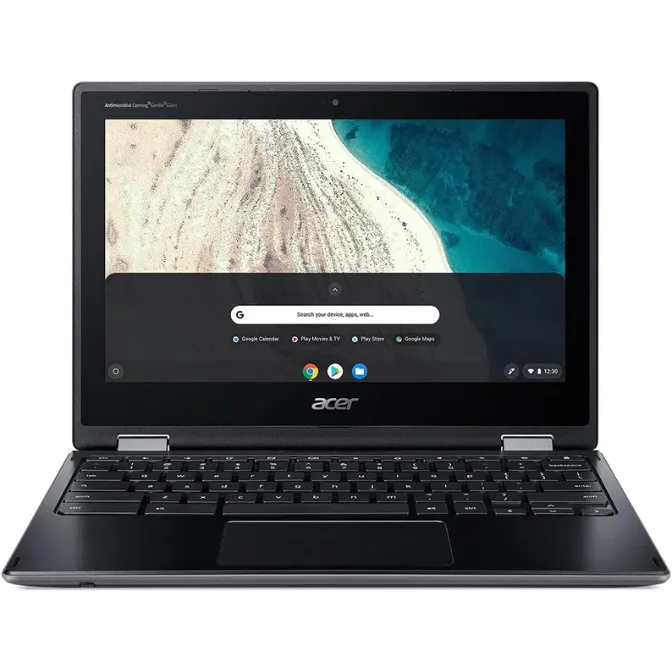
Acer 2 in 1 Chromebook - Spin 511 R752T C2YP 11.6'' Touchscreen Convertible HD 1366 x 768 Intel Celeron N4020 Dual core (2 Core) 1.10 GHz 4 GB RAM 32 Flash
-
Lenovo 300e Chromebook 2nd Gen 11.6" Touchscreen 2 in 1 Chromebook - HD - 1366 x 768 - AMD A-Series A4-9120C Dual-core (2 Core) 1.60 GHz - 4 GB RAM - 32 GB Flash Memory: Lenovo 300e Chromebook 2nd Gen (11.6", Touchscreen, 4GB RAM – Black) with AMD A4-9120C, Radeon R4 graphics, and durable build. The Radeon graphics handle light graphics work better than integrated Intel, and the rugged design is ideal for school environments.
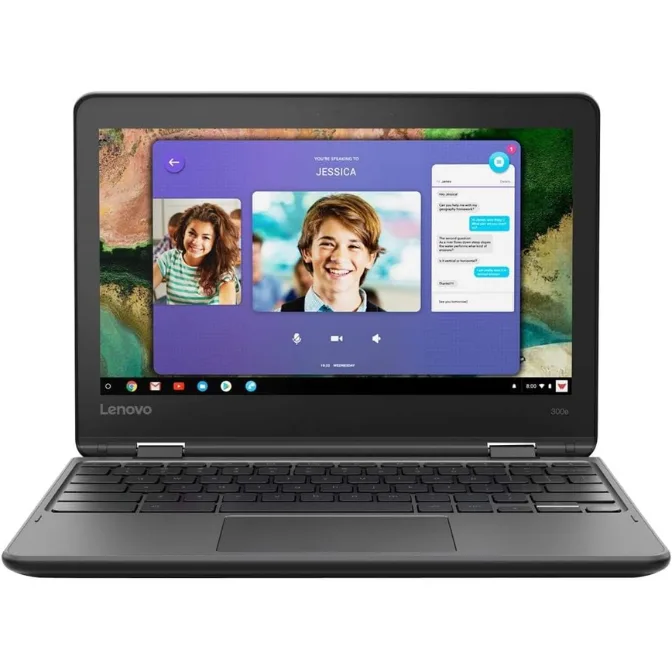
Lenovo 300e Chromebook 2nd Gen 11.6" Touchscreen 2 in 1 Chromebook - HD - 1366 x 768 - AMD A-Series A4-9120C Dual-core (2 Core) 1.60 GHz - 4 GB RAM - 32 GB Flash Memory
Which Chromebook fits you?
Best for
- Budget-conscious students who need a durable, spill-resistant Chromebook for school
- Users who want slightly better graphics for light Android apps or photo editing
Not for
- Users who need a backlit keyboard for typing in low light (choose Acer Spin 511 instead)
- Heavy multitaskers or those requiring more than 4GB RAM and 32GB storage