Start with the lens name, not the focal range
The LensCoat Canon 55-250 IS and the LensCoat Canon 70-300 IS look like similar telephoto zoom covers, but they are cut for different lenses. The 55-250 cover is listed for the Canon 55-250 f/4-5.6 with IS, while the 70-300 cover is listed for the Canon 70-300 f/4-5.6 IS. If your lens has a different maximum aperture or a different stabilization designation, check the exact model before ordering.
Both covers share the same core purpose: some protection from scrapes and bumps, preserving resale value, and breaking up the lens shape so it is less noticeable to wildlife. The differences that matter are in control access, mount alignment and what comes with the cover.
Control access and mount alignment: what each record confirms
- LensCoat Canon 55-250 IS: The record confirms access to the auto focus and Image Stabilization controls. A small notch on the last segment lines up with the red dot indicator, making it easier to quickly line up your lens with the camera mount even with the cover installed.
- LensCoat Canon 70-300 IS: The record confirms access to the auto focus and Image Stabilization controls. A small hole on the last segment lines up with the red dot indicator for mount alignment. The cover includes a piece for an optional hood.
Verified details for the 55-250 IS cover
-
LensCoat® Canon 55-250 f/4-5.6 IS: LensCoat® for the Canon 55-250 f/4-5.6 with IS features access to the auto focus and Image Stabilization controls. If you adjust AF or IS frequently while shooting, the cover is cut to keep those controls reachable.
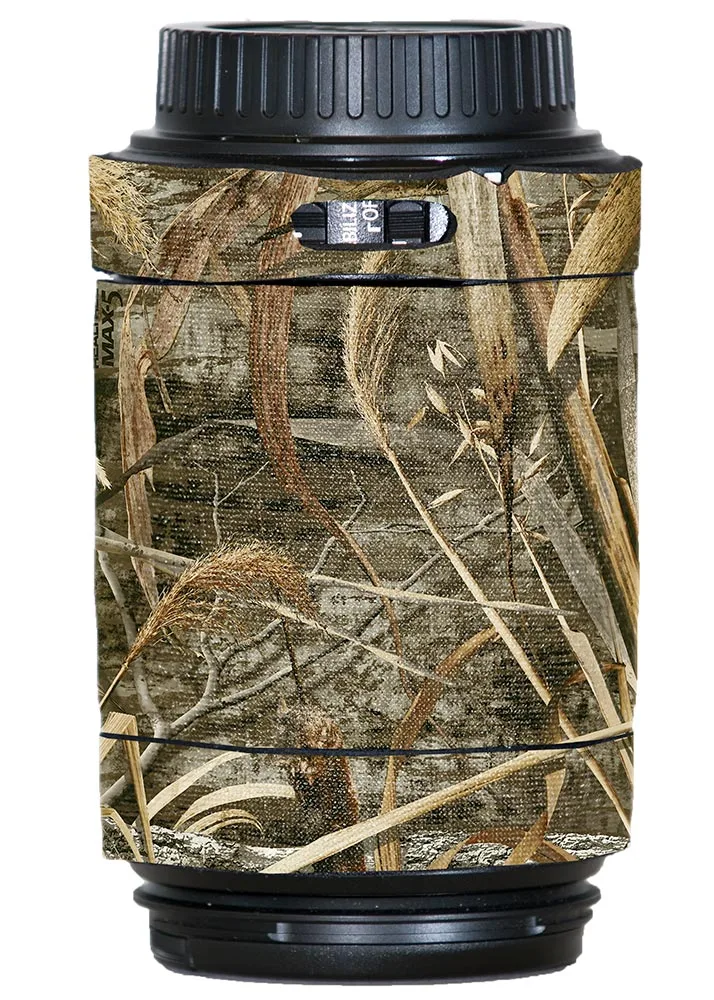
LensCoat® Canon 55-250 f/4-5.6 IS
-
LensCoat® Canon 55-250 f/4-5.6 IS: A small notch on the last segment lines up with the red dot indicator, making it easy to quickly line up your lens with camera mount even with the cover installed. Mount alignment stays visible without removing the cover.
-
LensCoat® Canon 55-250 f/4-5.6 IS: The cover offers some protection from scrapes and bumps, preserving resale value, and helps break up the shape of your lens so it is less noticeable to wildlife. These are the two practical reasons to use a cover in the field.
Verified details for the 70-300 IS cover
-
LensCoat® Canon 70-300 f/4-5.6 IS: LensCoat® for the Canon 70-300 f/4-5.6 IS features access to the auto focus and Image Stabilization controls. Control access is confirmed for this lens as well, so handling is not the deciding difference.
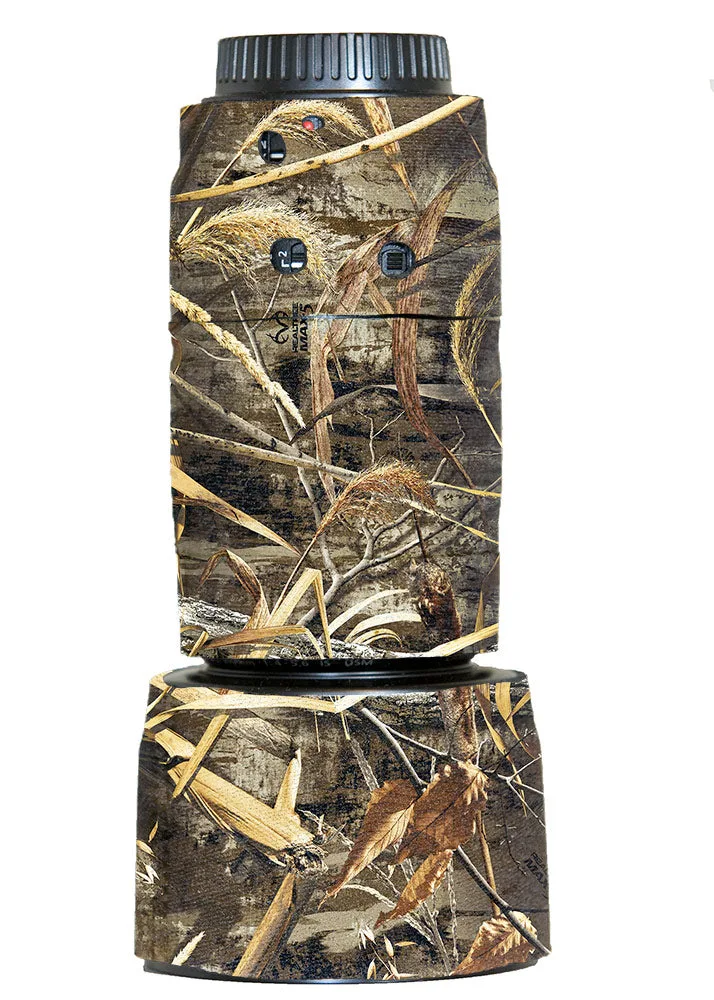
LensCoat® Canon 70-300 f/4-5.6 IS
-
LensCoat® Canon 70-300 f/4-5.6 IS: A small hole on the last segment lines up with the red dot indicator, making it easy to quickly line up your lens with camera mount even with the cover installed. The alignment aid is present, though described as a hole rather than a notch.
-
LensCoat® Canon 70-300 f/4-5.6 IS: Includes piece for optional hood. If you shoot with a hood, this cover adds a dedicated piece for it; the 55-250 record does not mention a hood piece.
-
LensCoat® Canon 70-300 f/4-5.6 IS: The record notes that the LensCoat® for the Canon 70-300 f/2.8 IS cannot cover the fixed portion of the lens barrel due to the manner in which the lens barrel extends and retracts, leaving a small section exposed when the lens is fully extended. This note refers to the f/2.8 version, not the f/4-5.6 IS cover compared here, but it is a reminder to confirm your exact lens version before ordering.
Color choices differ between the two covers
The 55-250 IS cover is offered in Realtree Snow, Realtree Max4, Realtree Max5, Digital Camo, Forest Green Camo, Black and Canon White. The 70-300 IS cover is offered in Realtree Max4, Realtree Max5, Realtree Snow, Digital Camo, Forest Green Camo and Black. Canon White is listed for the 55-250 but not for the 70-300 in the supplied variant evidence.
If color match matters, that difference may decide the choice for a white Canon lens body. Otherwise, both covers share the same camouflage and black options.
What the supplied records do not confirm
Both records are clear on control access and mount alignment, but they do not provide cleaning instructions, material composition, or a step-by-step installation sequence. Neither record states whether the cover fits other lens versions, so compatibility should be checked against the exact model name before purchase.
- Cleaning and care: No care instructions are supplied for either cover. Avoid assuming a washing method or cleaning product.
- Installation steps: The records describe alignment aids but not a full installation procedure. Follow any instructions included with the cover.
- Hood coverage for the 55-250: The 55-250 record does not mention a hood piece. Do not assume one is included.
- Interchangeability: The covers are listed for specific lens models. Do not assume the 55-250 cover fits the 70-300 or vice versa.
How to choose between them
Choose the cover that matches your lens exactly. If you own the Canon 55-250 f/4-5.6 IS and want a white option to match a Canon lens, the 55-250 cover is the only one of the two listing Canon White. If you own the Canon 70-300 f/4-5.6 IS and shoot with a hood, the 70-300 cover includes a piece for an optional hood, which the 55-250 record does not mention.
Beyond those differences, both covers offer the same core benefits: control access, a red-dot alignment aid and some protection from scrapes and bumps. Confirm your lens model, then pick the color that suits your shooting conditions.