When you install a smart video doorbell like the Lorex 4K Wired Video Doorbell with 2K Floodlight Wi-Fi Security Camera, you face a choice: keep your existing mechanical chime or upgrade to a dedicated Wi-Fi Chimebox. Both options can alert you to visitors, but they differ significantly in installation, sound quality, and smart features.
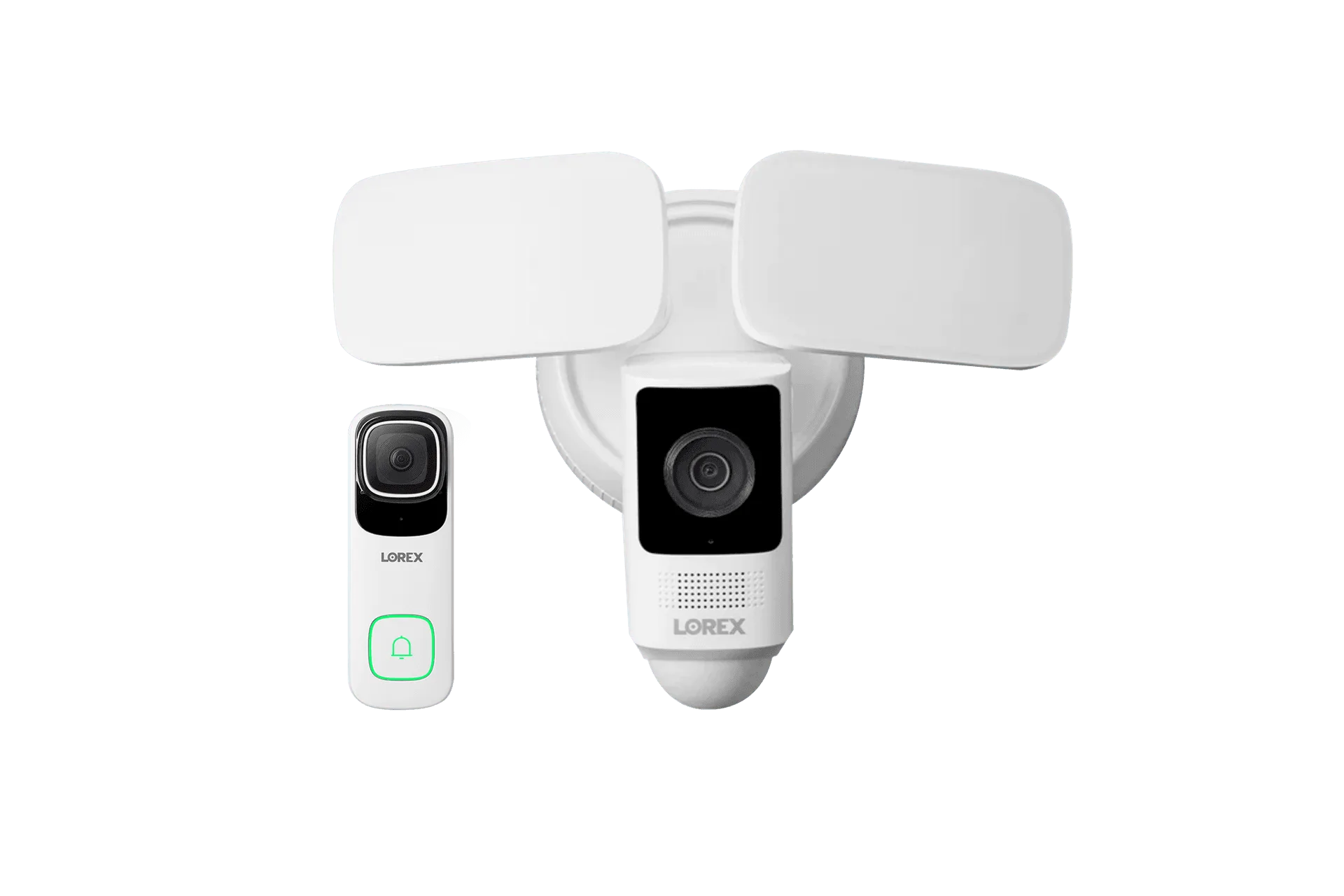
Lorex 4K Wired Video Doorbell with 2K Floodlight Wi-Fi Security Camera
In this comparison, we’ll break down the pros and cons of each chime type, helping you decide which one fits your home and lifestyle. Whether you prioritize classic reliability or modern convenience, understanding these differences will ensure you get the most out of your Lorex doorbell system.
What Is a Lorex Wi-Fi Chimebox?

Lorex Wi-Fi Chimebox
A Lorex Wi-Fi Chimebox is a wireless indoor chime that connects to your Lorex video doorbell over your home Wi-Fi network. When someone presses the doorbell, the chimebox plays a customizable ringtone—no wiring required. It plugs into any standard electrical outlet and can be placed anywhere within range of your Wi-Fi signal.
The chimebox offers several advantages: you can choose from multiple melodies, adjust the volume, and even set different chimes for different doorbells if you have multiple units. It also supports visual alerts via an LED indicator, making it ideal for noisy households or for those with hearing impairments.
- Easy plug-and-play setup: no wiring, just power and connect to Wi-Fi.
- Customizable ringtones and volume control.
- Visual LED alerts supplement audio notifications.
- Works with multiple Lorex doorbells for zone-specific chimes.
The Traditional Mechanical Chime: How It Works
Traditional doorbell chimes are wired directly to your doorbell button and transformer. When the button is pressed, the circuit closes, causing a solenoid to strike a metal bar or tube, producing the familiar ding-dong sound. These chimes are simple, durable, and don't rely on internet connectivity.
With a Lorex video doorbell, you can often keep your existing mechanical chime by wiring the doorbell to trigger it. However, compatibility depends on your chime's voltage and the doorbell's power requirements. Some older or low-voltage chimes may not work reliably, leading to buzzing or incomplete rings.
- No dependency on Wi-Fi or power outages (if wired correctly).
- Familiar sound that many homeowners prefer.
- Requires proper wiring and transformer compatibility.
- Limited to one sound; no customization.
Installation and Setup Comparison
Installing a Lorex Wi-Fi Chimebox is straightforward: plug it into an outlet, download the Lorex app, and follow the pairing instructions. The entire process takes about five minutes. You can place the chimebox in a central location like the living room or kitchen for maximum audibility.
Wiring a traditional chime to a smart doorbell is more involved. You may need to bypass the existing chime or install a chime kit (often included with the doorbell) to prevent humming. If your transformer voltage is too low, you might need to upgrade it. This can be a DIY project for handy homeowners, but many prefer to hire an electrician.
- Chimebox: no wiring, app-based setup, portable.
- Traditional chime: wired installation, may require transformer upgrade, fixed location.
Sound Quality and Customization
The Lorex Wi-Fi Chimebox offers multiple ringtone options, from classic ding-dong to festive melodies. You can adjust the volume to suit your environment. Some models also allow you to set a schedule—for example, silencing the chime during nap time while still receiving smartphone alerts.
Traditional chimes produce a single, mechanical sound. While many find it pleasant and nostalgic, you cannot change the tone or volume without replacing the entire chime unit. Additionally, mechanical chimes can sometimes sound weak or distorted if the voltage is not ideal.
- Chimebox: customizable sounds, adjustable volume, scheduling.
- Traditional chime: fixed sound, no volume control, potential distortion.
Reliability and Smart Features
A Wi-Fi Chimebox relies on your home network. If your internet goes down, the chimebox may not ring. However, your Lorex doorbell will still record video and send push notifications to your phone (if your router has backup power). Some chimeboxes include a local storage option for offline operation, but this varies by model.
Traditional chimes are purely mechanical and will ring as long as the doorbell has power—even during a Wi-Fi outage. They don't offer smart features like multiple ringtones or integration with other smart home devices. For those who want a simple, no-fuss alert, the traditional chime is hard to beat.
- Chimebox: smart features, but dependent on Wi-Fi.
- Traditional chime: works during internet outages, no smart capabilities.
Which One Should You Choose?
If you value customization, easy installation, and the ability to place the chime anywhere, the Lorex Wi-Fi Chimebox is the clear winner. It's especially useful in larger homes where the existing chime may not be audible in all rooms. For renters or those who avoid wiring projects, the chimebox is the hassle-free option.
If you prefer a classic, reliable chime that works without internet, and you're comfortable with basic wiring, sticking with your traditional chime can save money and keep things simple. Just ensure compatibility with your Lorex doorbell to avoid performance issues.
- Choose Wi-Fi Chimebox for: easy setup, customization, portability.
- Choose traditional chime for: reliability during outages, no extra device, classic sound.
Ultimately, the best chime for your Lorex video doorbell depends on your priorities. If you want a modern, flexible solution that enhances your smart home experience, the Lorex Wi-Fi Chimebox is a worthy addition. Explore the Lorex 4K Wired Video Doorbell with 2K Floodlight Wi-Fi Security Camera and pair it with a chimebox for the ultimate convenience.