Quick answer
Set up the Lumia Osmo Action Head-Mounted Shooting Mount by adjusting the strap for a secure fit, positioning the mount plate at your forehead, and attaching your camera or phone for stable first-person footage.
Why a head strap mount improves POV footage
A head strap mount keeps your camera centered on your line of sight, creating a natural first-person perspective that chest or backpack mounts can't match. The Lumia Osmo Action Head-Mounted Shooting Mount uses pressure-reducing memory foam to stay comfortable during long shoots, whether you're cycling, hiking, or skiing.
The main trade-off is that head-mounted footage can feel bouncy during high-impact activities like trail running. The foam padding helps dampen vibration, but for smoother results, consider a gimbal or chest mount.
Step-by-step setup guide
- Adjust the strap for a snug fit: Place the head strap around your head with the mount plate centered on your forehead. Tighten the rear buckle so the strap feels secure but not painful. The mount should not shift when you shake your head gently. A loose strap causes shaky footage; too tight can cause headaches. Aim for a fit that stays put without digging in.
- Attach your camera or phone mount: If using an action camera like the Osmo Action, slide it onto the mount's quick-release plate until it clicks. For smartphones, attach the included adhesive or clip mount first. Ensure the camera lens is level with your eyes for a true POV perspective. Double-check the camera is locked in place before moving—a dropped camera is a common mistake.
- Adjust the tilt angle: Tilt the mount plate up or down so your camera points slightly above your natural horizon. This compensates for the natural downward angle of your head when looking ahead, keeping the horizon level in your footage. Test the angle by recording a short clip and reviewing it—adjust if the ground takes up too much of the frame.
- Route the cable (if using a wired microphone or external battery): If your setup includes a microphone or power bank, run the cable along the strap and secure it with the included clips or velcro ties. Keep cables away from the camera mount to avoid tangling or pulling the camera off-axis. Loose cables can snag on branches or gear—always tuck them neatly before starting your activity.
- Test stability with a short walk or run: Before your actual shoot, walk or jog in place for 30 seconds while recording. Review the footage for excessive shake or drift. If the mount shifts, tighten the strap or reposition the camera. A quick test saves hours of unusable footage—don't skip it.
Product facts
-
Lumia Osmo Action Head-Mounted Shooting Mount: The Lumia Osmo Action Head-Mounted Shooting Mount features pressure-reducing memory foam for comfort during extended use. This foam padding reduces pressure points, so you can wear the mount for hours without discomfort during long hikes or all-day shoots.
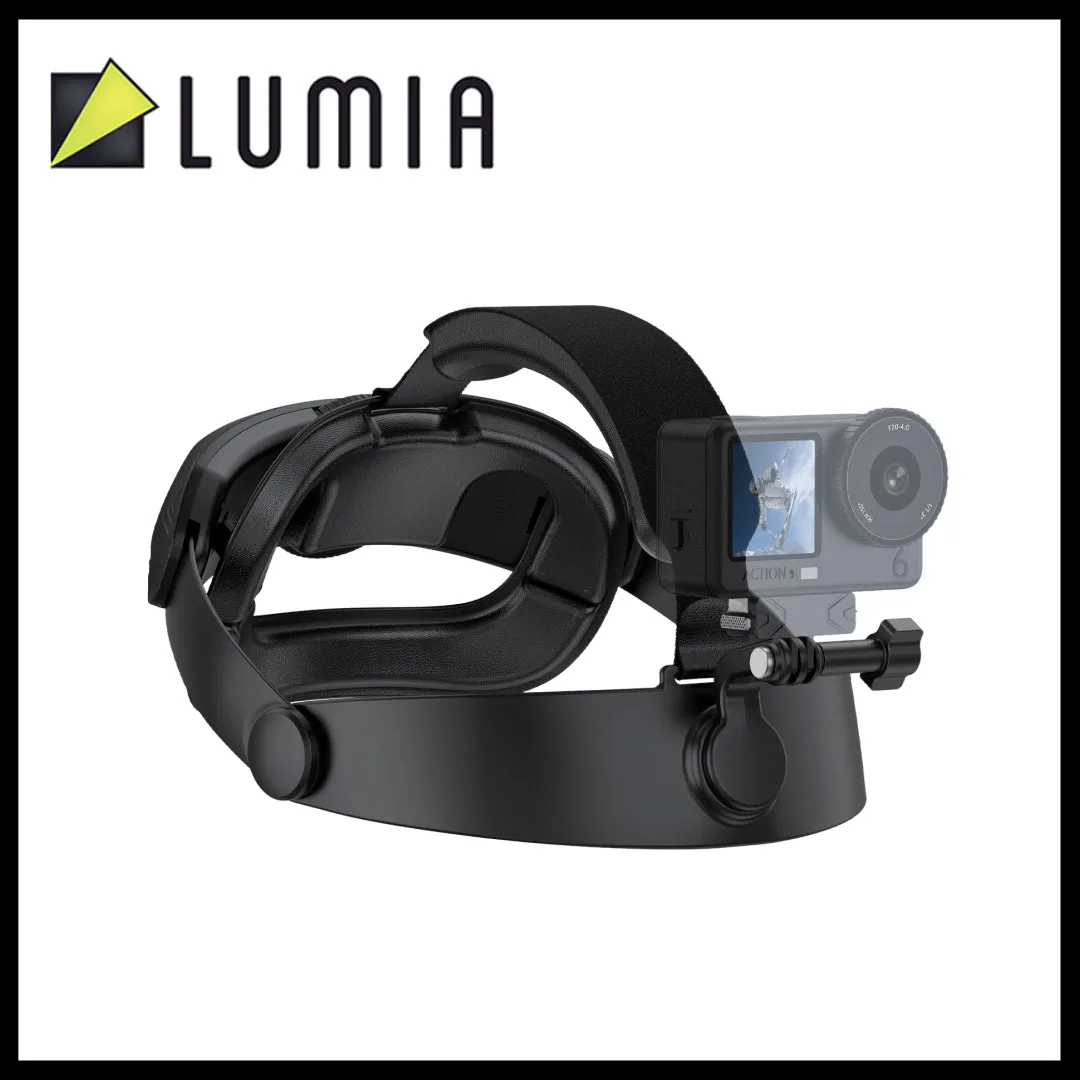
Lumia Osmo Action Head-Mounted Shooting Mount