What the Lunar Eclipse Filter Does for Moon Shots
The Lunar Eclipse filter is a half-kaleidoscope prism designed to split your frame between distortion and clarity. One side creates creative image multiplication, while the other remains completely clear. This asymmetrical construction lets you capture a dreamy double moon effect — one moon multiplied by the prism, the other left sharp — in a single exposure.
The filter is compatible with all camera brands and comes in 67mm, 77mm, and 82mm sizes. Because it works for both photo and video, you can experiment with moon effects in stills or motion without changing your setup.
Lunar Eclipse Filter at a Glance
-
Lunar Eclipse: Half-kaleidoscope filter with one clear side and one side built for image multiplication. This unique design lets you create a double moon effect in one frame, with the clear side preserving the real moon's shape and the prism side adding dreamy reflections.
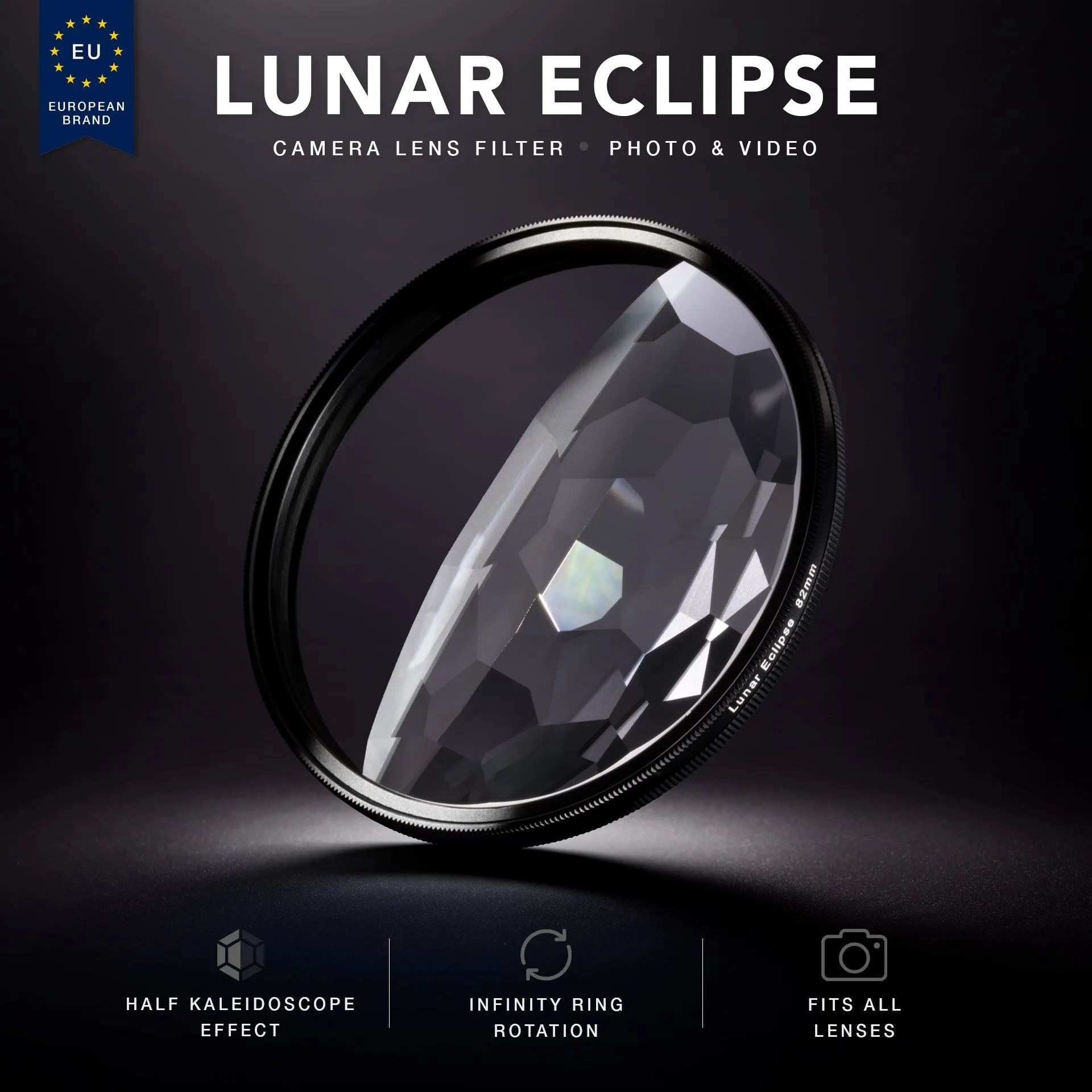
Lunar Eclipse
-
Lunar Eclipse: Compatible with all camera brands. You can use the filter on your existing lens without worrying about brand-specific mounts or adapters.
-
Lunar Eclipse: Available in 67mm, 77mm, and 82mm filter thread sizes. Choose the size that matches your lens thread. If your lens uses a different size, you may need a step-up ring.
-
Lunar Eclipse: Includes RFL Infinity Ring™ that spins endlessly after mounting. You can rotate the filter to adjust the angle of the prism effect without having to unmount it, making composition changes quick during a shoot.
Setting Up for a Double Moon Effect
These steps assume you have a lens that matches one of the available filter sizes (67mm, 77mm, or 82mm). If your lens thread is smaller, you will need a step-up ring — the supplied information does not confirm compatibility with step-up rings, so test before a critical shoot.
- Mount the filter: Screw the Lunar Eclipse filter onto your lens. The Infinity Ring lets you spin the filter freely after mounting, so you do not need to over-tighten.
- Frame the moon in the clear half: Rotate the filter so the clear side covers the moon. The prism side will then naturally create reflections and multiplications around it.
- Adjust the rotation for desired effect: Spin the Infinity Ring to shift the prism angle. A slight rotation can move the multiplied moon closer to or farther from the original, changing the dreamy feel.
- Compose and shoot: Use a tripod for sharp moon details, especially in low light. The filter works for both photo and video, so you can also capture the effect in motion.
Creative Ideas for Dreamy Moon Compositions
The half-kaleidoscope design naturally creates a contrast between the clear moon and its multiplied reflections. Try positioning the moon near the edge of the clear side to let the prism side fill the rest of the frame with soft, repeating shapes. For a more abstract look, rotate the filter so the prism side covers the moon entirely — the multiplication effect will turn the moon into a cluster of dreamy orbs.
Because the filter works for video, you can also slowly rotate the Infinity Ring during a long exposure or while recording to create a shifting, animated effect. The supplied information does not specify recommended shutter speeds or exposure settings, so experiment with your camera's manual mode to find the right balance for your scene.