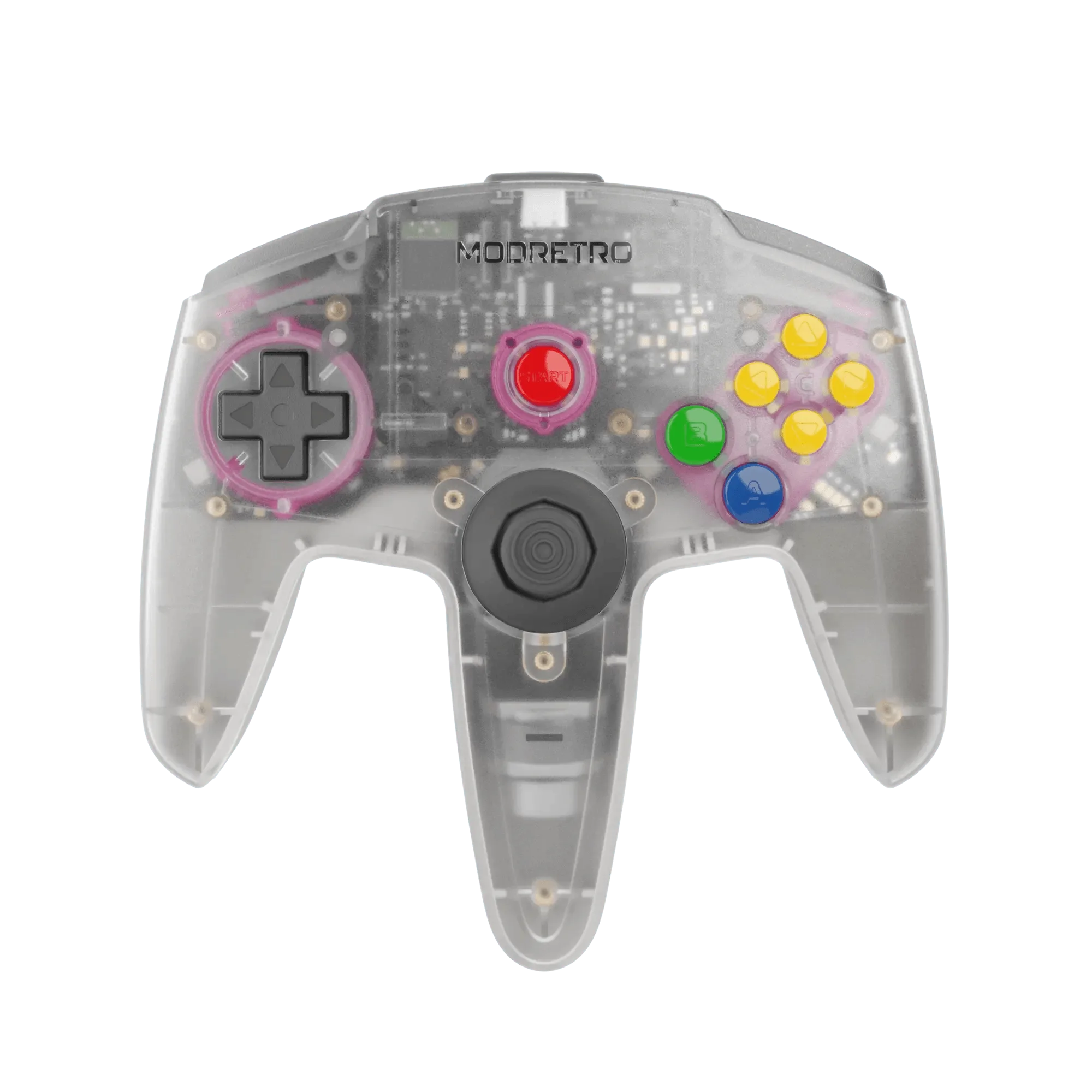
Diagnosing M64 Pro Controller Issues
The M64 Pro Controller is built differently from most retro controllers. Its aluminum back shell, swappable TMR thumbsticks, and Bluetooth SCI wireless module mean that some classic controller problems — like drift or lag — have different causes and solutions here. This guide walks through the most common issues reported by players and how to address them, using only what the controller's design and supplied evidence confirm.
Before diving into fixes, it helps to understand what the controller is and is not. The M64 Pro Controller is compatible with M64, Nintendo 64, PCs, and Android devices. It offers wired, rechargeable, and AA battery power options. Its thumbsticks use a snap-in mount and pogo pin design for easy customization. None of these features mean the controller is immune to wear or setup hiccups.
Common Problems and Their Fixes
- Controller drift or unresponsive thumbstick: The M64 Pro Controller uses user-replaceable, driftless TMR thumbsticks. If you experience stick drift, the thumbstick itself may need reseating or replacement. The snap-in mount and pogo pin design allow you to easily customize stiffness and color. Check that the thumbstick is fully seated. If drift persists, a replacement TMR thumbstick is the next step.
- Wireless connection drops or lag: The controller features Bluetooth SCI (shorter connection intervals) for ultra-low latency. For the first time, four-player N64 games are playable with imperceptible lag. If you experience lag, ensure the controller is paired with a compatible device (M64, PC, Mac, Linux, Android). The wireless module is under development for some platforms, so wired connection via the included cable may be more reliable for now.
- Battery not charging or short battery life: The controller comes with rechargeable pack, AA pack, and wired options. The rechargeable packs are easily swappable. If the battery doesn't charge, try a different USB-C cable and power source. The controller is USB-C compatible with Android, Mac, PC (under development). If the battery life seems short, consider using wired mode or swapping to a fresh rechargeable pack.
- Controller not detected by PC or Android: The M64 Pro Controller connects via Bluetooth BLE to PC, Mac, Linux, and Android. If your device doesn't detect it, verify Bluetooth is enabled and the controller is in pairing mode. Wired connection is also supported for M64 and N64 via the included cable. For PC, check that the controller shows up in your operating system's Bluetooth devices.
M64 Pro Controller at a Glance
-
M64 Pro Controller: User-replaceable driftless TMR thumbsticks This design means drift is not permanent — you can reseat or swap the thumbstick without replacing the whole controller.
-
M64 Pro Controller: Bluetooth SCI (shorter connection intervals) for ultra-low latency Wireless lag is minimized, but connection issues may still arise from device compatibility or pairing procedure.
-
M64 Pro Controller: Rechargeable pack, AA pack, and wired options all included Multiple power sources give you fallbacks if one method fails; wired mode is the most reliable for troubleshooting.
What the Supplied Information Does Not Cover
The catalog confirms the controller's compatibility and features but does not provide step-by-step pairing instructions, battery charging times, or specific troubleshooting for every operating system. If a particular issue is not listed here, it may be addressed in future firmware updates (the controller supports updatable firmware). For now, the wired connection and the included power options give you the most reliable path to getting back to gaming.