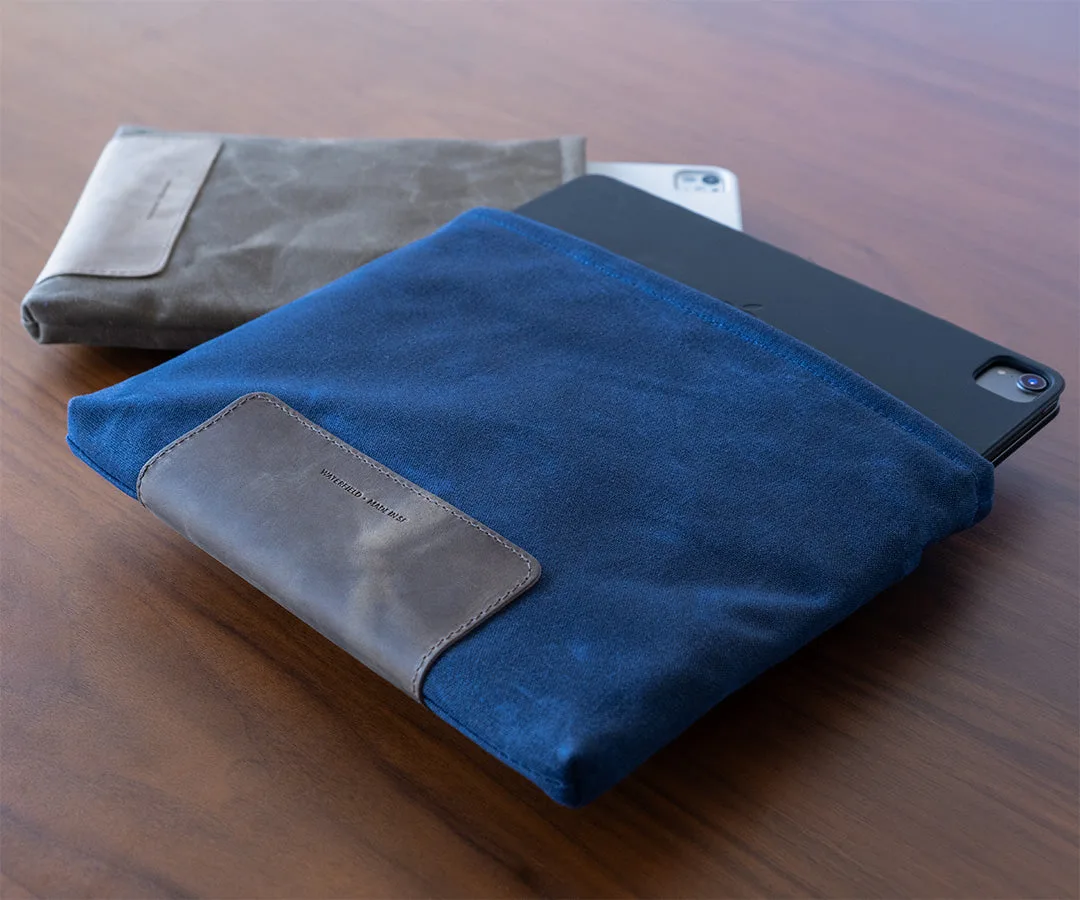
Why a Magnetic Sleeve?
If you slide your MacBook in and out of a bag several times a day, a zippered sleeve can slow you down. The Waterfield Magnetic Laptop Sleeve replaces the zipper with a smooth magnetic closure, letting you grab your laptop silently and quickly. But a magnetic flap also means you trade a fully sealed closure for convenience. Here is how that trade-off plays out in daily use.
Magnetic Laptop Sleeve Key Details
-
Magnetic Laptop Sleeve for MacBook: The smooth, secure, magnetic closure lets you slide your 15-inch MacBook Air silently in and out of the custom-fit case. The magnetic flap is the defining feature: no zipper to fumble with, and no noise when opening or closing.
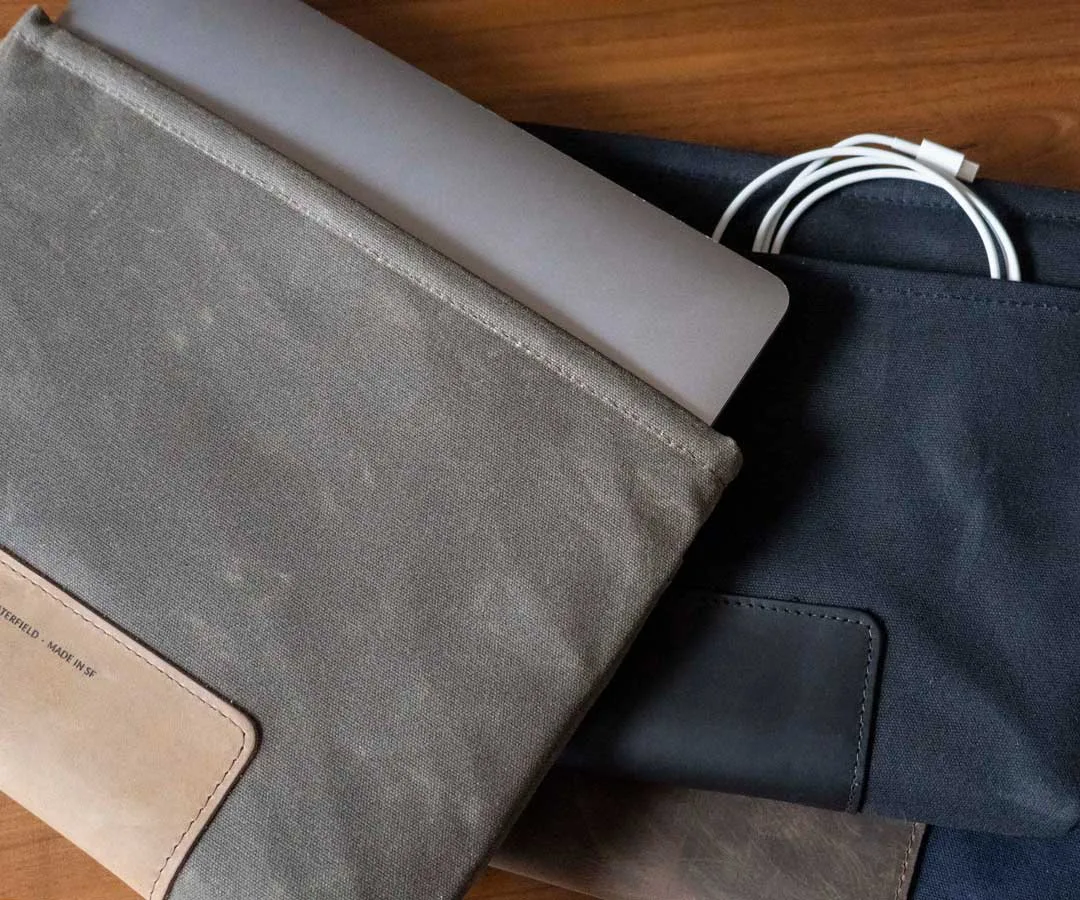
Magnetic Laptop Sleeve for MacBook
-
Magnetic Laptop Sleeve for MacBook: Reinforced neoprene padding and durable waxed canvas protect and secure your laptop. Neoprene absorbs minor bumps and the waxed canvas resists scuffs and light moisture, making this a solid daily sleeve.
-
Magnetic Laptop Sleeve for MacBook: Fits MacBook Air 13-inch, 15-inch and MacBook Pro 14-inch, 16-inch One sleeve size covers a wide range of current MacBooks, so you can use it across different models or upgrade without buying a new sleeve.
Fit and Compatibility
The Magnetic Laptop Sleeve is designed for MacBook Air 13-inch, 15-inch and MacBook Pro 14-inch, 16-inch. That means if you own a 13-inch MacBook Pro (M2 or earlier), it shares the same footprint as the 13-inch Air and fits. The sleeve is custom-fit, so your laptop stays snug without sliding around inside.
If you use a PC laptop, this sleeve is not a match — it is built specifically for MacBook dimensions. Check your model year against the listed sizes before ordering.
Materials and Everyday Durability
The outer shell is waxed canvas (Brown Canvas or Navy Canvas) or Black Ballistic Nylon. Waxed canvas develops a patina over time and sheds light rain, while ballistic nylon is more abrasion-resistant and easier to clean. Inside, reinforced neoprene padding cushions the laptop. There is no hard shell, so the sleeve stays slim and flexible — it slips easily into a larger backpack or tote.
The magnetic closure is strong enough to stay shut when carried alone, but if you toss the sleeve into a crowded bag, a corner of the flap can occasionally pop open. That is the trade-off for one-handed access.
Orientation: Horizontal or Vertical
The sleeve is available in both horizontal and vertical orientations. A horizontal sleeve lets you pull the laptop out sideways, which can be easier when working in a tight space like an airplane seat. A vertical sleeve takes up less width in a bag and keeps the laptop oriented the same way as most backpack laptop compartments. Choose based on how you access your bag most often.
Horizontal vs Vertical: Quick Comparison
- Horizontal: Pulls out sideways; good for desk or tray-table access. Takes up more width inside a bag.
- Vertical: Pulls out upward; fits neatly into backpack laptop sleeves. More compact width-wise.
What the Sleeve Does Not Cover
The Magnetic Laptop Sleeve is a sleeve, not a full case. It does not have a handle, shoulder strap, or pockets for accessories. If you need to carry a charger, cables, or a mouse alongside your laptop, you will need a separate bag or organizer. The sleeve is designed to be a minimalist protective layer, not a complete carry solution.