Quick answer
Pose the legs first, then the torso, then the arms, and only then add accessories. A Malice display holds up when the figure is balanced over its own feet, lit from one clear direction, and given enough empty shelf space that the pose reads at a glance. Build the stance before you decorate it.
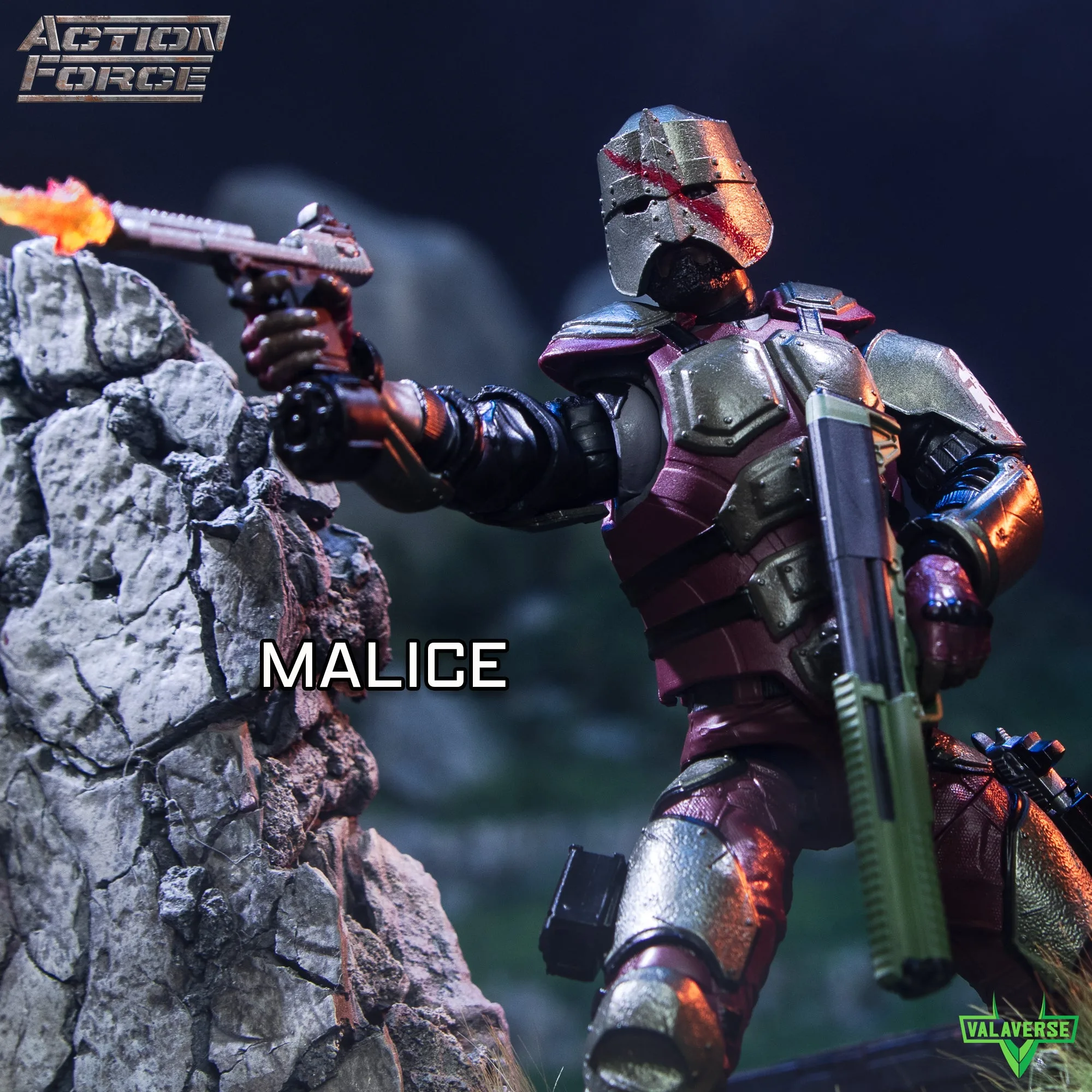
Malice
A Malice figure can look incredible or awkward on the same shelf, and the difference is almost never the figure. It is the order you pose it in, how much space you leave around it, and whether the light actually reaches the face. Most displays fail because the pose was built from the head down instead of the feet up.
This guide walks through a repeatable process you can apply to any Malice shelf setup, whether you are working with a single figure or a full Action Force lineup. Each step includes the mistake that ruins it most often, so you can catch the problem before you commit to a final look.
Start with the shelf, not the figure
Before you touch a single joint, clear the shelf and decide where the figure's footprint will sit. Measure the depth you actually have, then subtract the space a display stand needs. A 1/12 scale figure on a stand takes up more room than most collectors expect, and a pose that leans or lunges needs even more.
This is also the moment to decide whether the shelf is a solo showcase or part of a group. If Malice shares space with vehicles or a squad, block out the zones first. Figures placed after the fact tend to get squeezed into whatever gap is left, which flattens the pose and hides the silhouette.
- Checkpoint: if you cannot walk two fingers around the figure's outline, the shelf is too crowded for a dynamic pose.
Build the stance from the feet up
Set the feet first and make them carry the weight. A wide, staggered stance reads as stable and aggressive; feet placed too close together make even a good upper-body pose look like the figure is about to tip. Keep both feet flat or clearly planted, and avoid floating a heel unless the stand is holding that side.
Once the feet are set, adjust the knees and hips to lower or raise the center of gravity. A slight bend in the support leg does more for realism than any amount of arm posing. If the figure wobbles when you nudge the shelf, the problem is here, not in the shoulders.
- Common mistake: posing the arms first and then forcing the legs to match, which usually ends in a figure leaning backward.
Set the torso and head before the arms
The torso carries the story. A small twist at the waist suggests the figure is turning toward something, and that single adjustment makes a static pose feel alive. Keep the twist modest; over-rotating the torso flattens the chest and makes the figure look like it is mid-stumble rather than mid-action.
Then set the head last among the core joints. Aim the face slightly off-camera rather than straight at the viewer, and check that the chin is not buried in the chest. The head is the smallest adjustment with the largest effect on whether the display reads as intentional.
- Checkpoint: stand at eye level with the shelf. If you cannot tell which direction the figure is looking, the head angle needs work.
Pose the arms around a clear silhouette
Arms should create negative space, not fill it. Bend one elbow sharply and keep the other arm closer to the body so the outline stays readable from across the room. Symmetrical arms are the fastest way to make a dynamic figure look like a toy standing at attention.
If the figure is holding a weapon or accessory, pose the hand first and let the arm follow. Forcing the arm into position and then jamming the hand onto a grip usually strains the wrist and hides the accessory behind the torso. Swap in a different interchangeable hand if the angle refuses to work.
- Common mistake: posing both arms forward, which hides the chest detail and collapses the silhouette into a single blob.
Light the face and control the background
One directional light beats three scattered ones. Place your main light slightly above and to one side so it catches the brow, cheek, and shoulder, then let the opposite side fall into shadow. That contrast is what makes a display malice figure look photographed rather than stored.
Keep the background plain or deliberately themed. A shelf packed with unrelated boxes competes with the pose, and a busy backdrop erases the silhouette you just built. If you want a scene, add one prop or one vehicle and stop there.
- Checkpoint: squint at the shelf. If the figure still stands out as a clear shape, the lighting and background are working.
Add accessories and vehicles without crowding
Accessories should support the pose, not decorate the shelf. A single held item, a stand, and one environmental prop is usually enough. If you are displaying a Vanguard vehicle alongside figures, give it its own zone and treat the figure as a separate composition rather than draping it over the hood.
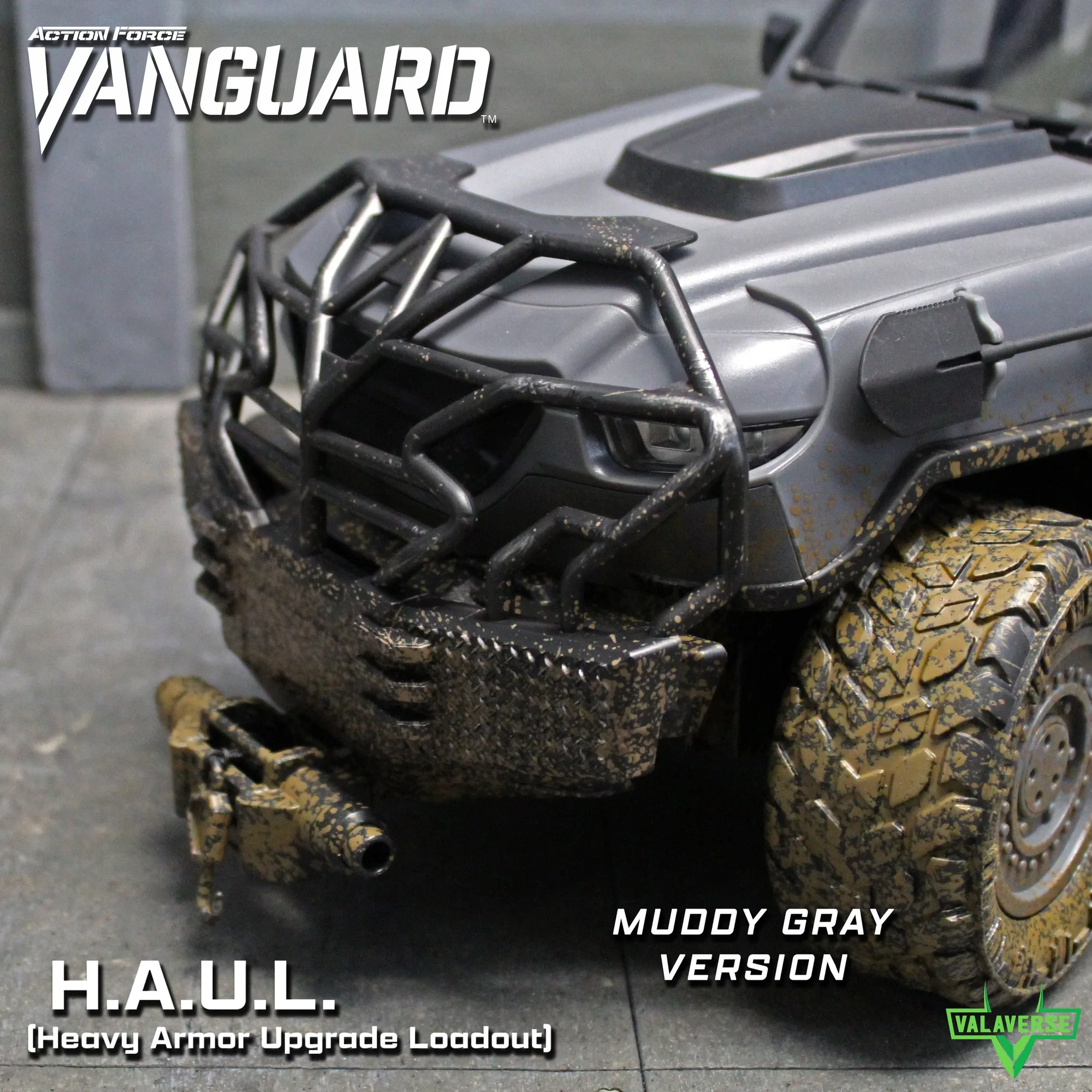
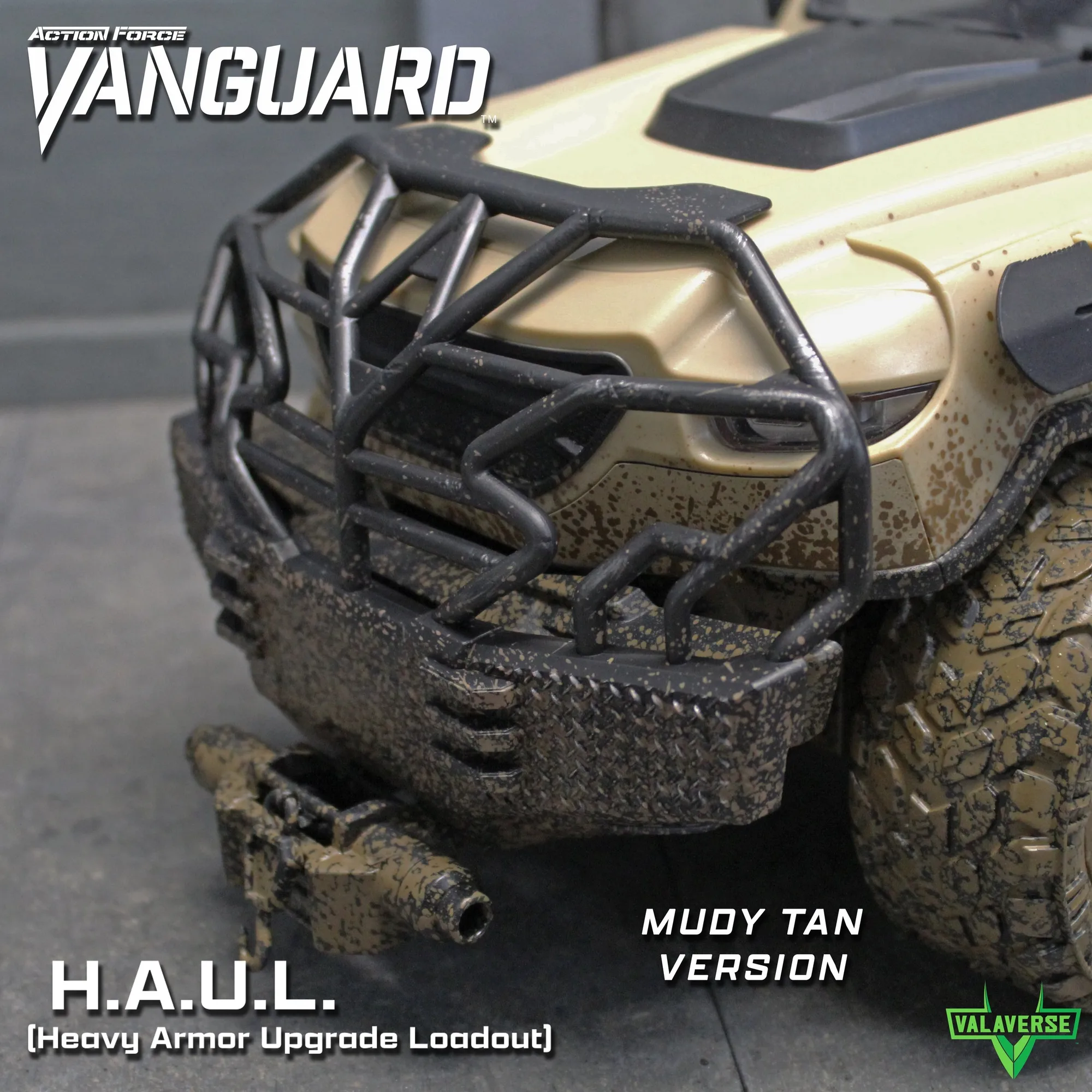
For vehicle-focused setups, accessory sets can change the whole read of a display. The VANGUARD H.A.U.L. Muddy Gray Accessory Set and the VANGUARD H.A.U.L. Muddy Tan Accessory Set both fit all Action Force Vanguard vehicles, so the color choice is about matching your shelf palette rather than compatibility.
- Common mistake: adding a second prop that repeats the first one's shape, which makes the shelf look cluttered instead of layered.
Do a shelf-life check before you commit
A pose that looks great today may sag, lean, or drift in a week. Walk away for a day, then come back and look at the figure from the same angle. If a joint has crept or a foot has lifted, fix it now rather than discovering it after months of dust and sunlight.
Rotate the display occasionally. Changing the head angle or swapping a hand is a five-minute refresh that makes a shelf feel new without buying anything. Keep spare hands and accessories in a labeled bag so you actually use them.
- Checkpoint: photograph the finished shelf. Comparing photos over time is the fastest way to spot a pose that has slowly failed.
Malice display setup: step-by-step
- Clear and zone the shelf: Empty the shelf, measure usable depth, and block out where the figure, stand, and any vehicle will sit before posing anything. Checkpoint: if the figure's outline has less than two fingers of clearance, remove a prop.
- Plant the feet and set the stance: Place the feet in a wide, staggered stance and bend the support knee slightly to lower the center of gravity. Common mistake: posing the upper body first and forcing the legs to follow.
- Twist the torso and aim the head: Add a modest waist twist toward the direction of interest, then angle the head slightly off-camera so the face is visible. Checkpoint: from eye level, the gaze direction should be obvious.
- Shape the arms for silhouette: Bend one elbow sharply, keep the other arm closer to the body, and swap hands if the grip angle fights the pose. Common mistake: both arms forward, which hides the chest and flattens the outline.
- Light from one direction: Use a single main light above and to one side, and keep the background plain or limited to one themed prop. Checkpoint: squint at the shelf; the figure should still read as a clear shape.
- Add accessories and vehicles last: Place one held item, the stand, and at most one environmental prop or vehicle zone, keeping each composition separate. Common mistake: a second prop that repeats the first one's shape.
- Run a 24-hour shelf-life check: Leave the display overnight, then check for sagging joints, lifted feet, or drifting poses and correct them immediately. Next step: photograph the shelf so you can compare it after your next rotation.
Product facts that affect your display
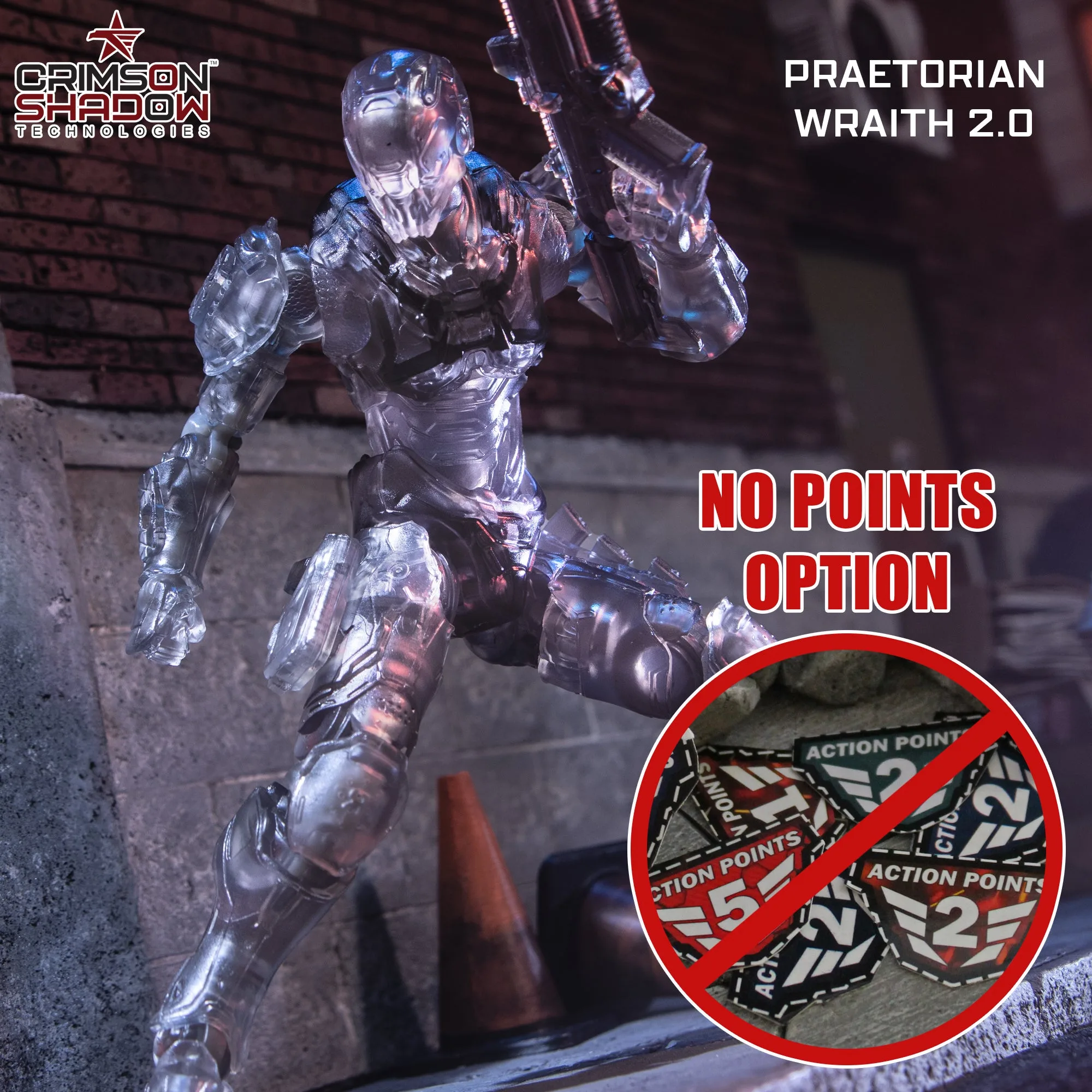
- Praetorian Wraith 2.0 Mail Away - NO POINTS OPTION: 1/12 Scale Action Figure with multiple accessories, interchangeable hands, and a display stand. The included stand and swappable hands give you more posing options without buying extras, which matters when you are building a dynamic Malice shelf setup.
- Lt. Hyun: 1/12 Scale Action Figure with multiple accessories, an interchangeable head and hands, and a display stand. The extra head lets you change the figure's expression for different shelf themes, so a group display can read as a scene rather than a lineup.
- VANGUARD H.A.U.L. Muddy Gray Accessory Set: Fits all Action Force Vanguard vehicles and includes 4 windowless doors, 4 armored panels, 2 additional armored frames for rear doors, a windshield armor add-on, a brush guard, and a cow catcher. Because it fits every Vanguard vehicle, you can plan the vehicle zone of your display around one accessory set instead of matching parts to a specific model.
- VANGUARD H.A.U.L. Muddy Tan Accessory Set: Fits all Action Force Vanguard vehicles and includes the same door, panel, frame, windshield, brush guard, and cow catcher components as the gray version. The tan and gray sets are functionally identical, so the choice comes down to which colorway matches your shelf background and lighting.
A strong Malice display is built from the feet up, lit from one direction, and edited down until the silhouette reads clearly. Pose the stance, then the torso, then the arms, and add accessories only when the core pose already works. Do the shelf-life check, and your setup will hold up long after the novelty wears off.