Quick answer
Use the Mappamondo Luminoso as a two-in-one learning tool: keep the LED off for political map exploration, switch it on for physical geography, and pair it with the AR app for deeper discoveries. Build short, repeated sessions rather than one long lesson.
Why the light-off and light-on views matter for learning
The globe’s internal LED changes what children see. With the light off, the cartography shows political boundaries—useful for naming countries and understanding borders. With the light on, the representation becomes physical, highlighting landforms and oceans. This switch is not just a novelty; it gives you two different geography lessons from the same object. Use the political view for “where is this country?” questions and the physical view for “what does this landscape look like?” conversations.
When to use the constellation feature
Additional constellation content is available in the dark. This works best as a wind-down activity rather than a main geography lesson. Keep the room dim and let your child find the glowing constellations after a short map review. It reinforces the idea that the globe is a model of the whole world, not just a daytime reference.
How to use the Mappamondo Luminoso step by step
- Start with the light off: Place the globe on a stable surface and begin with the LED off so the political map is visible. Ask your child to find a country they know or have heard about. Common mistake: jumping straight to the light-on mode, which hides borders and can confuse early country identification. Checkpoint: your child can point to at least one country and name a neighboring one.
- Switch on the LED for physical geography: Turn on the internal LED and watch the cartography change to a physical representation. Use this view to talk about oceans, mountains, and deserts. Common mistake: treating the two views as separate toys rather than connected views of the same place. Checkpoint: ask your child to describe one difference between the two views for the same region.
- Open the AR app for a guided discovery: Launch the exclusive app and choose an augmented reality activity. Let your child explore one curiosity at a time rather than scrolling through everything. Common mistake: leaving the child alone with the app for long stretches; stay nearby to help connect what they see to the physical globe. Checkpoint: after the app session, have your child find the same location on the globe without the app.
- Dim the lights for constellation time: In a darkened room, use the additional constellation content as a calm closing activity. Point out that the globe can show both Earth and the night sky. Common mistake: using this feature in a bright room where the constellations are hard to see. Checkpoint: your child can name one constellation they found.
- Repeat with a short weekly routine: Keep sessions to 10–15 minutes and revisit one continent or theme each time. Alternate between political, physical, and constellation modes so the globe stays fresh. Common mistake: trying to cover the whole world in one sitting, which overwhelms young learners. Checkpoint: at the end of the week, ask your child to show you one new place they explored.
Product facts
-
Mappamondo Luminoso: 22 cm diameter with internal LED that switches between political and physical cartography. The size is manageable for a child’s desk or shelf, and the two map views let you tailor the activity to different learning goals.
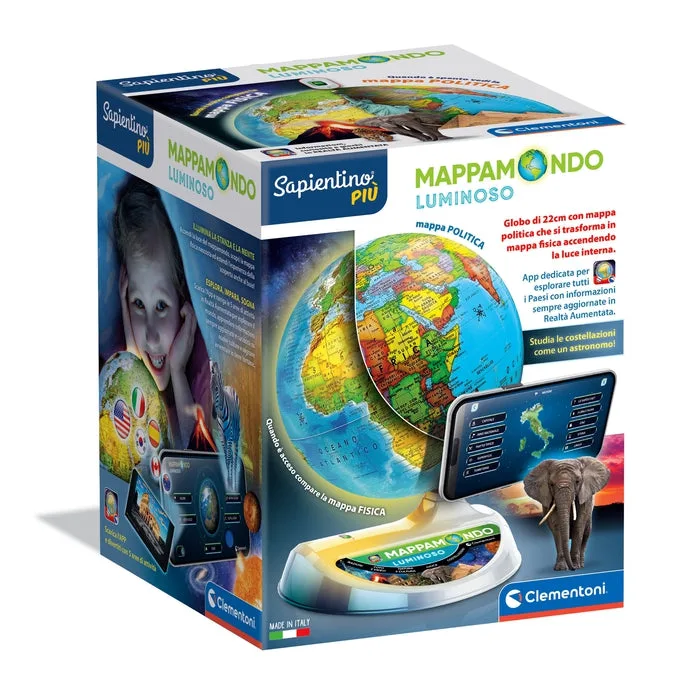
Mappamondo Luminoso
-
Mappamondo Luminoso: Exclusive app provides augmented reality activities to discover information and curiosities from around the world. The app extends the globe beyond its printed surface, giving you ready-made prompts for independent exploration.
-
Mappamondo Luminoso: Additional constellation content is available in the dark. This turns the globe into a calming night-light feature that can support a bedtime routine while keeping the focus on the sky.