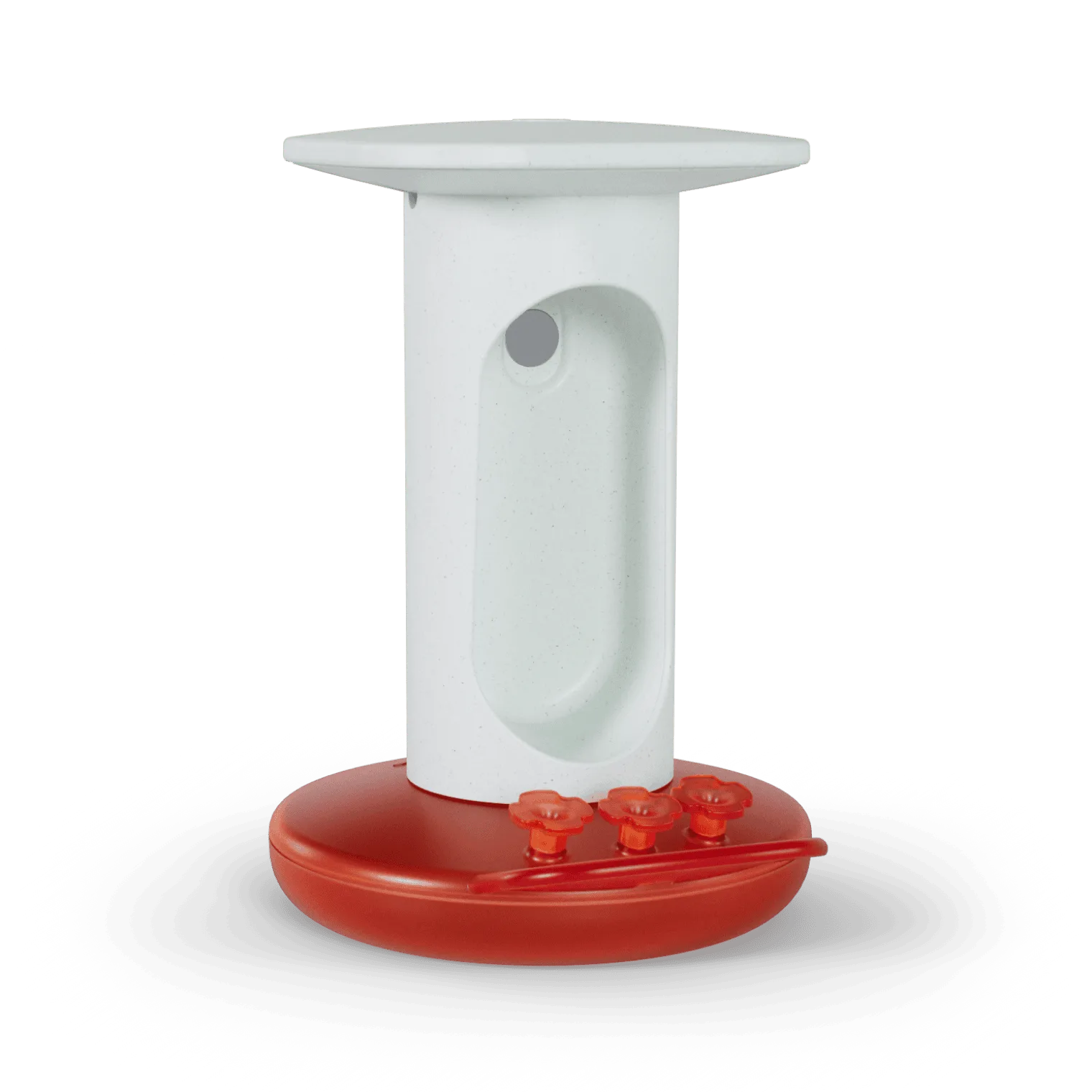
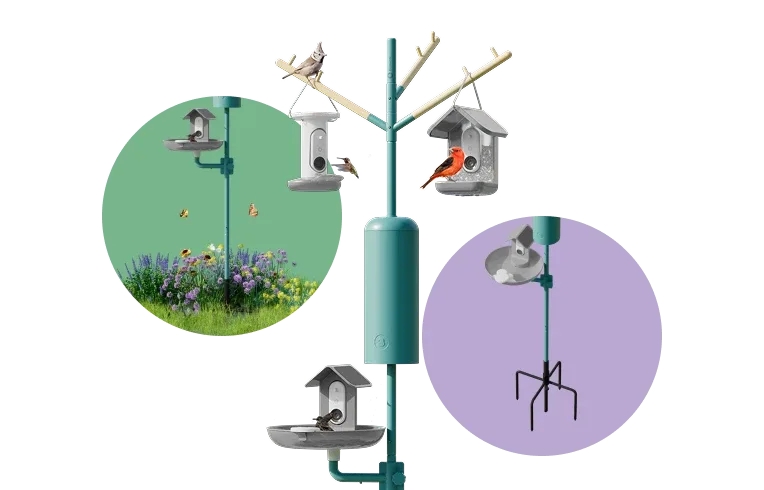
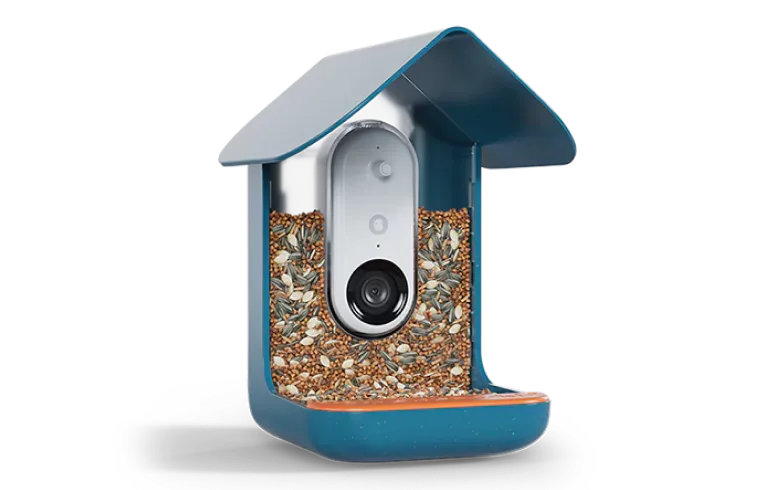
The https://nexaelectroai.shop/products/birdbuddy-pro-solar-221217Birdbuddy Pro Solar is a marvel of smart birdfeeding technology, combining a high-resolution camera, real-time notifications, and solar-powered energy independence. However, like any battery-operated device, its performance depends on how well you manage its power consumption. Maximizing battery life means less time worrying about charging and more time enjoying the birds visiting your feeder. In this guide, we'll walk you through actionable strategies to get the most out of your Birdbuddy Pro Solar's battery, from hardware placement to software tweaks.
Whether you live in a cloudy region or simply want to reduce the frequency of manual charging, these tips will help you optimize your smart feeder. We'll cover the essentials: positioning for sunlight, using the Solar Roof accessory, adjusting camera settings, enabling power-saving modes, and keeping your solar panel clean. By the end, you'll be able to extend your feeder's runtime by days or even weeks, ensuring uninterrupted birdwatching and wildlife monitoring.
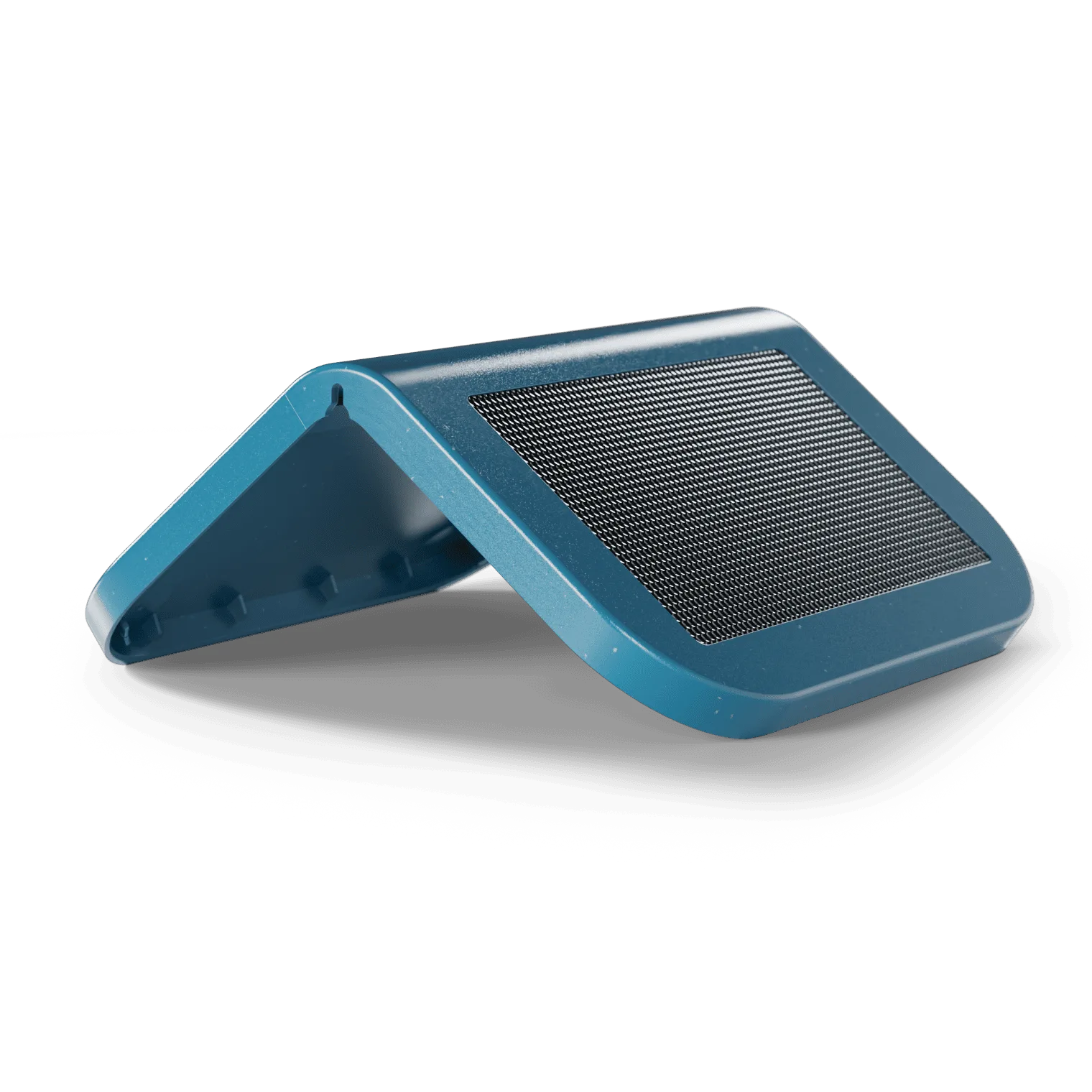
Solar Roof
Understanding Your Birdbuddy Pro Solar's Battery System
Before diving into optimization, it helps to know what powers your feeder. The Birdbuddy Pro Solar features a rechargeable lithium-ion battery that is charged both via its built-in solar panel and through the optional Solar Roof accessory. The battery capacity is designed to last several days on a full charge under normal use, but actual runtime varies based on sunlight exposure, ambient temperature, and how often the camera triggers. Understanding these factors is the first step to maximizing battery life.
The smart feeder uses a low-power processor and a motion-activated camera that records short clips when birds visit. Each recording consumes energy, and the Wi-Fi transmission to the Birdbuddy app adds to the drain. Solar charging offsets this consumption during daylight hours. By optimizing both charging and consumption, you can achieve near-permanent operation in sunny climates.
- The Birdbuddy Pro Solar battery is rechargeable and lasts 3–7 days depending on usage and sunlight.
- Solar charging is most efficient when the panel receives direct, unobstructed sunlight for at least 4–6 hours daily.
- The optional Solar Roof upgrade adds a larger solar surface, significantly improving charging capacity.
Optimal Placement for Maximum Solar Gain
One of the simplest yet most effective ways to extend battery life is to place your Birdbuddy Pro Solar where it receives the most sunlight. Ideally, the solar panel should face south (in the Northern Hemisphere) and be free from shadows cast by trees, buildings, or other structures. Even partial shading can reduce charging efficiency by 50% or more. Observe your yard throughout the day to identify the sunniest spot, and consider mounting the feeder on a pole or shepherd's hook to elevate it above obstacles.
If your yard has limited direct sun, consider using the Solar Roof accessory. This add-on panel can be angled independently to capture sunlight even if the main feeder is in a shadier area. The Solar Roof connects seamlessly and provides an additional charging layer, effectively doubling your solar intake. For users in overcast regions, this upgrade can make the difference between daily and weekly charging.
- Place the feeder in an area with at least 4–6 hours of direct sun per day.
- Use a pole mount to position the feeder away from shadow-casting objects.
- The Solar Roof accessory is highly recommended for shaded yards or cloudy climates.
Using Power-Saving Features in the Birdbuddy App
The Birdbuddy app offers several settings that directly impact battery life. Navigate to the device settings and look for power-saving modes. Enabling 'Battery Saver' mode reduces the camera's sensitivity and limits recording to fewer frames per second, which can double or triple battery runtime. You can also schedule the feeder to enter a deep sleep during overnight hours when no birds are active, saving precious energy.
Another smart trick is to adjust the notification frequency. Instead of receiving a video clip for every single bird, set the app to send a daily summary digest. This reduces the number of Wi-Fi transmissions, each of which consumes significant power. Additionally, lowering the video resolution from 1080p to 720p can save battery without sacrificing too much detail for identification purposes.
- Enable 'Battery Saver' mode in the app to reduce camera power draw.
- Schedule deep sleep during nighttime to avoid unnecessary drain.
- Switch to a daily notification digest instead of real-time alerts.
- Lower video resolution to 720p for a good balance of quality and battery life.
Adjusting Camera and Sensor Settings
The camera is the most power-hungry component of the Birdbuddy Pro Solar. By fine-tuning its settings, you can achieve significant savings. Reduce the recording duration from the default 10 seconds to 5 or 6 seconds – often enough to capture the bird's visit. You can also decrease the sensitivity of the motion sensor so that it only triggers when a bird lands on the perch, rather than being activated by wind-blown leaves or passing cars.
Another useful adjustment is to set a cooldown period between recordings. This prevents the camera from firing repeatedly when multiple birds visit in quick succession. A cooldown of 30–60 seconds keeps battery consumption low while still capturing most visitors. If you notice many false triggers, consider using the Perch Extender accessory to position the feeder further from potential motion sources like nearby branches.
- Shorten video clip length to 5–6 seconds per recording.
- Lower motion sensor sensitivity to avoid false triggers.
- Set a cooldown of at least 30 seconds between recordings.
- The Perch Extender can help reduce false triggers by stabilizing the feeder.
Maintaining Your Solar Roof for Maximum Efficiency
A clean solar panel is a productive solar panel. Dust, pollen, bird droppings, and tree sap can accumulate on the Solar Roof or built-in panel, blocking sunlight and reducing charging efficiency by up to 30%. Clean the panel every two weeks with a soft, damp cloth and a mild soap solution. Avoid abrasive materials that could scratch the surface. In fall, check for leaf litter that might settle on the panel after wind storms.
Regular maintenance also extends the life of the Solar Roof itself. Inspect the seal around the panel for any cracks or moisture ingress, and ensure the connecting cable is firmly attached. If you use the Solar Roof as an add-on, angle it to match the sun's position seasonally – steeper in winter, flatter in summer. This simple adjustment can boost daily energy harvest by 15–20%.
- Clean the solar panel every two weeks to remove debris.
- Use only a soft cloth and mild soap to avoid scratches.
- Adjust the Solar Roof’s angle seasonally for optimal sun exposure.
- Check cable connections regularly for moisture or corrosion.
Temperature Management and Battery Health
Lithium-ion batteries perform best at moderate temperatures (10°C–30°C / 50°F–86°F). Extreme cold slows down chemical reactions, reducing both charging efficiency and capacity. Extreme heat can degrade the battery permanently. If you live in an area with harsh winters, consider bringing the feeder indoors during prolonged cold snaps or using the Solar Roof's larger panel to compensate for reduced sunlight. In summer, provide some shade for the feeder during the hottest part of the day to prevent overheating.
The Birdbuddy Pro Solar includes a temperature sensor that can alert you via the app if the battery is operating outside its optimal range. Pay attention to these notifications. If the feeder is mounted in a location that gets intense afternoon sun, a small shade umbrella or a leafy branch can help keep temperatures in check. Battery life can drop by 50% in freezing conditions, so proactive management is key during winter.
- Avoid exposing the feeder to temperatures below -10°C (14°F) or above 40°C (104°F).
- In winter, use the Solar Roof to maximize charging during short days.
- In summer, provide partial shade to prevent battery overheating.
- Monitor app notifications for temperature warnings.
Firmware Updates and Battery Calibration
Birdbuddy periodically releases firmware updates that include power management improvements. Keeping your feeder’s firmware up to date ensures you benefit from the latest battery optimization algorithms. Updates can be installed wirelessly via the app. It's a good practice to check for updates once a month, especially after the arrival of a new season when daylight patterns change.
Occasionally, the battery's internal gauge may lose accuracy, showing lower charge than actually available. You can recalibrate the battery by fully discharging the feeder (letting it run until it shuts off) and then fully charging it via the USB-C port. This process resets the battery meter and can improve the accuracy of the charge level displayed in the app. Perform this calibration every three to six months for best results.
- Enable automatic firmware updates in the app or check manually monthly.
- Fully discharge and recharge the battery every 3–6 months to calibrate the gauge.
- Firmware updates often include new power-saving features.
Accessory Considerations for Extended Battery Life
While the Birdbuddy Pro Solar comes with a built-in solar panel, adding the Solar Roof accessory is the single most impactful upgrade for battery life. The Solar Roof provides a larger surface area and can be positioned independently, making it ideal for users in partially shaded yards. It connects easily with a weatherproof cable and charges the same internal battery. For users seeking true off-grid operation, the combination of the Pro Solar and Solar Roof can yield near-continuous battery charge in most climates.
Other accessories like the Perch Extender or Nature Station Essential do not directly affect battery life, but they can help attract more birds and reduce false triggers by stabilizing the feeder. Less false triggering means fewer unnecessary recordings, indirectly saving power. Consider your backyard setup holistically: a well-positioned feeder with the right accessories will not only please the birds but also keep your battery healthy longer.
- The Solar Roof accessory greatly enhances charging capacity and flexibility.
- Use a pole mount to elevate the feeder for better sun exposure.
- The Perch Extender reduces false triggers by stabilizing the feeder in wind.
- Combine accessories to create an optimal bird-friendly and energy-efficient setup.
Maximizing the battery life of your Birdbuddy Pro Solar is all about combining smart placement, app adjustments, regular maintenance, and the right accessories. By following these tips, you can enjoy uninterrupted bird watching and keep your feeder running on solar power for days or even weeks between charges. Ready to take your smart feeder to the next level? Explore the Birdbuddy Pro Solar and its compatible accessories like the Solar Roof to build the ultimate solar-powered birdfeeding station.