Compact keyboards have taken the mechanical keyboard world by storm. From 60% to 75% layouts, they save desk space, look sleek, and are perfect for minimalists. But there's a catch: they often lack the dedicated number pad, or numpad, that many users rely on for data entry, accounting, or gaming. Enter the mechanical numpad – a standalone peripheral that promises to bring back that functionality without sacrificing your compact setup. But do you really need one? In this buying guide, we'll explore the benefits, drawbacks, and alternatives to help you make an informed decision.
Whether you're a gamer who wants extra macros, a programmer who uses keypad shortcuts, or an office worker who crunches numbers daily, a separate numpad can be a game-changer. We'll also look at popular options like the Glorious GPBT keycap sets that can customize your numpad, and discuss how to integrate one seamlessly into your desk setup.
The Appeal of Compact Keyboards
Compact keyboards, such as 60% and 65% layouts, have become incredibly popular for their space-saving design and ergonomic benefits. By removing the numpad, function row, and sometimes even arrow keys, they allow your mouse to stay closer to the keyboard, reducing shoulder strain. Many gamers prefer this setup for the extra mouse space it provides on the desk.
However, this compactness comes at a cost. For those who frequently input numbers – like accountants, data analysts, or even MMO gamers who use numpad hotkeys – the absence of a numpad can be a significant inconvenience. That's where a standalone mechanical numpad comes in. It offers the best of both worlds: the compactness of a small keyboard when you want it, and the full functionality of a numpad when you need it.
- Compact keyboards free up desk space for mouse movement.
- A separate numpad can be placed on the left or right side, depending on your preference.
- Numpads can also serve as macro pads for gaming or productivity.
Benefits of a Separate Numpad
The primary benefit of a mechanical numpad is the return of dedicated number keys. If you're a data entry professional or a student working with spreadsheets, a numpad can drastically speed up your workflow. Instead of hunting for numbers on the top row, your fingers can glide over the familiar numpad layout, increasing accuracy and reducing typos.
Another advantage is customization. Many mechanical numpads are hot-swappable, allowing you to change switches and keycaps to match your main keyboard. For instance, you could use the Glorious GPBT Mana Blue Keycaps on your numpad to give it a unique look. Additionally, some numpads come with programmable keys, letting you assign macros for gaming or shortcuts for editing software. This makes them versatile tools beyond simple number entry.
- Faster numeric input for work and gaming.
- Programmable keys for macros and shortcuts.
- Customizable with different keycap sets.
Drawbacks and Considerations
Of course, there are some downsides to adding a separate numpad. The most obvious is the extra cost. A quality mechanical numpad can range from $30 to $100 or more, depending on features. If you're on a tight budget, this might not be justifiable, especially if you rarely use the numpad.
Another consideration is desk space. While a numpad is smaller than a full keyboard, it still takes up room. If your desk is already cluttered, adding another peripheral might not be ideal. Also, if you're someone who travels frequently with your keyboard, carrying a separate numpad adds bulk to your setup. You'll need to weigh these factors against the benefits.
- Extra cost can be a barrier for budget-conscious users.
- Takes up additional desk space.
- May not be necessary if you rarely input numbers.
Alternatives to a Separate Numpad
If you're not ready to commit to a separate numpad, there are alternatives. One option is to use a larger keyboard layout, such as a 96% or 1800 compact layout, which includes a numpad but still saves space compared to a full-size keyboard. These layouts are becoming increasingly popular and offer a compromise between compactness and functionality.
Another alternative is to use software to remap keys on your compact keyboard. For example, you can use layers to turn a section of your keyboard into a virtual numpad. This is a free solution, but it requires a learning curve and can be slower than a physical numpad. If you're a gamer, some games allow you to bind actions to other keys, so you might not need a numpad at all.
- Consider a 96% or 1800 layout keyboard for built-in numpad.
- Use keyboard layers to simulate a numpad.
- Rebind game controls to avoid needing a numpad.
Choosing the Right Mechanical Numpad
If you've decided that a mechanical numpad is for you, there are a few things to consider. First, decide on the switch type – linear, tactile, or clicky – based on your preference. Do you want a hot-swappable board so you can try different switches? Also, think about the layout: some numpads have a standard 17-key layout, while others include extra keys for macros.
Keycaps are another consideration. You can either buy a pre-built numpad or build one yourself. If you want to match your existing keycaps, look for sets that include numpad compatibility. For instance, the Glorious GPBT Totem Green Keycaps or the Glorious Polychroma RGB Keycaps can add a pop of color to your numpad. Additionally, consider the connectivity: wired or wireless. Wireless numpads offer more flexibility but require charging or batteries.
- Choose between linear, tactile, or clicky switches.
- Decide on the number of keys and programmability.
- Match keycaps with your main keyboard for a cohesive look.
In the end, whether you need a mechanical numpad for your compact keyboard depends on your specific needs and preferences. If you frequently input numbers or want extra programmable keys, a separate numpad can be a valuable addition. However, if you rarely use a numpad, the cost and desk space might not be worth it. For those who decide to go for it, consider pairing it with a stylish keycap set like the Glorious GPBT Synth Sunset Keycaps to make it truly yours. Explore our collection to find the perfect numpad and accessories for your setup.
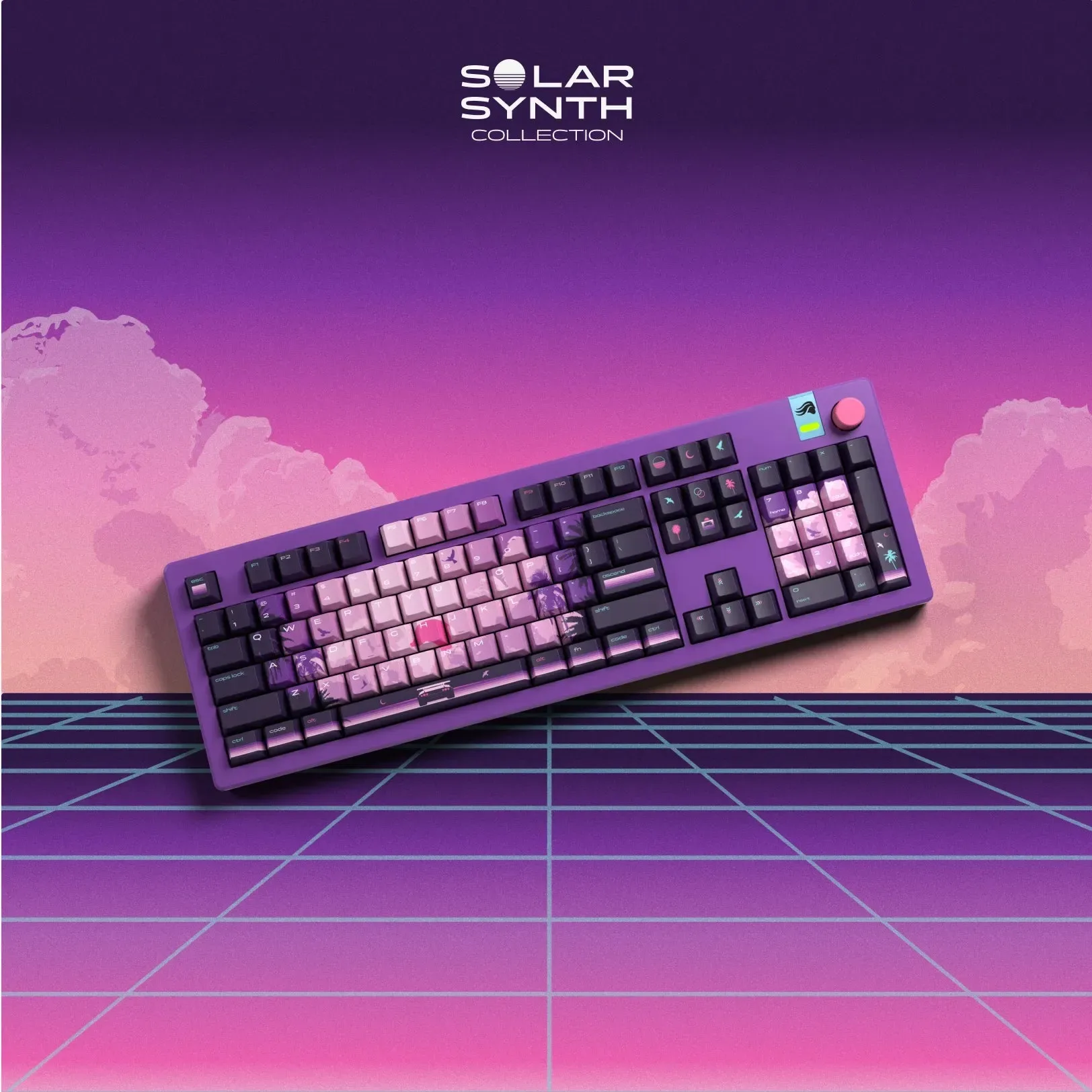
GPBT Synth Sunset Keycaps