Quick answer
Metal Dungeon is a first-person dungeon crawler for Xbox. To enjoy it fully, you need to understand its real-time combat, manage your equipment carefully, and set up your console for a Japanese import disc.
Why Metal Dungeon plays differently from Western RPGs
Metal Dungeon uses real-time combat rather than turn-based battles. You move through grid-based mazes and attack enemies by facing them and pressing the action button. This makes positioning and quick reflexes more important than menu navigation.
The game also features a unique 'Gravity' system that affects your movement and jump height. Pay attention to floor panels that change gravity — they can open shortcuts or trap you if you rush.
What the import disc requires
Metal Dungeon was released only in Japan on the original Xbox. To play it on a North American or PAL console, you need either a modchip, a region-free console, or an original Japanese Xbox. The game also supports the Xbox Memory Unit for saving, so have one ready.
How to get started with Metal Dungeon on Xbox
- Set up your console for the import disc: Make sure your Xbox can play Japanese-region games. Use a modchip, a region-free BIOS, or a Japanese console. Without this, the disc will not boot. Common mistake: assuming all Xbox consoles are region-free. Only the Japanese console plays Japanese discs without modification.
- Learn the real-time combat controls: Move with the left stick, attack by facing an enemy and pressing the A button. Block by holding the left trigger. Use the right trigger to strafe and avoid attacks. Checkpoint: practice strafing in the first corridor before engaging enemies — it saves health early on.
- Manage your equipment loadout: You can carry one weapon and one shield at a time. Swap them from the menu between fights. Heavier gear provides better defense but slows movement speed. Common mistake: equipping the heaviest shield for every fight. In tight corridors, speed matters more than defense.
- Use the map and mark notes: Metal Dungeon's dungeons are large and maze-like. Press the Back button to open the map. Use the Memory Unit to save your progress at save points. Checkpoint: always save before entering a new floor — you cannot backtrack from some areas.
- Watch for the Gravity panels: Some floor panels change the gravity direction. Step on them to flip gravity, allowing you to walk on walls or ceilings. This reveals hidden passages and items. Common mistake: ignoring gravity panels because they seem confusing. They are essential for progression and often hide key items.
Product facts
-
Metal Dungeon (New): Brand new copy with a warning of violent, horrific and graphic imagery. A new sticker is placed on the sealed front cover. If you buy a new sealed copy, the sticker confirms it's an original retail release and not a reproduction. The content warning also indicates the game's mature tone.
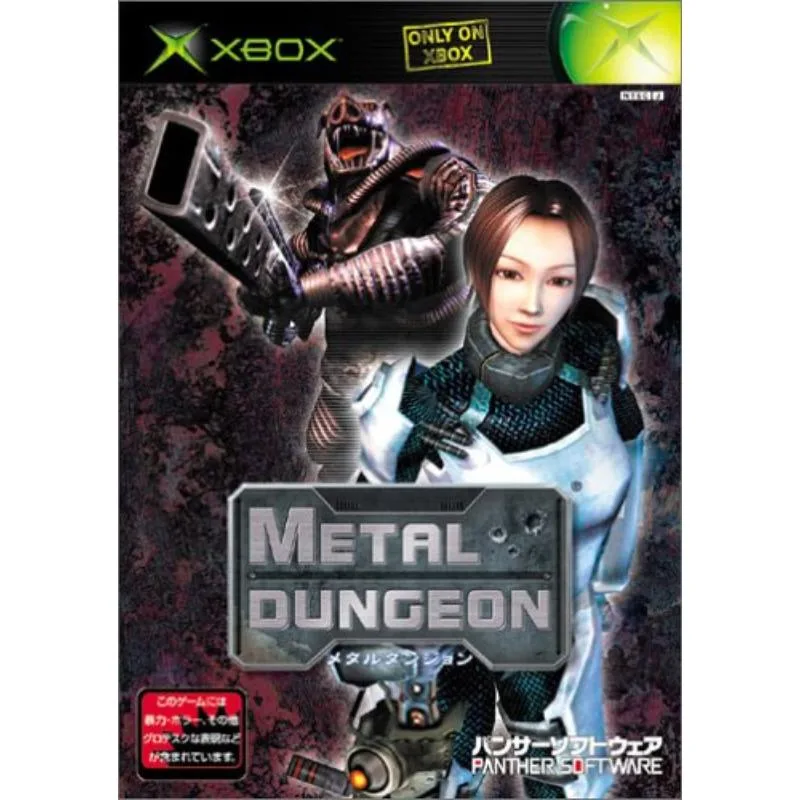
Metal Dungeon (New)