What This Cable Does
A Mini DIN 10 pin Y splitter lets you take a single Mini DIN 10-pin output from a source device and send the same signal to two compatible displays, projectors, or AV receivers. The Y-shaped design has one male plug that connects to the source and two female sockets for the receiving cables.
This is useful for setups where you need to show the same content on two screens, such as in a presentation, digital signage, or a home AV system with legacy equipment.
Cable Details at a Glance
-
Mini DIN 10 Pin Male to Dual Mini DIN 10 Pin Female Y Splitter Cable 0.5m: Mini DIN 10 Pin Male to Dual Mini DIN 10 Pin Female Y Splitter Cable – 0.5m The 0.5m length keeps the splitter close to the source, avoiding excess cable clutter.
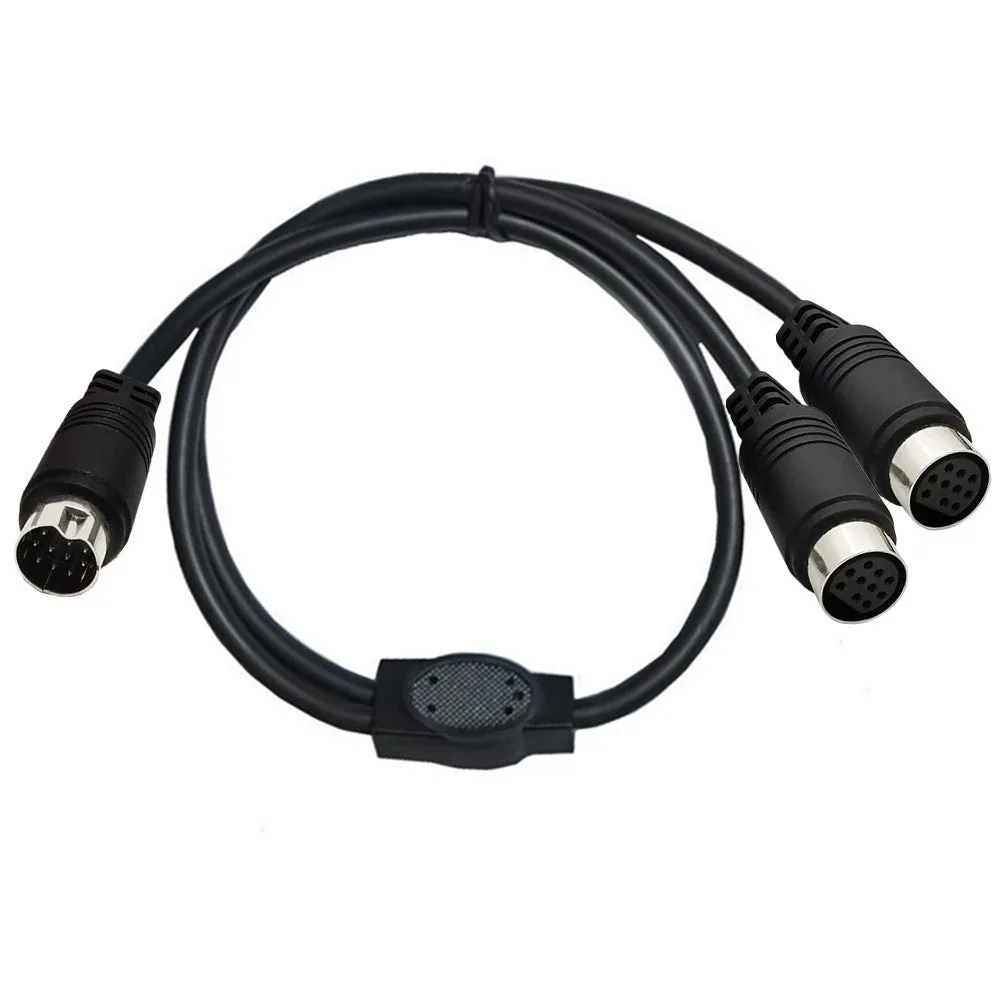
Mini DIN 10 Pin Male to Dual Mini DIN 10 Pin Female Y Splitter Cable 0.5m
-
Mini DIN 10 Pin Male to Dual Mini DIN 10 Pin Female Y Splitter Cable 0.5m: Compatible with TVs, monitors, projectors, AV receivers, and other devices using Mini DIN 10-pin connections. Check that both your source and destination devices use Mini DIN 10-pin ports before buying.
-
Mini DIN 10 Pin Male to Dual Mini DIN 10 Pin Female Y Splitter Cable 0.5m: Note: Passive splitter – signal quality may vary depending on connected devices and cable length. Since it is passive, long cable runs or mismatched devices can degrade the signal. Keep the total cable path short for best results.
Connecting a Source to Two Displays
Follow these steps to set up the splitter with compatible equipment.
- Identify the source port: Locate the Mini DIN 10-pin output on your source device (e.g., a DVD player, AV receiver, or legacy computer).
- Plug the male end into the source: Insert the single male connector of the Y splitter into the source port. It should fit snugly without excessive force.
- Connect the first display: Use a Mini DIN 10-pin cable (male-to-male) to connect one of the splitter's female ports to the first display or device.
- Connect the second display: Repeat the same step with the other female port and a second cable to the second display.
- Power on and test: Turn on the source and both displays. If the image or signal appears on both, the setup is complete. If not, check that all cables are fully inserted and that the devices support passive splitting.
Where This Setup Fits Best
This splitter is designed for audio-video systems, legacy equipment, and specialist AV setups where duplicating a Mini DIN 10-pin signal is needed. It works well in conference rooms, classrooms, or home theaters with older projectors or monitors.
Because it is a passive splitter, it is best suited for short cable runs (under a few meters total) and devices that output a strong signal. For longer distances or weaker sources, an active splitter or signal booster may be required, but that is not confirmed by the supplied information.
What the Supplied Information Does Not Cover
The supplied details do not specify maximum supported resolution, refresh rate, or audio formats. They also do not confirm compatibility with every brand or model of Mini DIN 10-pin equipment. If your devices use a non-standard pinout, the splitter may not work.
For best results, verify that both source and destination devices use standard Mini DIN 10-pin wiring and that the total cable length stays short.