What This Cable Does
The Mini SAS SFF-8088 to SFF-8087 data cable bridges the gap between external SAS storage equipment and internal SAS backplanes. It connects a Mini SAS SFF-8088 26-pin interface (common on external storage enclosures, RAID controllers, and enterprise servers) to a Mini SAS SFF-8087 36-pin connector (typically found on internal SAS backplanes and storage arrays). This allows you to link external SAS devices directly to your server's internal storage infrastructure without adapters.
Key Cable Details
The cable uses high-quality 30AWG conductors and durable shielding to maintain signal integrity during high-speed SAS data transfers up to 6Gbps. It features an external SFF-8088 connector with a release tab for easy removal, and an internal SFF-8087 connector with a locking latch to prevent accidental disconnection in demanding server environments. The 1-meter length provides flexibility for rack or workstation setups.
Cable Specifications at a Glance
-
Mini SAS SFF-8088 26-Pin to Mini SAS SFF-8087 36-Pin SAS Data Cable 1m: Mini SAS SFF-8088 26-Pin Male to Mini SAS SFF-8087 36-Pin Male Data Cable Identifies the exact connector types and pin configurations needed for your external-to-internal SAS connection.
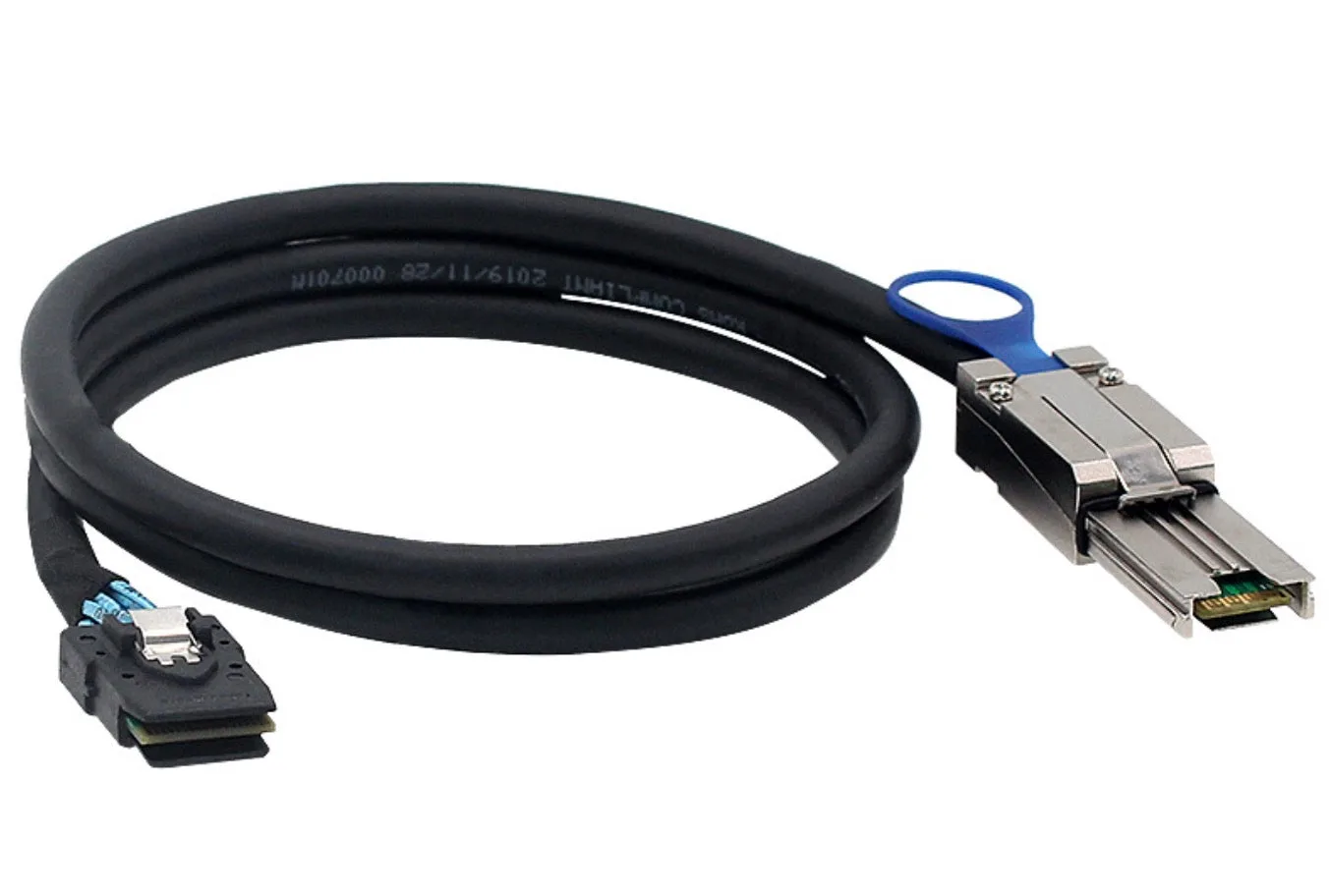
Mini SAS SFF-8088 26-Pin to Mini SAS SFF-8087 36-Pin SAS Data Cable 1m
-
Mini SAS SFF-8088 26-Pin to Mini SAS SFF-8087 36-Pin SAS Data Cable 1m: Supports SAS Data Transfer Speeds up to 6Gbps Ensures compatibility with current SAS storage systems and RAID hardware without bottlenecking performance.
-
Mini SAS SFF-8088 26-Pin to Mini SAS SFF-8087 36-Pin SAS Data Cable 1m: 30AWG High-Quality Cable Construction with shielding Provides reliable signal integrity and durability in professional environments.
-
Mini SAS SFF-8088 26-Pin to Mini SAS SFF-8087 36-Pin SAS Data Cable 1m: External SFF-8088 Connector with Release Tab, Internal SFF-8087 Connector with Locking Latch The release tab simplifies cable swaps, while the locking latch secures the internal connection against vibration or movement.
Compatibility Check Before You Connect
Before using this cable, verify that your equipment has the correct interfaces. The cable is designed for devices with an external Mini SAS SFF-8088 port and an internal Mini SAS SFF-8087 port. It is compatible with enterprise servers, RAID controllers, SAS backplanes, storage arrays, and workstations that support these connectors. Important: this cable is not compatible with SATA, SlimSAS, Mini SAS HD, or PCIe/NVMe interfaces. Using it with unsupported hardware will not work and may damage connectors.
Physical Setup
Setting up the cable is straightforward. Follow these steps for a secure connection.
- Power down equipment: Turn off the server or storage enclosure to avoid data corruption or electrical hazards.
- Connect the SFF-8087 end: Insert the SFF-8087 connector (with locking latch) into the internal SAS backplane port. Push firmly until the latch clicks into place.
- Connect the SFF-8088 end: Plug the SFF-8088 connector (with release tab) into the external SAS device port. Ensure it seats fully.
- Secure and power on: Route the cable away from sharp edges or heat sources. Power on the equipment and check that the SAS devices are recognized by the system.
Where This Cable Fits Best
This cable is ideal for connecting external SAS storage enclosures to internal RAID controllers or backplanes in enterprise servers. It works well in data centers, server rooms, and professional workstations where reliable high-speed SAS connections are needed. The 1-meter length suits rack-mounted setups where external storage sits near the server. For longer runs, consider a different cable or an active extension.