Two Filters, Two Different Jobs
The Micro-Mark catalog lists two separate filter-related products, and they are not interchangeable. The Micro-Mark Mini Wet/Dry Vacuum is a 3-gallon wet/dry vacuum with a 53-inch flex hose, two 16-inch extension tubes, a floor/upholstery head, and a 2-in-1 crevice nozzle with brush. The catalog also notes that extra filters are available separately or by entering part #90633.
The Micro-Mark Desktop Dust Collection System Filter is a HEPA filter rated at 99.97% efficiency and sized 4" x 3". It is designed for use with the Micro-Mark Desktop Dust Collection System #90535. That is a different machine from the 3-gallon wet/dry vacuum, so check which unit you own before ordering a replacement.
Mini Wet/Dry Vacuum: What the Catalog Confirms
-
Micro-Mark Mini Wet/Dry Vacuum, 3 Gallon, 4 Horsepower, 4.0 HP AC, Blue: 3-gallon capacity tank Capacity affects how often you empty the tank, which in turn affects how much debris reaches the filter.
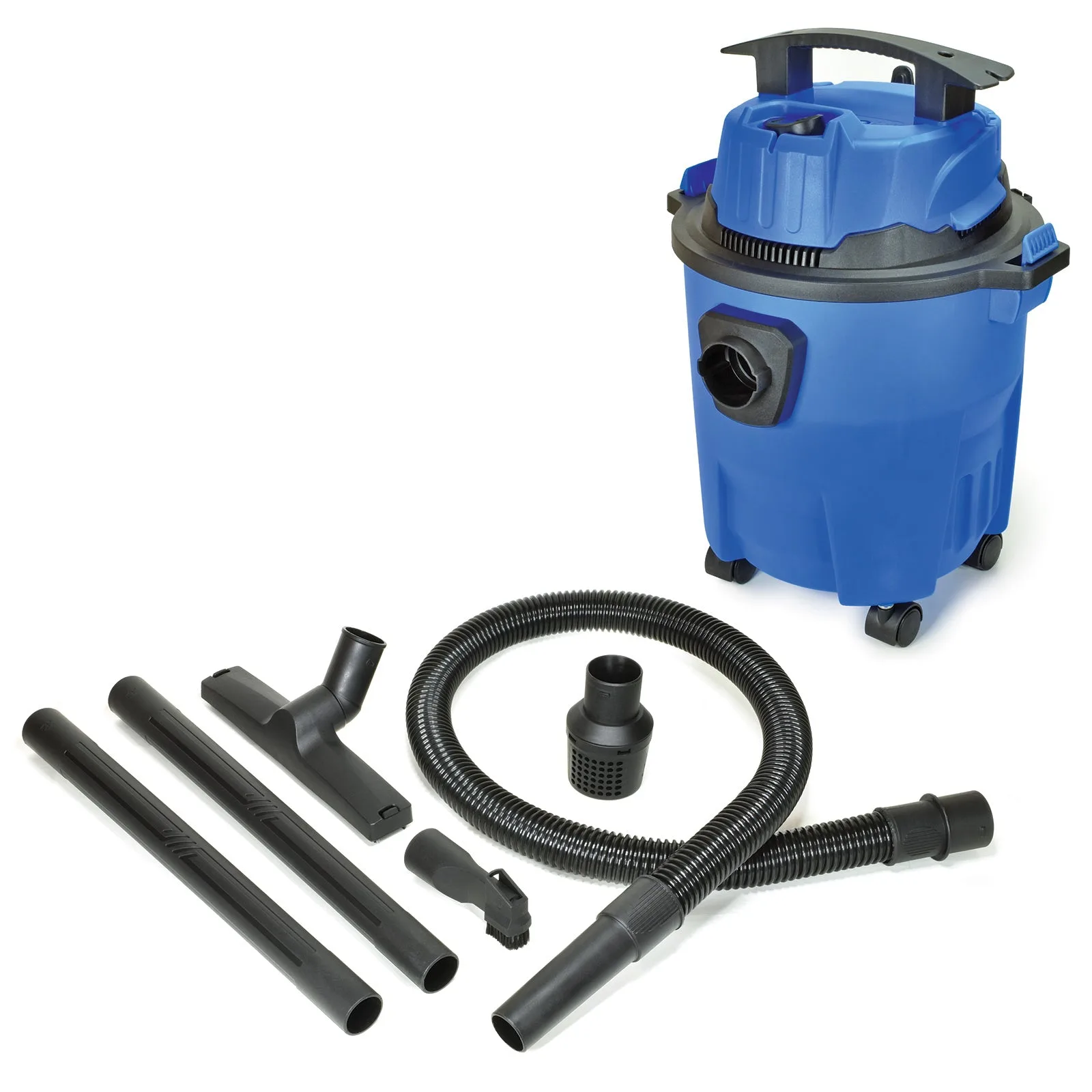
Micro-Mark Mini Wet/Dry Vacuum, 3 Gallon, 4 Horsepower, 4.0 HP AC, Blue
-
Micro-Mark Mini Wet/Dry Vacuum, 3 Gallon, 4 Horsepower, 4.0 HP AC, Blue: 53-inch flex hose with twist-lock connector The twist-lock connector is a defined interface; confirm it seats fully when you reassemble the vacuum after filter service.
-
Micro-Mark Mini Wet/Dry Vacuum, 3 Gallon, 4 Horsepower, 4.0 HP AC, Blue: Two 16-inch extension tubes, floor/upholstery head, and 2-in-1 crevice nozzle with brush These are the supplied accessories, so you can match the nozzle to the mess instead of guessing what is in the box.
-
Micro-Mark Mini Wet/Dry Vacuum, 3 Gallon, 4 Horsepower, 4.0 HP AC, Blue: Purchase extra filters below or enter part #90633 on sale now! This is the catalog's stated route to replacement filters for this vacuum; use it rather than assuming the desktop HEPA filter fits.
When to Think About Replacing the Filter
The supplied catalog information does not include a replacement interval, a filter part number for the vacuum beyond the #90633 reference, or a cleaning procedure. That means you should not treat any specific number of hours or gallons as a manufacturer instruction. Instead, use the vacuum's behavior as your checkpoint: if suction drops noticeably, if the exhaust smells dusty, or if the filter looks loaded after you empty the 3-gallon tank, it is reasonable to inspect the filter and consider replacement.
For the Desktop Dust Collection System Filter, the catalog states 99.97% efficiency and lists dust, pollen, mold, bacteria, and other particulates as targets. It does not state a service life. Replace it when you see reduced airflow or visible loading, and follow whatever documentation came with the #90535 system for the actual change procedure.
Fitting a Replacement Filter: What You Can Confirm
The catalog does not supply step-by-step filter installation instructions for either product. The steps below are limited to what the supplied records actually support; where a step depends on documentation you should have on hand, that is noted.
- Identify the machine first: The Mini Wet/Dry Vacuum and the Desktop Dust Collection System #90535 are separate products. The 4" x 3" HEPA filter is listed for the #90535 system, not for the 3-gallon vacuum.
- Order the right replacement: For the Mini Wet/Dry Vacuum, the catalog points to extra filters available below the product listing or part #90633. For the desktop system, use the Micro-Mark Desktop Dust Collection System Filter.
- Check the interface before assembly: The vacuum's hose uses a twist-lock connector. When you reassemble after filter service, make sure the hose connector and any tubes seat fully; a loose connection can mimic a clogged filter.
- Confirm the filter is seated: The catalog does not describe the filter housing or retention method. Follow the documentation that came with your unit, and do not force a filter that does not sit flat.
- Test suction after reassembly: Run the vacuum briefly and check for restored airflow. If performance does not improve, recheck the hose, tubes, and nozzle for blockages before assuming the filter is at fault.
Desktop Dust Collection Filter: Key Details
-
Micro-Mark Desktop Dust Collection System Filter, Medium: HEPA Filter for use with the Micro-Mark Desktop Dust Collection System #90535 Compatibility is model-specific; this filter is not listed as a fit for the 3-gallon wet/dry vacuum.
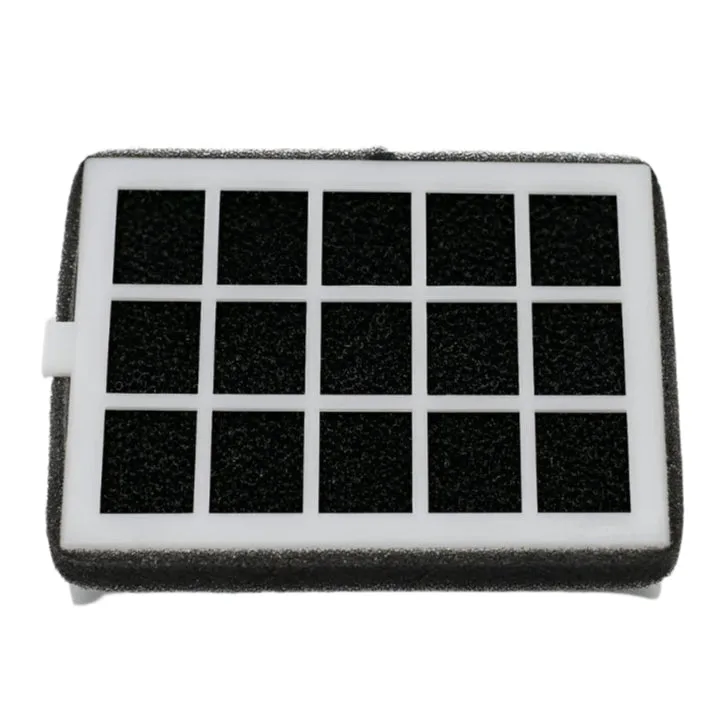
Micro-Mark Desktop Dust Collection System Filter, Medium
-
Micro-Mark Desktop Dust Collection System Filter, Medium: 99.97% efficiency This is the catalog's stated efficiency figure; it is a reason to use the correct filter rather than a generic substitute.
-
Micro-Mark Desktop Dust Collection System Filter, Medium: 4" x 3" These are the listed dimensions, useful for confirming you have the right filter in hand before opening the system.
-
Micro-Mark Desktop Dust Collection System Filter, Medium: Effective for dust, pollen, mold, bacteria and other particulates This describes the filter's intended role in the desktop system; it does not extend to the wet/dry vacuum.
What the Catalog Does Not Tell You
The supplied records do not include a replacement schedule, a cleaning method, or detailed installation steps for either filter. They also do not confirm whether the Mini Wet/Dry Vacuum filter is washable or reusable. Treat any such claim you see elsewhere as unverified unless it comes from Micro-Mark documentation for your specific unit.
If you need those details, the practical move is to check the manual that came with your vacuum or desktop dust collection system, or contact Micro-Mark directly. The catalog facts here are enough to identify the right filter and avoid mixing up the two systems, but they are not a substitute for the manufacturer's service instructions.