What This Case Does and Doesn't Include
The Retro Frog MiSTer case is a simple, low-cost solution for protecting your MiSTer FPGA build. It consists of a top and bottom plate, rubber feet, standoffs, and screws. The top plate includes ventilation holes for a fan, but there is no built-in fan mount — you will need to figure out how to attach your own fan if you want active cooling. The case also assumes you have at least an Analog or Digital IO board; a USB hub is optional but supported.
Kit Contents at a Glance
-
MiSTer Case (Top and Bottom Plate) - Retro Frog: Includes top plate, bottom plate, 4 rubber feet, 4 14mm standoffs, 4 M3 x 10mm screws, and 4 M3 x 25mm screws. All hardware needed to secure your DE10-Nano and IO board is included, but you must supply the fan and its mounting solution.
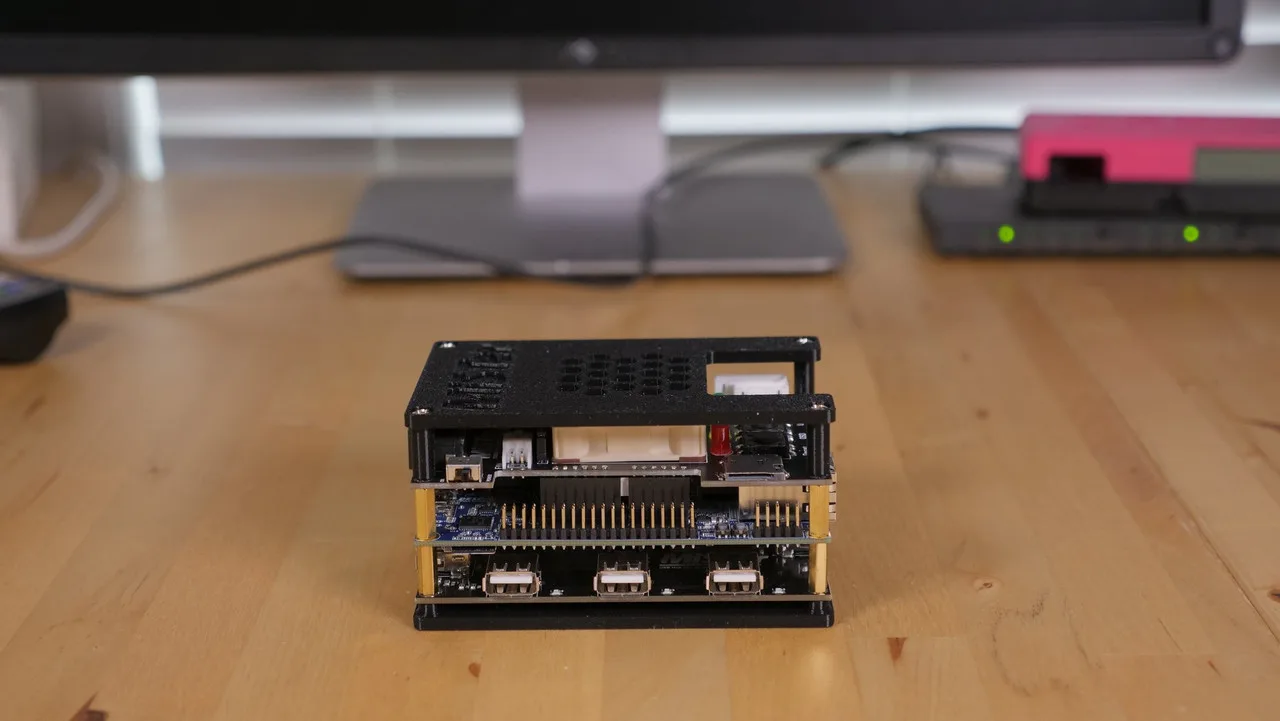
MiSTer Case (Top and Bottom Plate) - Retro Frog
-
MiSTer Case (Top and Bottom Plate) - Retro Frog: Available in 6 color combinations: Blackout, Black/Pink, Black/Blue, Gray/Purple (SNES), Beige/Beige (Amiga 500), and Pink/Blue (Neon Nights). You can match the case to your retro aesthetic without affecting assembly.
Assembly Steps
The assembly process is straightforward, but pay attention to the order of standoffs and screws.
- Attach the IO board: Use the original 14mm male-to-female standoffs that came with your DE10-Nano. Insert the male threaded part through the DE10-Nano and screw the standoffs onto the IO board.
- Add the supplied standoffs: Screw the supplied 14mm standoffs under the DE10-Nano. If you are using a USB hub, install it at this point.
- Secure the bottom plate: Use the 10mm screws to fasten the bottom plate to the standoffs and USB hub (if present).
- Attach the top plate: Place the top plate over the assembly and secure it with the 25mm screws.
- Apply rubber feet: Stick the rubber feet onto the bottom of the case to prevent slipping.
Ventilation: What the Top Plate Offers
The top plate has ventilation holes positioned for airflow, but there is no built-in way to mount a fan. If your MiSTer runs warm (especially with an IO board), you will need to supply your own fan and find a way to attach it — double-sided tape or a custom bracket are common solutions. The case is designed for use with an Analog or Digital IO board; without one, the top plate may not fit correctly.
What the Catalog Doesn't Tell You
The case does not include a fan or any mounting hardware for one. The instructions mention that the top plate has ventilation for the fan but has no way for the fan to mount to it. This is not a flaw — it keeps the cost low and lets you choose your own cooling solution. Also, while a USB hub is supported, the case works perfectly without one.