Quick answer
To set up the MOZA CM2 HD Racing Dash, mount it securely, connect power and USB, then use the MOZA software to customize your display layout and data fields.
Why the CM2 HD Dash Stands Out
The MOZA CM2 HD Racing Dash features a 5-inch 720P touchscreen, customizable UI, 10 RGB shift indicators, and 6 flag lights. Its quad-core processor handles real-time data from both MOZA and third-party sim racing setups, making it a versatile addition to any rig.
Step-by-step setup
- Mount the dash securely: Attach the included mounting bracket to your rig or monitor arm using the provided screws. Ensure the dash is level and within easy reach of your driving position. A loose mount can cause the display to shift during intense racing, so double-check all fasteners.
- Connect power and USB: Plug the USB-C power cable into the dash and connect it to a powered USB port or wall adapter. Then connect the USB data cable to your PC. Using a powered hub ensures stable power delivery; avoid connecting to a front-panel USB port that may be underpowered.
- Install MOZA software and drivers: Download the latest MOZA Racing software from the official site. Install it and follow the on-screen prompts to install any required drivers for the CM2 HD. Restart your PC after installation so the system recognizes the dash correctly.
- Configure your display layout: Open the MOZA software, select the CM2 HD, and choose from preset layouts or create your own. Drag and drop widgets for speed, RPM, gear, lap time, and more. Adjust the RGB shift indicators and flag lights as needed. Start with a simple layout and add elements gradually to avoid information overload during races.
- Test and calibrate: Launch your sim racing title and verify that the dash displays live data. If any field is missing, check the game's telemetry output settings and ensure the MOZA software is set to the correct game profile. Not all sims output every data field; refer to the MOZA compatibility list for your specific game.
Product facts
-
MOZA Racing CM2 HD Racing Dash: Equipped with a 5-inch 720P touchscreen, customizable UI, 10 RGB shift indicators, and 6 flag lights. You can see critical race data at a glance and customize which information appears, improving your focus and reaction time.
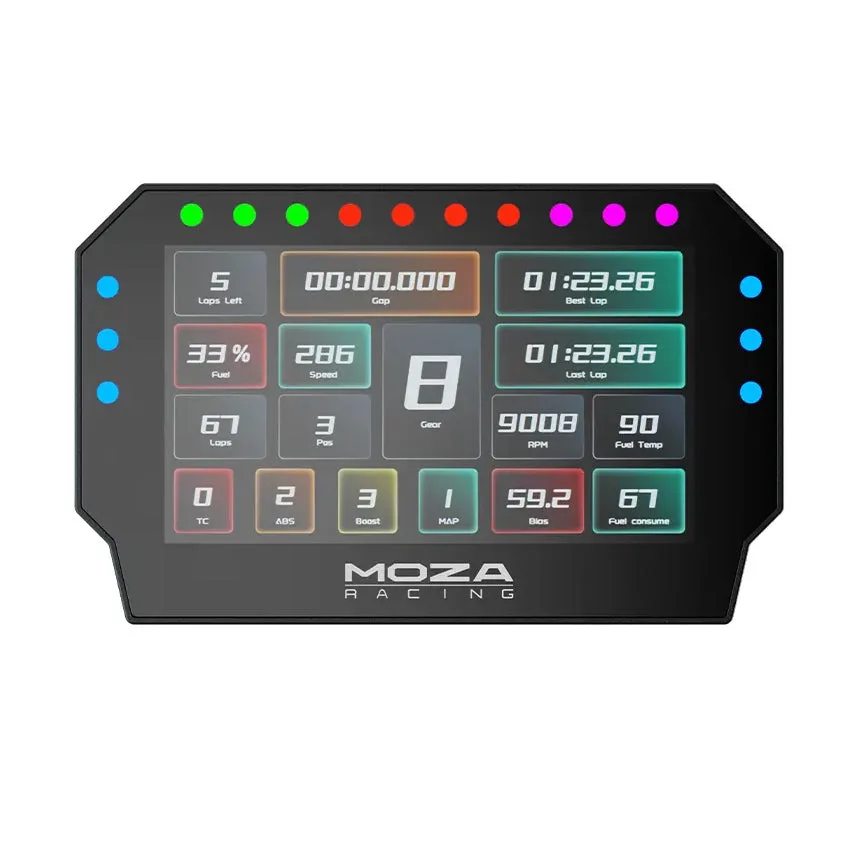
MOZA Racing CM2 HD Racing Dash