Start with the rooms, not the cameras
The right number of Nanit cameras depends on how many places you actually need to watch. A single monitor covers one nursery. A multi-pack is built for households that want coverage in two or three locations, or for parents who want one app view across multiple children.
The Nanit Smart Baby Monitor Multi-Pack is designed to expand with dual or triple cameras and seamless split-screen monitoring. That makes the twin and triple versions a practical choice when you already know you need more than one camera, rather than adding them one at a time later.
What the multi-pack includes
-
Smart Baby Monitor Multi-Pack: Built to expand with dual or triple cameras and seamless split-screen monitoring. This is the core reason to choose a multi-pack: you can see more than one camera in a single view instead of switching between separate feeds.
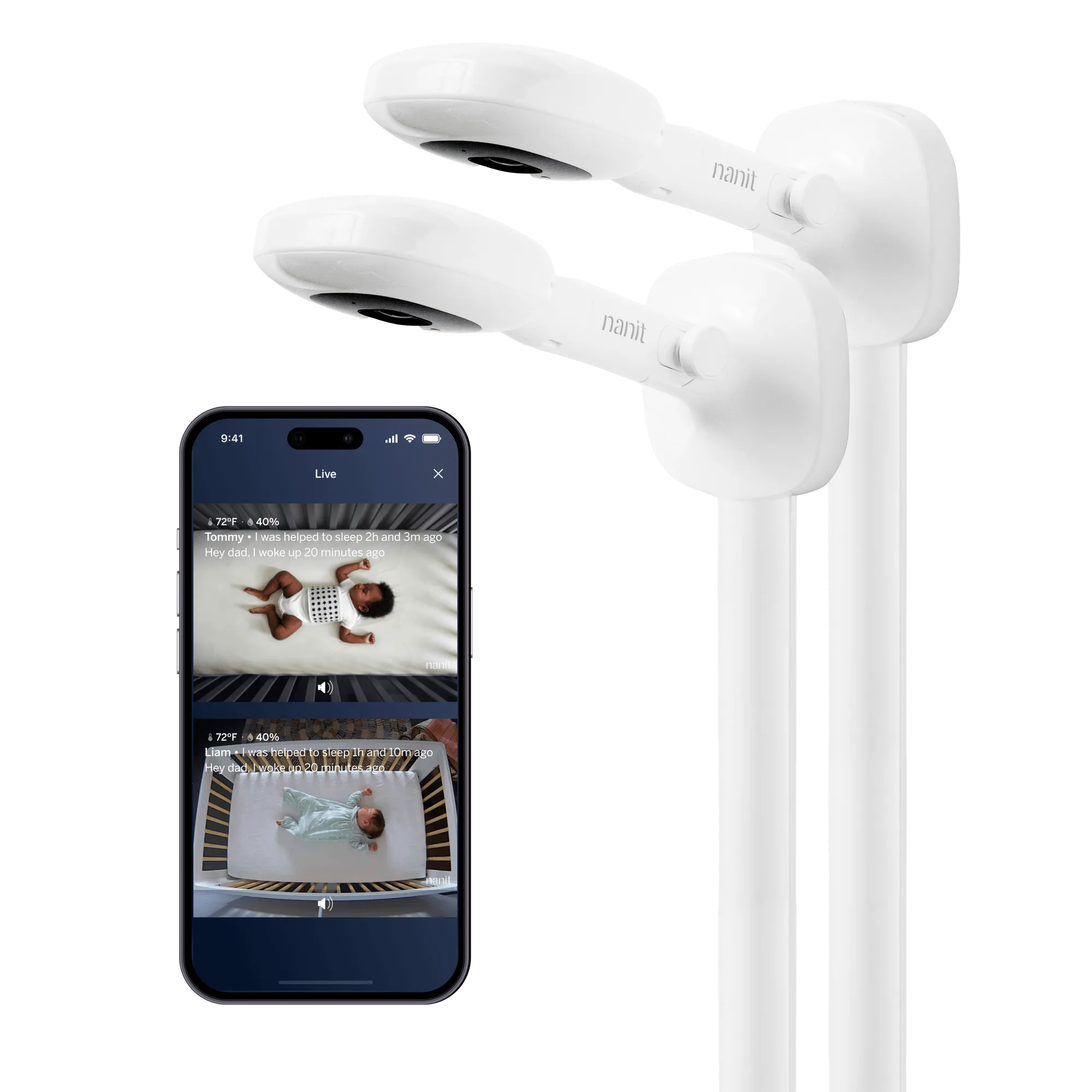
Smart Baby Monitor Multi-Pack
-
Smart Baby Monitor Multi-Pack: One app centralizes live-streaming nap times, capturing memories, and tracking feedings. If you are managing two rooms or two children, keeping activity in one app reduces the number of places you need to check.
-
Smart Baby Monitor Multi-Pack: Split Screen views, Memories + Milestones, Multi-user access, and Care Logs are included. These features support the day-to-day reality of multiple caregivers and multiple cameras, not just the initial setup.
Twin vs triple: match the count to your home
The multi-pack comes in twin and triple versions, each available with a wall mount or floor stand. Choose the quantity that matches the number of camera locations you need now, not the number you might need someday.
- Twin: A good fit for two nurseries, twins, or one nursery plus a second frequently used room. Fewer cameras means a simpler split-screen view and less to manage.
- Triple: Better for three distinct locations or three children. Only choose triple if you can name the third camera location today; otherwise the extra camera adds cost and complexity without daily use.
Wall mount or floor stand
Both mount types are available in twin and triple quantities. The right choice depends on your room layout and whether you prefer a fixed wall position or a freestanding setup you can move.
- Wall Mount: Suits a permanent camera position in a nursery where you want the monitor out of reach and off the floor. Best when you have a wall location you are confident about.
- Floor Stand: Suits renters or families who rearrange furniture, since the stand is freestanding. Also useful when you want to move the camera between rooms without remounting.
Signs a multi-pack is the better buy
- You have twins or two children in separate rooms: Split-screen monitoring lets you watch both feeds at once instead of opening two apps or switching cameras.
- You need a camera in the nursery and a second regular sleep space: A twin pack covers both locations with one app and one consistent setup.
- Several caregivers need access: Multi-user access and Care Logs help parents, grandparents, or sitters stay on the same page without sharing a single login.
- You already know you will expand: Buying the twin or triple version up front avoids piecing together separate cameras later.
When a single monitor is enough
- One nursery, one primary sleep space: If your baby sleeps in one room every night, a single camera covers the job without paying for unused hardware.
- You move the camera rather than add one: A single monitor on a floor stand can travel between rooms during the day, so you may not need a second camera.
- You are still deciding on your setup: If you are unsure about wall versus floor placement or how many rooms you will use, starting with one camera keeps the decision reversible.
What the catalog does not confirm
The supplied product information does not list camera resolution, field of view, audio specs, or the exact number of simultaneous split-screen feeds beyond dual or triple. It also does not include installation instructions for the wall mount or floor stand, or guidance on safe placement distances.
That means you should treat mount placement and room coverage as decisions to confirm against the full product documentation before buying, rather than assuming details the catalog does not state. If you need precise installation steps, check the dedicated setup guides for the wall mount and floor stand separately.