What the Forza 5m Extension Cable Does
The NanLite Forza 5m Head Extension Cable is a dedicated 5-meter power cable designed for the Forza 200, 300, and 500 monolights. It gives you extra reach between the light head and its power supply, useful when you need to position the light away from the control box or mount it on a boom.
The cable can replace the standard head cable that comes with the Forza set, or be added to extend your existing reach. It features durable metal connectors for reliable contact and a Velcro cable tidy loop to keep the excess length organized.
Compatibility and Specs at a Glance
-
NanLite Forza 5m Head Extension Cable: Compatible with Forza 200, 300, and 500. Ensures you choose the right cable for your specific Forza model without guesswork.
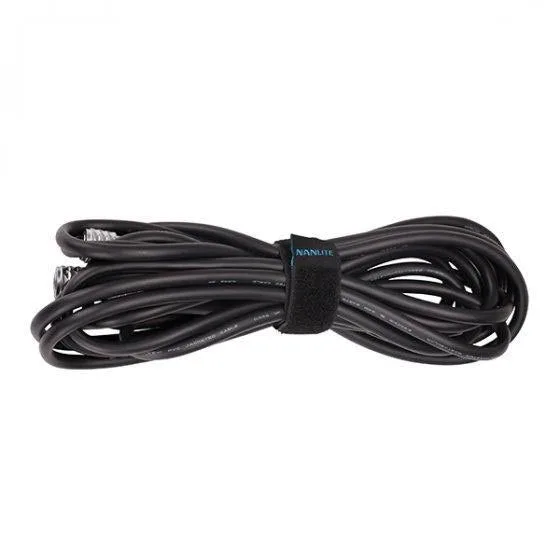
NanLite Forza 5m Head Extension Cable
-
NanLite Forza 5m Head Extension Cable: 5m extended length, can be used in place of or added to the supplied head cable. Gives flexibility: either replace the short cable for a single long run, or daisy-chain for even more reach.
-
NanLite Forza 5m Head Extension Cable: Features a Velcro cable tidy loop and durable metal connectors. The loop helps manage cable slack on set, and metal connectors provide a secure, long-lasting connection.
Setting Up the Extension Cable
Follow these steps to safely connect the 5m extension cable to your Forza light.
- Power down and disconnect: Ensure the Forza light is turned off and disconnected from any power source before handling cables.
- Remove the existing head cable: If replacing the stock cable, disconnect it from both the light head and the power supply. If adding, leave the stock cable in place.
- Connect the extension cable: Attach one end of the 5m cable to the light head connector and the other end to the power supply. The metal connectors should click firmly into place.
- Route and secure the cable: Use the Velcro tidy loop to bundle any excess cable length, keeping it off the floor and away from trip hazards. Ensure the cable is not kinked or strained.
- Power on and test: Reconnect the power supply and turn on the light. Check that the head responds normally and the connection is stable.
Cable Management Tips for Location Work
On a shoot, long cables can become trip hazards or snag on gear. The integrated Velcro loop lets you bundle slack neatly near the light stand or power supply. For longer runs, consider taping the cable to the floor with gaffer tape or using cable ramps in high-traffic areas.
If you're using the cable on a boom arm, run it along the boom and secure it with Velcro straps to prevent it from pulling on the light head connector. Always ensure the cable has some slack at the connector to avoid stress on the metal pins.
What the Supplied Information Does Not Cover
The catalog confirms compatibility and basic features, but does not include detailed installation instructions, safety warnings, or performance specs like maximum current or operating temperature. For those, refer to the manufacturer's manual or contact NanLite support.
Also not confirmed: whether the cable can be used with other NanLite fixtures or third-party power supplies. Stick to Forza 200, 300, and 500 models as stated.