Setup and Charging Questions
What comes in the box with the NEO S Game Over POPeArt Edition?
The product includes the NEO S Game Over POPeArt Edition controller and a charging dock. The controller is designed for Nintendo Switch, PC, Mobile/Tablet, and Smart TV gaming.
How do I charge the controller using the dock?
Place the NEO S controller onto the charging dock. The dock connects to power via a USB cable (not included in the supplied details). The controller supports wireless Bluetooth and wired connection options.
Does the dock charge multiple controllers at once?
The supplied information confirms the dock is designed for the NEO S controller included in this edition. It does not specify support for charging multiple controllers simultaneously.
Can I use the controller while it is on the charging dock?
The supplied details do not specify whether the controller can be used while docked. For best performance, charge the controller fully before use.
Pairing and Compatibility
How do I pair the NEO S controller with my device?
The controller uses wireless Bluetooth for pairing. The supplied details do not include step-by-step pairing instructions, but typical Bluetooth pairing involves putting the controller into discovery mode and selecting it from your device's Bluetooth settings.
Which devices are compatible with the NEO S controller?
The NEO S Game Over POPeArt Edition is compatible with Nintendo Switch, PC, Mobile/Tablet, and Smart TV gaming.
Does the controller work with the CRKD Companion app?
Yes, the controller connects to the CRKD Companion app, which may allow for additional customization and settings adjustments.
Features and Troubleshooting
What features does the NEO S controller have?
The controller includes Zero Stick Drift (Hall Effect Thumbsticks), ergonomic design, wireless Bluetooth, wired connection option, swappable stick tops, adjustable trigger actuation points, adjustable vibration, re-mappable back buttons, motion controls, rumble support, and a turbo function.
What should I do if the controller does not charge?
Ensure the charging dock is properly connected to power and that the controller is seated correctly on the dock. If issues persist, try a different USB cable or power source. The supplied details do not include specific troubleshooting steps.
Is there a warranty or support for the controller?
The supplied information does not include warranty or support details. Contact CRKD customer support for assistance with product issues.
Key Product Facts
-
NEO S Game Over POPeArt Edition with Charging Dock: The NEO S Game Over POPeArt Edition includes a charging dock and is compatible with Nintendo Switch, PC, Mobile/Tablet, and Smart TV gaming. This confirms the controller's broad compatibility and that the dock is included, which is essential for charging and setup.
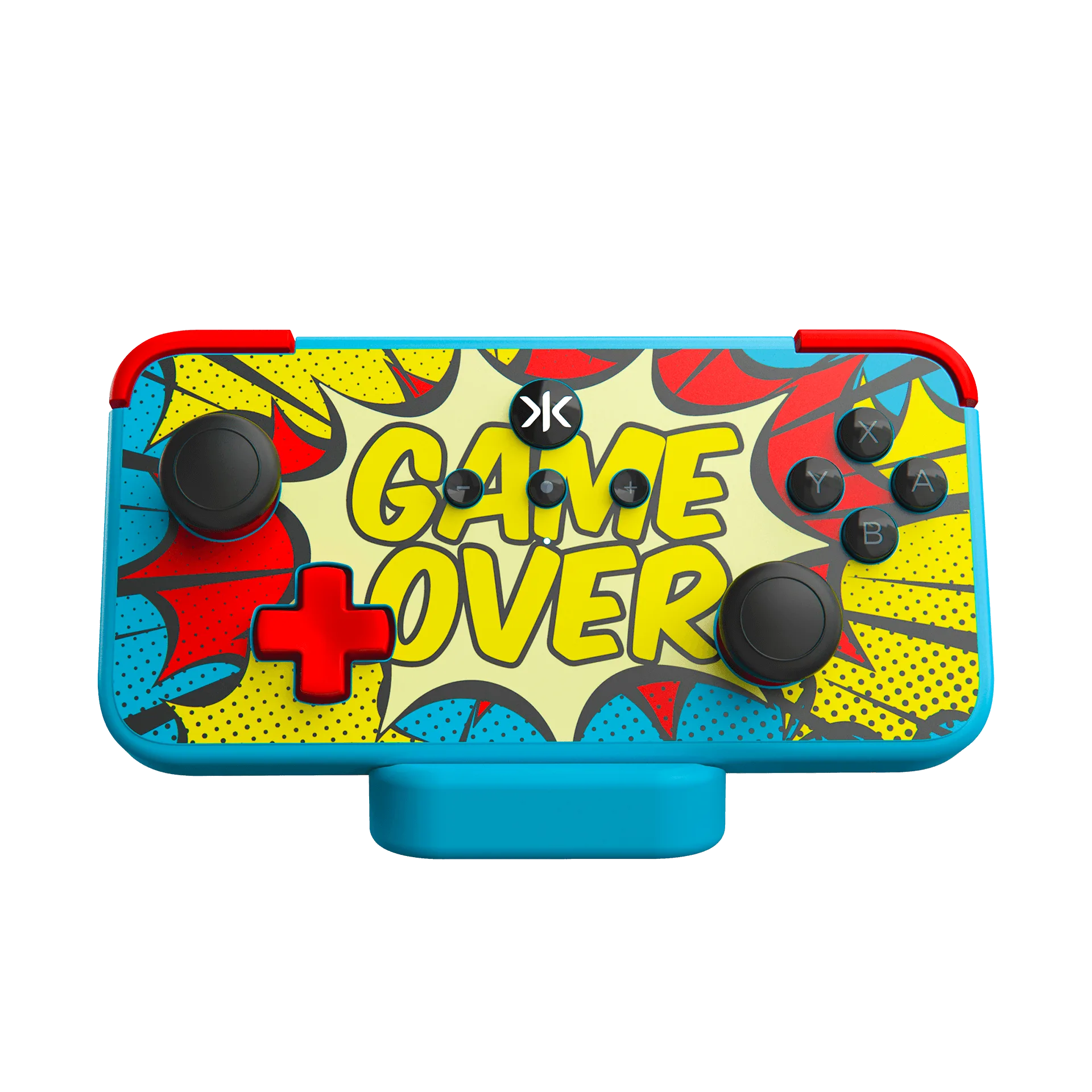
NEO S Game Over POPeArt Edition with Charging Dock
-
NEO S Game Over POPeArt Edition with Charging Dock: The controller features Zero Stick Drift (Hall Effect Thumbsticks) and adjustable trigger actuation points. These features help prevent common joystick drift issues and allow customization of trigger response for different games.