Quick answer
Choose Bluetooth if you primarily play on Android devices; choose 2.4G wireless for lag-free gaming on Windows or NEOGEO mini.
Why connection method matters for retro gaming
The NEOGEO Wireless BT / 2.4G Controller (Terry Bogard) gives you three connection options: Bluetooth (Android only), 2.4G wireless via adapter, or wired USB. Each mode targets a different platform, so picking the right one depends on what you play and where.
Bluetooth is convenient for mobile gaming but introduces slightly higher latency than 2.4G. The 2.4G mode uses a dedicated adapter for a more stable, low-lag connection ideal for PC and NEOGEO mini. Wired mode offers the lowest latency and works with any USB port.
Platform compatibility differences
The controller's Bluetooth is limited to Android devices. It will not work with Windows or NEOGEO mini via Bluetooth. For those platforms, you must use the included 2.4G adapter or a USB cable.
This means if you own a Windows PC or NEOGEO mini, Bluetooth is not an option. You are restricted to 2.4G or wired. Android users get the full wireless flexibility, but should still consider 2.4G for lower latency when possible.
Latency and performance trade-offs
2.4G wireless offers near-zero latency, comparable to a wired connection, making it the best choice for fast-paced retro fighters and shooters. Bluetooth, while convenient, can introduce slight input lag that competitive players may notice.
The controller's classic click-style joystick and added bumpers work identically in all modes, so your feel and response remain consistent. The trade-off is purely about connection stability and platform support.
Trade-offs at a glance
- Bluetooth mode (Android only): Connect wirelessly to Android phones or tablets without an adapter. Convenient for on-the-go gaming but limited to Android and may have slightly higher input lag.
- 2.4G wireless mode (Windows / NEOGEO mini): Use the included 2.4G adapter for a stable, low-latency connection on Windows PC or NEOGEO mini. No Bluetooth needed, but requires a free USB port for the adapter.
- Wired USB mode (all platforms): Plug the controller directly via USB cable for the lowest latency and universal compatibility. Works with any device that supports USB game controllers. If you value absolute responsiveness and don't mind a cable, wired mode is your best bet.
Product facts
-
NEOGEO Wireless BT / 2.4G Controller (Terry Bogard): Bluetooth connectivity is only supported on Android devices. If you use a Windows PC or NEOGEO mini, you must rely on the 2.4G adapter or USB cable, not Bluetooth.
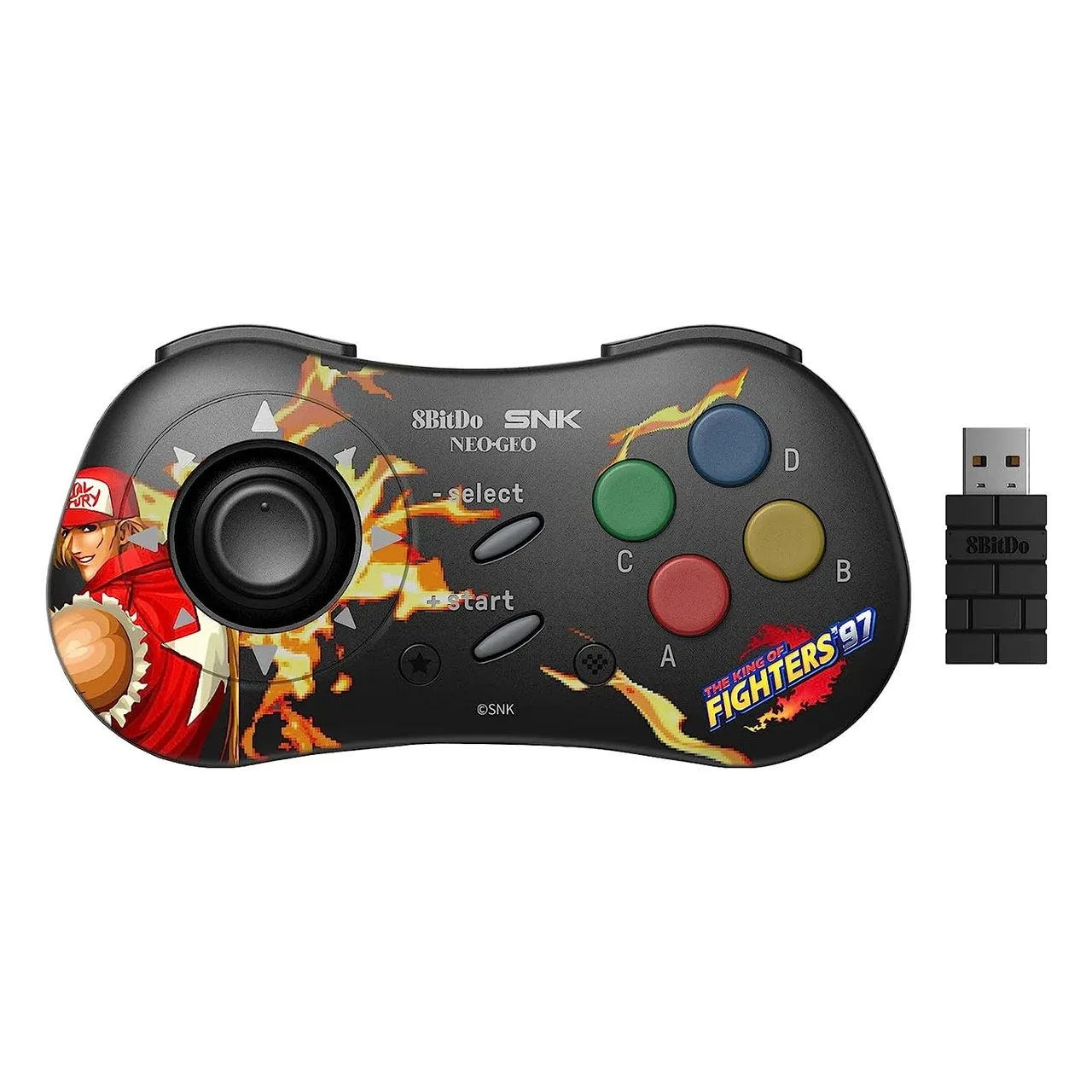
NEOGEO Wireless BT / 2.4G Controller (Terry Bogard)
-
NEOGEO Wireless BT / 2.4G Controller (Terry Bogard): 2.4G wireless connectivity works with Windows and NEOGEO mini via the included adapter. This provides a low-latency wireless experience on those platforms without needing a cable.
Which connection method fits you?
Best for
- Android gamers who want cable-free convenience and don't mind slight latency
- Windows or NEOGEO mini owners who prioritize low-latency wireless play
Not for
- Windows or NEOGEO mini users expecting Bluetooth support (not available)
- Competitive players who need the absolute lowest latency (choose wired mode instead)