Caring for the Belkin 60W USB-C Cable
What does the braided exterior actually protect against?
The Belkin USB-C to USB-C Cable 60W for Nintendo Switch 2 has a braided exterior for enhanced strength and tangle resistance. That means the outer layer is designed to handle everyday handling and resist tangling better than a standard smooth cable. It does not mean the cable is indestructible, so avoid sharp bends at the connectors and keep it away from pets that chew.
How should I store the cable to reduce wear and tear?
Loosely coil the cable instead of wrapping it tightly around your console or a charger. Tight wrapping puts stress on the internal wires near the connectors, which is a common cause of USB-C cable wear and tear. The braided design helps with tangle resistance, but gentle coiling still extends the cable's useful life.
Can I clean the cable?
The supplied product information does not include cleaning instructions, so we cannot confirm specific cleaning methods. As a general precaution, avoid getting moisture into the connector ends and do not use abrasive cleaners on the braided exterior. If the cable becomes visibly damaged, replace it rather than continuing to use it.
What are the signs that my USB-C cable needs replacing?
Watch for fraying at the braided exterior, a loose fit when plugged into your Switch 2 or charger, or charging that becomes intermittent. These are typical signs of USB-C cable wear and tear. Because the cable is a passive accessory, replacing it is usually simpler than troubleshooting a damaged one.
Confirmed cable details
-
USB-C to USB-C Cable 60W for Nintendo Switch 2: 60W power delivery for charging the Nintendo Switch 2 This is the cable's stated power rating, so you know what it is designed to deliver before you rely on it for charging.
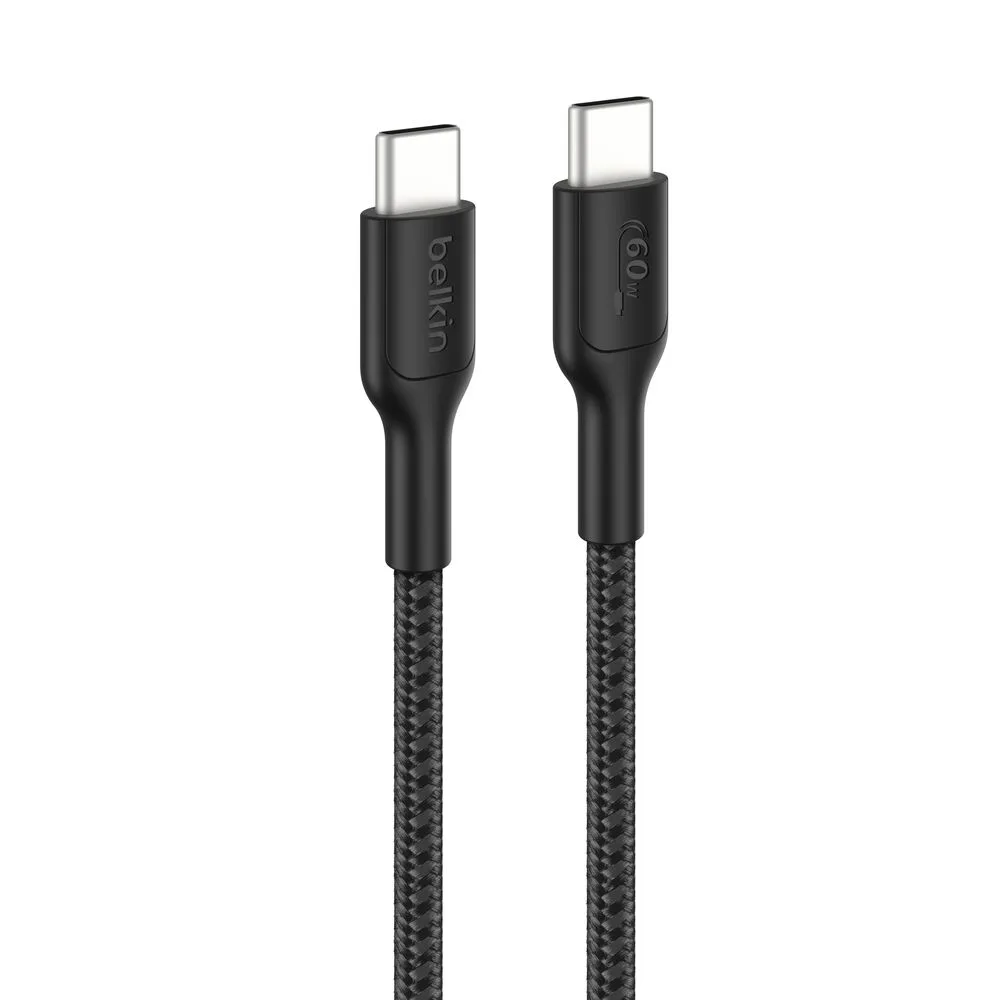
USB-C to USB-C Cable 60W for Nintendo Switch 2
-
USB-C to USB-C Cable 60W for Nintendo Switch 2: USB-C to USB-C connectivity for compatible devices Both ends are USB-C, so it pairs with USB-C chargers and USB-C devices, including the Switch 2.
-
USB-C to USB-C Cable 60W for Nintendo Switch 2: Braided exterior for enhanced strength and tangle resistance This is the main care-related feature, as the braid helps the cable hold up to daily coiling and uncoiling.
Charging with the Switch 2 USB-C Cable
Does this cable charge the Nintendo Switch 2 at full speed?
The cable is rated for 60W power delivery, but charging speed depends on the charger you connect it to and the device's own charging behavior. The supplied information does not specify a charging time or a required charger wattage for the Switch 2, so we cannot confirm a specific speed. Use a USB-C charger that meets your console's requirements.
Can I use this cable with other USB-C devices?
Yes, the cable is described as USB-C to USB-C for versatile use with compatible devices. It is not limited to the Switch 2, so you can use it with other USB-C devices that accept a USB-C cable, provided the charger and device are compatible.
Is the cable compatible with the Nintendo Switch 2 dock?
The supplied information does not confirm dock compatibility or whether the cable can be used while the console is docked. For docked charging, check the dock's requirements and use a charger that meets them. The cable itself is a standard USB-C to USB-C connection.
Simple habits that extend cable life
You do not need a special routine to care for a braided USB-C cable. A few consistent habits make the biggest difference.
- Coil loosely: Wrap the cable in a loose loop rather than pulling it tight around your console or charger.
- Grip the connector: Pull the plug by the connector housing, not by the cable, when unplugging from the Switch 2 or a charger.
- Keep it dry: Avoid exposing the cable to moisture, especially at the connector ends, and do not use it if the connectors look damaged.
- Store separately: Keep the cable away from sharp objects and heavy items that could crush the braid or bend the connectors.