What the Nissin Di866 Mk2 Offers for Canon Shooters
The Nissin Di866 Mk2 is a powerful and versatile Speedlite designed for Canon EOS cameras. With a guide number of 60m (ISO100, 105mm), it delivers enough output for both on-camera and off-camera use. It supports Canon's E-TTL and E-TTL II metering, making it a practical choice for photographers who want consistent exposures without switching to full manual control.
This flashgun is available as B-Stock, which means it may be ex-demo, lack branded packaging, or show minor cosmetic marks. The unit itself is fully functional, and the savings can be worthwhile if you're looking for a capable flash at a lower price point.
Nissin Di866 Mk2 Key Specifications
-
(B-Stock) Nissin Di866 Flashgun (Mk2) - Canon Fit: Guide Number (ISO100): 60m, 198ft. (105mm) This indicates the flash's maximum reach; a higher guide number means you can light subjects farther away.
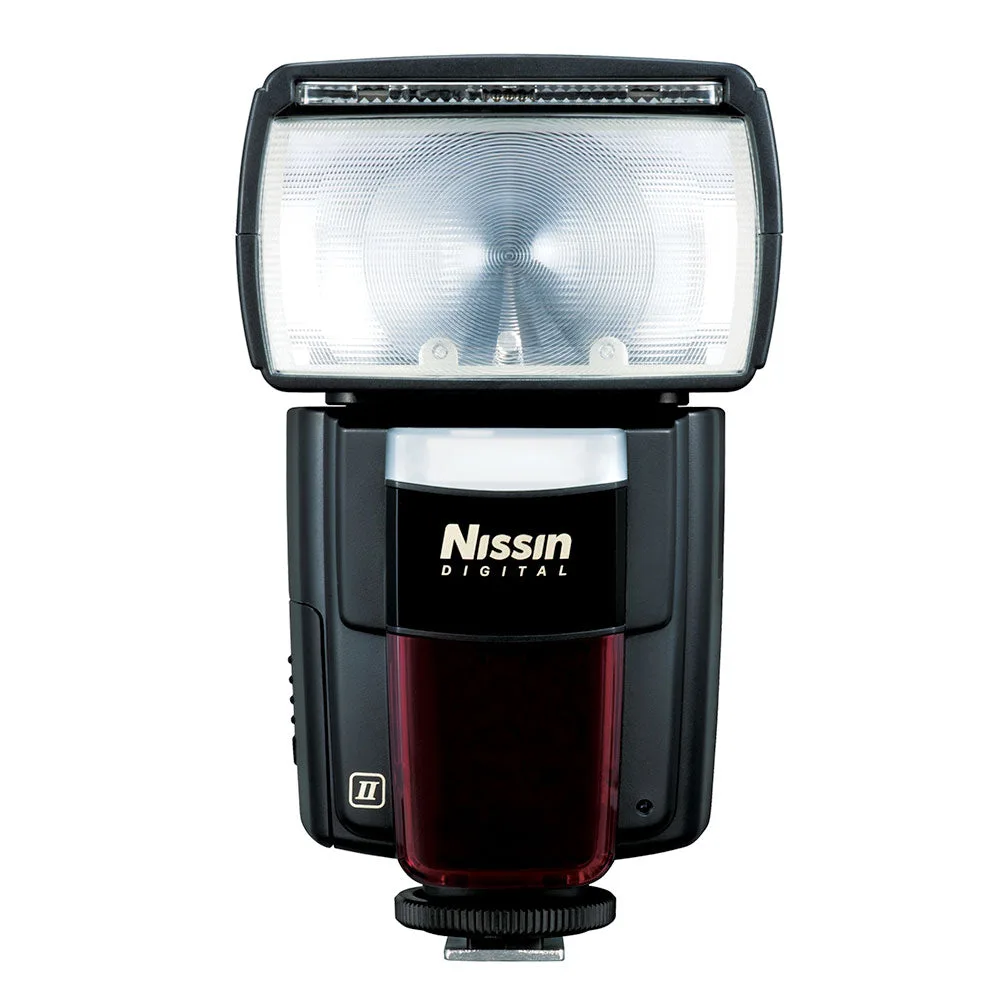
(B-Stock) Nissin Di866 Flashgun (Mk2) - Canon Fit
-
(B-Stock) Nissin Di866 Flashgun (Mk2) - Canon Fit: Focal length Coverage: 24~105mm (18mm with wide angle diffuser) The flash head zooms to match your lens, and the built-in wide panel extends coverage for ultra-wide shots.
-
(B-Stock) Nissin Di866 Flashgun (Mk2) - Canon Fit: Recycle Time: 0.1-5.5 sec. (Alkaline, NiMH) Faster recycle times let you shoot more quickly; using NiMH batteries can reduce wait time between flashes.
-
(B-Stock) Nissin Di866 Flashgun (Mk2) - Canon Fit: Bounce Function: Upward 90 degree, Left 90 degree, Right 180 degree Full bounce control lets you soften light by aiming at ceilings or walls, giving more natural-looking results.
Setting Up the Nissin Di866 Mk2 on a Canon Camera
The following steps assume you have a Canon EOS camera with a compatible hot shoe. The flashgun is designed for Canon's E-TTL / E-TTL II systems, so it should communicate exposure data automatically.
- Mount the flash: Slide the flash foot into your camera's hot shoe until it clicks. Ensure the locking dial is tightened to prevent accidental detachment.
- Power on and set the mode: Press the power switch. The colour display shows current settings. Use the mode button to select E-TTL (auto exposure) or Manual (full control). For most situations, E-TTL works well.
- Adjust zoom and bounce: The flash head zooms automatically to match your lens focal length. For bounce flash, tilt the head upward (up to 90°) or swivel left (90°) or right (180°). This softens shadows and reduces harsh light.
- Test the flash: Press the test button to fire a preflash. Check the exposure on your camera's LCD. You can adjust flash exposure compensation from -0.3 to +3.0 EV in 1/3 steps.
Wireless TTL and Off-Camera Use
The Di866 Mk2 supports wireless TTL operation as a master or remote unit across 4 channels and 3 groups (A, B, C). This allows you to control multiple flashes from the camera without cables. For off-camera work, you'll need a compatible Nissin wireless trigger or another Di866 set to remote mode. The flash also includes a digital slave mode, so it can be triggered optically by another flash's burst.
The supplied flash stand with a tripod screw makes it easy to place the flash on a light stand for off-camera setups. Just attach the stand, set the flash to slave or remote mode, and position it where you need light.
What the Setup Does Not Cover
The supplied information does not confirm compatibility with Canon's newer multi-interface shoe or wireless protocols beyond the basic 4-channel system. Firmware updates are possible via the USB terminal, but the exact update procedure and available firmware versions are not detailed in the catalog. For B-Stock units, check that all accessories (soft pouch, flash stand, and any spare battery magazines) are included, as packaging may vary.
If you need high-speed sync or rear curtain sync, the flash supports these functions, but the exact sync speed limits are not specified. Test with your camera to confirm reliable operation at your desired shutter speed.