What’s Inside the Bundle
The Nitro Deck+ Clear White Edition bundle brings together everything you need for a premium handheld gaming experience on your Nintendo Switch or Switch OLED. The box includes the Nitro Deck+ Clear White Edition controller deck, a microfiber string bag, an HDMI adapter to USB-C, the CRKD Pro Gear Bag in Charcoal Grey, and the Stick Tops Midnight Edition 8 pack. Each piece serves a specific purpose, from protecting your gear to enhancing your gameplay.
Unboxing and Setup Step by Step
Follow these steps to get your Nitro Deck+ Clear White Edition bundle ready for action.
- Unpack the Nitro Deck+ and Attach It to Your Switch: Slide your Nintendo Switch or Switch OLED into the Nitro Deck+ via the USB-C connector. The Easy Eject System lets you remove the console without fuss. The deck features hall-effect thumbsticks that eliminate stick drift, re-mappable back buttons, and programmable sidekick buttons.
- Connect the HDMI Adapter for Docked Mode: Plug the included HDMI adapter into the USB-C port on the Nitro Deck+. Connect an HDMI cable (not included) from the adapter to your TV or monitor. This enables docked mode, letting you play on a larger screen while the deck serves as a controller.
- Fit the Stick Tops from the 8 Pack: The Stick Tops Midnight Edition 8 pack includes eight replacement thumbstick caps. Gently pull off the existing caps and press the new ones onto the hall-effect sensor stems. Swappable stick tops let you customize the look and feel of your controls.
- Store Your Gear in the Pro Gear Bag: The CRKD Pro Gear Bag in Charcoal Grey is designed to hold the Nitro Deck, NEO S controller, Steam Deck OLED, Nintendo Switch, Legion Go, PlayStation Portal, Asus Rog, controllers, 65% keyboards, gaming mice, and accessories. Place your Nitro Deck+ and other items inside for organized travel or daily storage.
Key Features at a Glance
-
Nitro Deck+ Clear White Edition + HDMI Adapter + Gear Bag + Stick Top 8 Pack Bundle: The Nitro Deck+ features hall-effect thumbsticks to eliminate stick drift, programmable side kick buttons, docked mode compatibility, and more. Hall-effect sensors ensure long-lasting precision without the drift common in traditional analog sticks. Docked mode turns the deck into a full-featured controller.
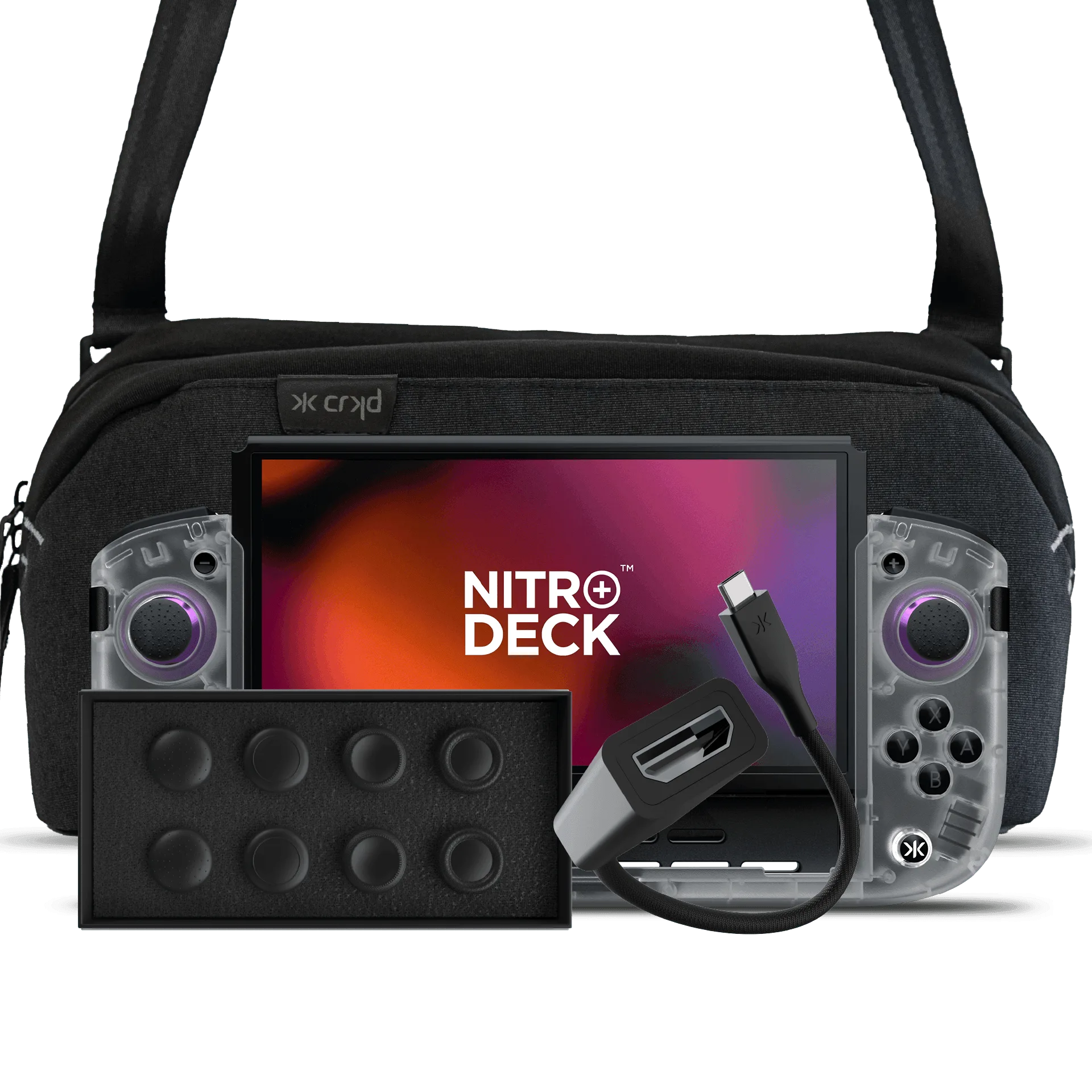
Nitro Deck+ Clear White Edition + HDMI Adapter + Gear Bag + Stick Top 8 Pack Bundle
-
Nitro Deck+ Clear White Edition + HDMI Adapter + Gear Bag + Stick Top 8 Pack Bundle: The Pro Gear Bag is compatible with Nitro Deck, NEO S, Nitro Deck+, Steam Deck OLED, Nintendo Switch, Legion Go, PlayStation Portal, Asus Rog, controllers, 65% keyboards, gaming mice, and accessories. One bag can hold multiple devices, making it a versatile travel solution for gamers with different handhelds and peripherals.
-
Nitro Deck+ Clear White Edition + HDMI Adapter + Gear Bag + Stick Top 8 Pack Bundle: Stick Tops are designed to keep your CRKD controllers feeling and looking fresh. Swapping thumbstick caps refreshes the grip and appearance, extending the life of your controller without replacing the whole unit.
What the Bundle Does Not Cover
The supplied information does not include setup instructions for the CRKD Companion App or details on Bluetooth connection. The Nitro Deck+ does not support Amiibo functionality. If you need to adjust trigger sensitivity, vibration feedback, or turbo mode, these features are available but not described in the included documentation. Always refer to the product manual for complete guidance.