What This Cable Connects
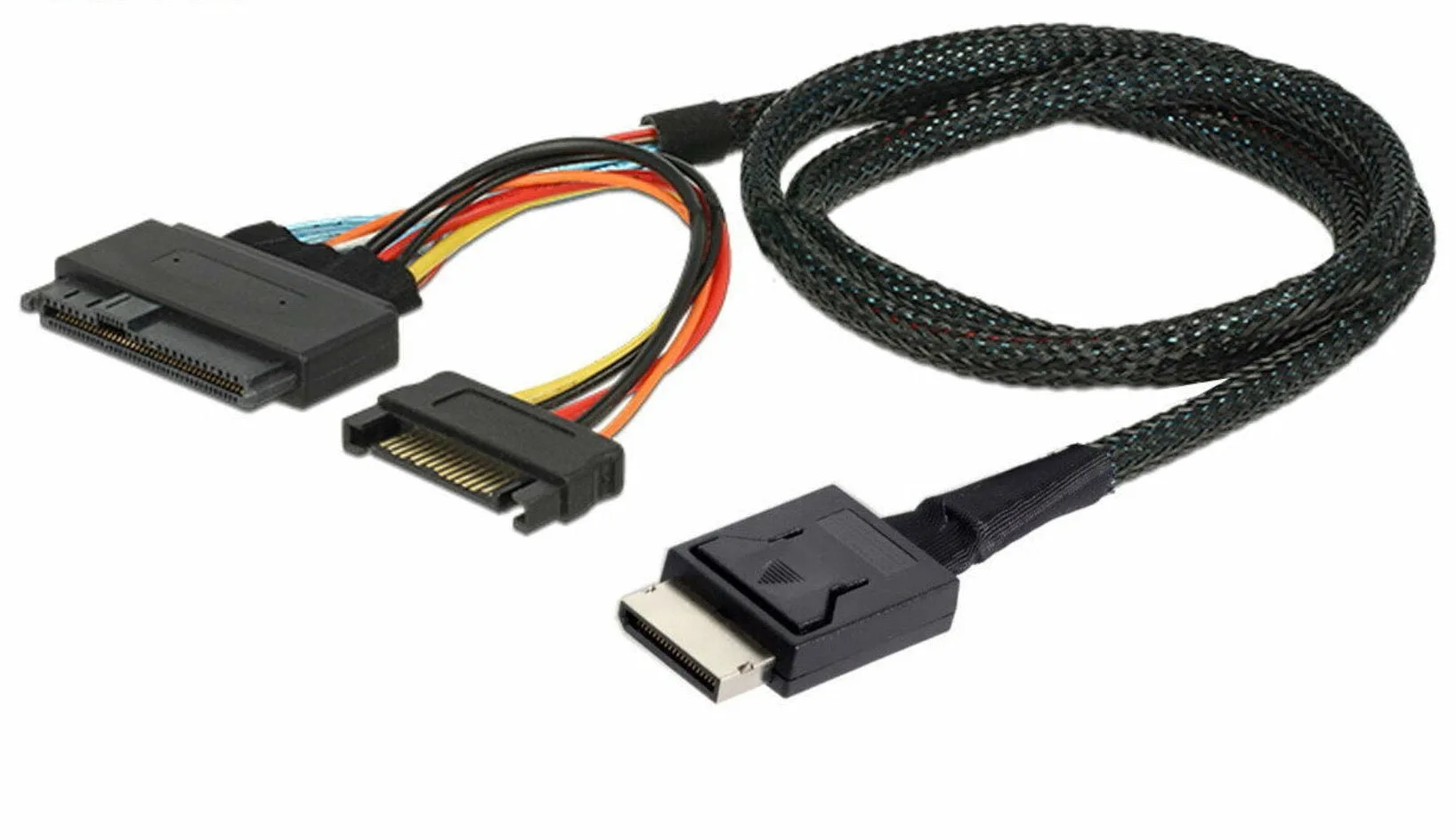
The OCuLink SFF-8611 4i to U.2/U.3 SFF-8639 NVMe PCIe SSD Cable connects an OCuLink-enabled PCIe host or controller directly to a U.2 or U.3 NVMe solid-state drive. It provides a reliable PCIe data path from the SFF-8611 interface to the drive, with an integrated SATA 15-pin power connector to power the SSD. This cable is suitable for use inside PCs, servers, workstations, and external enclosures where flexible, high-speed NVMe connectivity is required.
Setup Steps
Before you begin, ensure your host system has a free OCuLink (SFF-8611) interface. The following steps assume you have the correct cable variant for your physical layout.
- 1. Identify your cable variant: This cable is available in 0.5m and 0.8m lengths. Choose the size that best fits the distance between your OCuLink host port and the U.2/U.3 drive location. The cable uses 33 AWG data lines and 18 + 24 AWG power lines.
- 2. Connect the OCuLink end: Plug the OCuLink SFF-8611 4i male connector into the matching SFF-8611 port on your host system. Ensure the connector is fully seated and the latch (if present) clicks into place.
- 3. Connect the drive end: Attach the U.2/U.3 SFF-8639 female connector to the corresponding port on your NVMe SSD. Align the keying on the connector and push firmly until seated.
- 4. Connect power: Connect a SATA 15-pin power cable from your system power supply to the integrated SATA power connector on this cable. This provides the necessary power to the U.2/U.3 drive.
- 5. Verify and test: Power on the system and check that the NVMe drive is detected in the operating system or BIOS/UEFI. If the drive is not recognized, confirm that the OCuLink host interface supports NVMe and that the power connection is secure.
Cable Specifications at a Glance
-
OCuLink SFF-8611 4i to U.2 U.3 SFF-8639 NVMe PCIe SSD Cable: Supports PCIe data transfer rates of up to 16Gb/s. This speed is suitable for high-performance storage applications including enterprise NVMe drives, lab systems, and custom storage builds.
OCuLink SFF-8611 4i to U.2 U.3 SFF-8639 NVMe PCIe SSD Cable
-
OCuLink SFF-8611 4i to U.2 U.3 SFF-8639 NVMe PCIe SSD Cable: 85 Ohm impedance for stable signal performance. Matched impedance helps maintain signal integrity over the cable length, reducing data errors in high-speed PCIe links.
-
OCuLink SFF-8611 4i to U.2 U.3 SFF-8639 NVMe PCIe SSD Cable: Integrated SATA 15-pin power connector for powering the drive. No separate power adapter is needed; the cable carries both data and power, simplifying the connection.
Compatibility Check Before You Connect
This cable is designed specifically for OCuLink SFF-8611 4i (host side) to U.2/U.3 SFF-8639 (drive side) connections. It supports NVMe PCIe SSDs only—not SATA or SAS drives. Verify that your host system has a free OCuLink interface; if not, you may need an adapter or a different cable. The cable is intended for use inside PCs, servers, workstations, or external enclosures, but always confirm that your enclosure supports OCuLink passthrough or direct connection.
What the Supplied Information Does Not Cover
The available product information does not specify operating system driver requirements, BIOS settings, or detailed installation steps beyond the physical connection. For drive initialization, formatting, or troubleshooting, refer to your motherboard or controller manual and the SSD manufacturer's documentation. The cable's performance may vary depending on the host controller and drive capabilities.