Quick answer
Clean your mouse surface thoroughly, align the precision-cut OP1 Skin Set skins carefully, and press from the center outward to avoid air bubbles. Take your time during alignment—rushing causes the most common fit issues.
Why the OP1 Skin Set is worth the effort
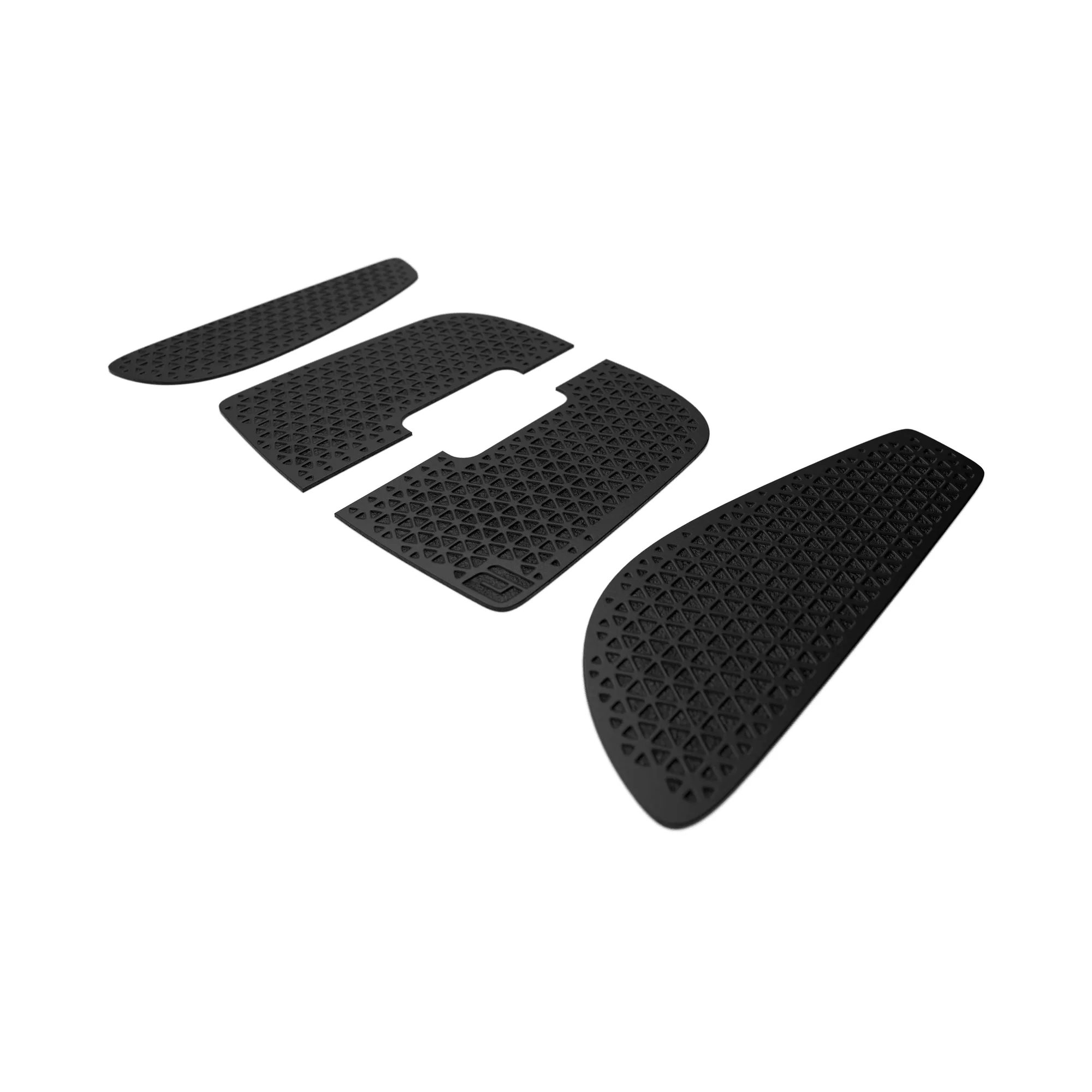
The Endgame Gear OP1 Skin Set is precision-cut specifically for the OP1 series, which means the shapes match the contours of your mouse exactly. When installed correctly, these black grip skins give you enhanced control and a clean, understated look without adding bulk. The main trade-off is that the thin material can show fingerprints or dust if not cleaned before application, so a quick prep step saves you from redoing the job later.
Step-by-step installation steps
- Clean the mouse surface: Wipe the OP1 mouse shell with a microfiber cloth and isopropyl alcohol to remove oils and dust. Let it dry completely for 30 seconds. Skipping this step can cause the skin to lift at the edges within a few days.
- Peel and align the skin: Peel the first skin piece from its backing. Hold it by the edges and hover it over the corresponding area on the mouse. Align the cutouts with the mouse buttons or side grooves before letting the adhesive touch the surface. Once the adhesive touches, repositioning is difficult—dry-fit the piece first without removing the backing to check alignment.
- Press from center outward: Starting from the center of the skin, press firmly toward the edges using your thumb or a soft card. This pushes air bubbles out toward the perimeter. If a small bubble remains, lift the nearest edge gently with tweezers and re-press. Never puncture the skin.
- Repeat for remaining pieces: Apply the left and right side skins using the same method. For curved areas, warm the skin slightly with a hairdryer on low heat (5–10 seconds) to improve flexibility. Overheating can warp the adhesive—keep the dryer moving and test the temperature on your wrist first.
- Final press and cure time: Go over all edges with gentle pressure to ensure full adhesion. Let the mouse sit unused for 1 hour so the adhesive bonds fully. Using the mouse immediately may shift the skins—waiting prevents misalignment during your first gaming session.
Product facts
-
OP1 Skin Set: The Endgame Gear OP1 Skin Set improves grip and lets you customize the feel of your mouse. It is precision-cut for the OP1 series. Because the skins are cut exactly for the OP1 shape, you get a seamless fit without trimming—just align and press.
OP1 Skin Set