The one fit decision this listing actually gives you
Before you adjust anything, know what the OpenRun Pro 2 (ShokzSquad) record confirms: the headphone comes in two sizes, Standard and Mini, in Black, Blue, Orange and Silver. That size choice is the real fit decision the listing supports. The product details do not include a head-measurement chart, band-length figures or a recommended head circumference, so treat sizing as a choice between two supplied options rather than a number you can calculate from the page.
If you are between sizes or unsure, the practical move is to start with the size that matches how the band sits on your head and use the 45-Day Risk-Free Trial as your test window. That is a supplied offer, not a promise about how any individual head will feel.
OpenRun Pro 2 details that shape the fit
-
OpenRun Pro 2 (ShokzSquad): Available in Standard and Mini sizes across Black, Blue, Orange and Silver. Size is the only fit variable the listing exposes, so choosing between Standard and Mini is the first step in any fit routine.
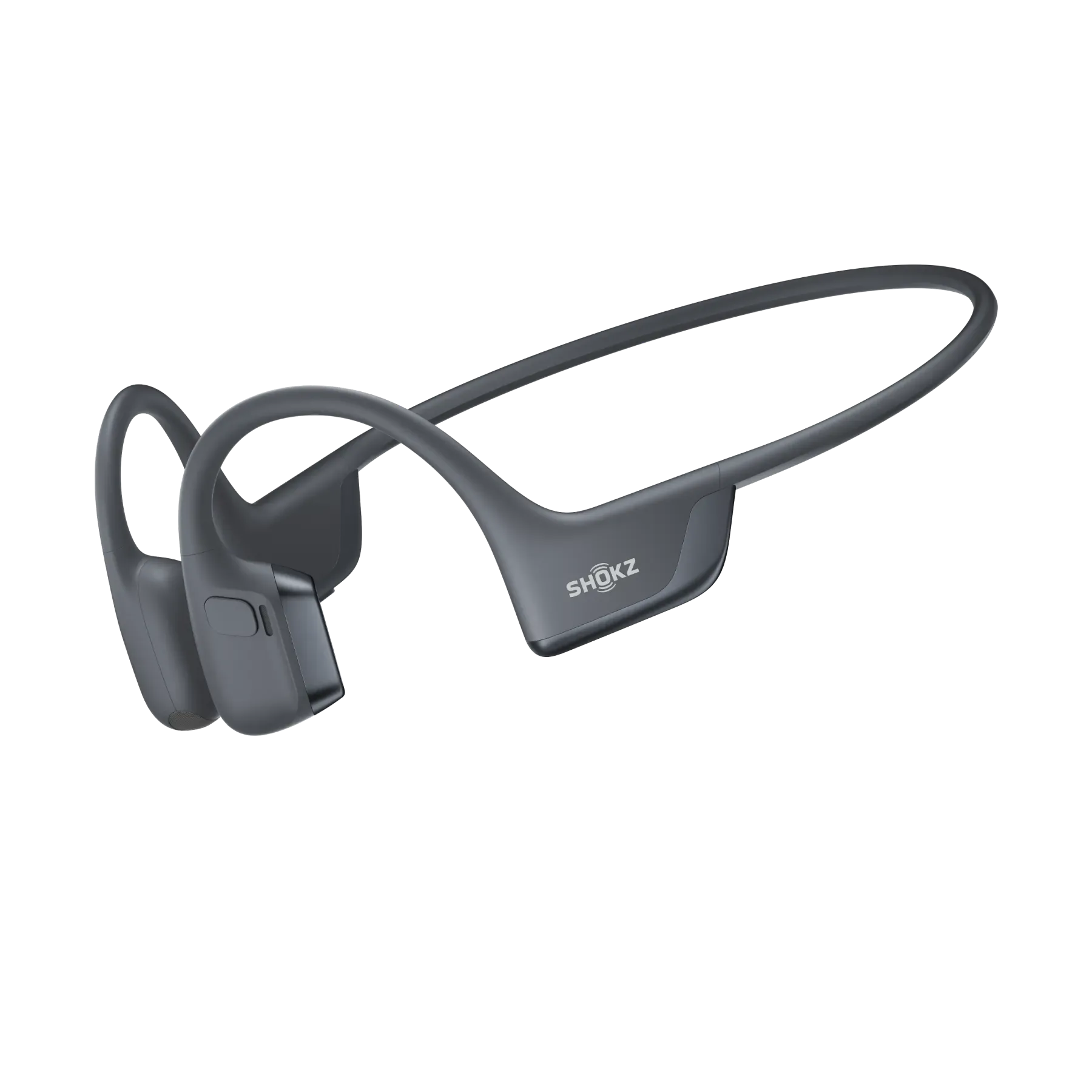
OpenRun Pro 2 (ShokzSquad)
-
OpenRun Pro 2 (ShokzSquad): Shokz DualPitch Technology for premium sound quality, with reduced vibrations. The reduced-vibration design is a stated product feature; it is not a fit adjustment, so do not expect it to change how the band sits.
-
OpenRun Pro 2 (ShokzSquad): Up to 12-hour battery life and quick charge. A longer session means the fit has to hold through more movement, which is why a pre-run check matters more than a quick mirror glance.
A pre-run fit check you can do in two minutes
These steps use only what the listing confirms about the OpenRun Pro 2. They are a sensible routine, not a manufacturer procedure.
- 1. Pick your size before you put them on: Choose Standard or Mini, then keep the other size in mind as your comparison if the first one feels off. The listing gives no measurement guide, so your own sense of how the band sits is the deciding input.
- 2. Seat the band and check the contact points: Bone conduction headphones rest against the sides of the head rather than inside the ear. Settle the band so both sides feel even, then look in a mirror to confirm the placement is symmetrical.
- 3. Do a short shake test: Turn your head left and right, then nod. If the band shifts noticeably, the size or seating is the likely cause. The listing does not specify a maximum movement allowance, so use your own judgment about whether the shift would bother you on a run.
- 4. Test with the activity you actually do: Walk, jog in place or do a few strides. The goal is to confirm the fit holds during motion, not just while standing still.
- 5. Re-check after a longer session: The listing confirms up to 12 hours of battery life, so longer sessions are part of the design intent. After your first longer run, check whether the band stayed even or crept during the final miles.
What can make bone conduction headphones slide
The OpenRun Pro 2 record does not include care, sweat-resistance or band-tension instructions, so the points below are general fit reasoning rather than product-specific rules.
- The wrong size for your head: With only Standard and Mini offered, a band that is clearly too loose or too tight points to the other size as the next thing to try.
- Uneven seating: If one side sits differently from the other, the band is more likely to drift during movement. Re-seat before you blame the size.
- Hair and accessories at the contact points: Bulk between the band and your head can change how it sits. Clear the contact area before your check.
- Expecting sound features to fix fit: DualPitch and reduced vibrations are audio features. They do not change the physical fit, so treat them as separate from sizing.
Where the supplied information stops
The OpenRun Pro 2 record does not confirm a head-circumference chart, band dimensions, sweat or water resistance, or a specific tightening method. It also does not state a recommended adjustment procedure. If your fit question depends on one of those details, the honest answer is that the listing does not supply it, and you should not assume a figure or method from elsewhere.
What the record does confirm is the size and color range, the DualPitch design with reduced vibrations, up to 12 hours of battery life with quick charge, and the 45-Day Risk-Free Trial with free shipping. Those are the facts to build your decision on.
Standard vs Mini: how to choose
The listing does not publish a size chart, so this comparison stays at the level the record supports.
- Standard: The default option in all four colors. Start here if a typical headphone band usually fits you without adjustment.
- Mini: The smaller of the two supplied options, also offered in all four colors. Consider it if a Standard band tends to sit loose or shift during movement.
- Both sizes, same features: The listing presents Standard and Mini as size variants of the same product, with the same DualPitch design, reduced vibrations and up to 12-hour battery life.