Why a Display Tray Belongs on Your Desk
If your desk is home to a growing collection of retro handhelds, you've probably faced the same problem: finding a spot for each device that keeps it accessible without adding visual noise. A countertop display tray designed for handhelds solves that by turning storage into part of your setup.
The GAMER V CLASSIC TRAY holds 12 handhelds in a compact footprint, letting you see every device at a glance. It's a practical piece of desk organization that also doubles as a conversation starter.
What the Tray Includes
-
GAMER V CLASSIC TRAY -12 PCS: Includes 4 units of Gamer V Classic Red (DGUNL-3911), 4 units of Gamer V Classic Blue (DGUNL-3919), and 4 units of Gamer V Classic Purple (DGUNL-3920). You get a full set of 12 handhelds in three colors, so your desk has a coordinated look without extra shopping.
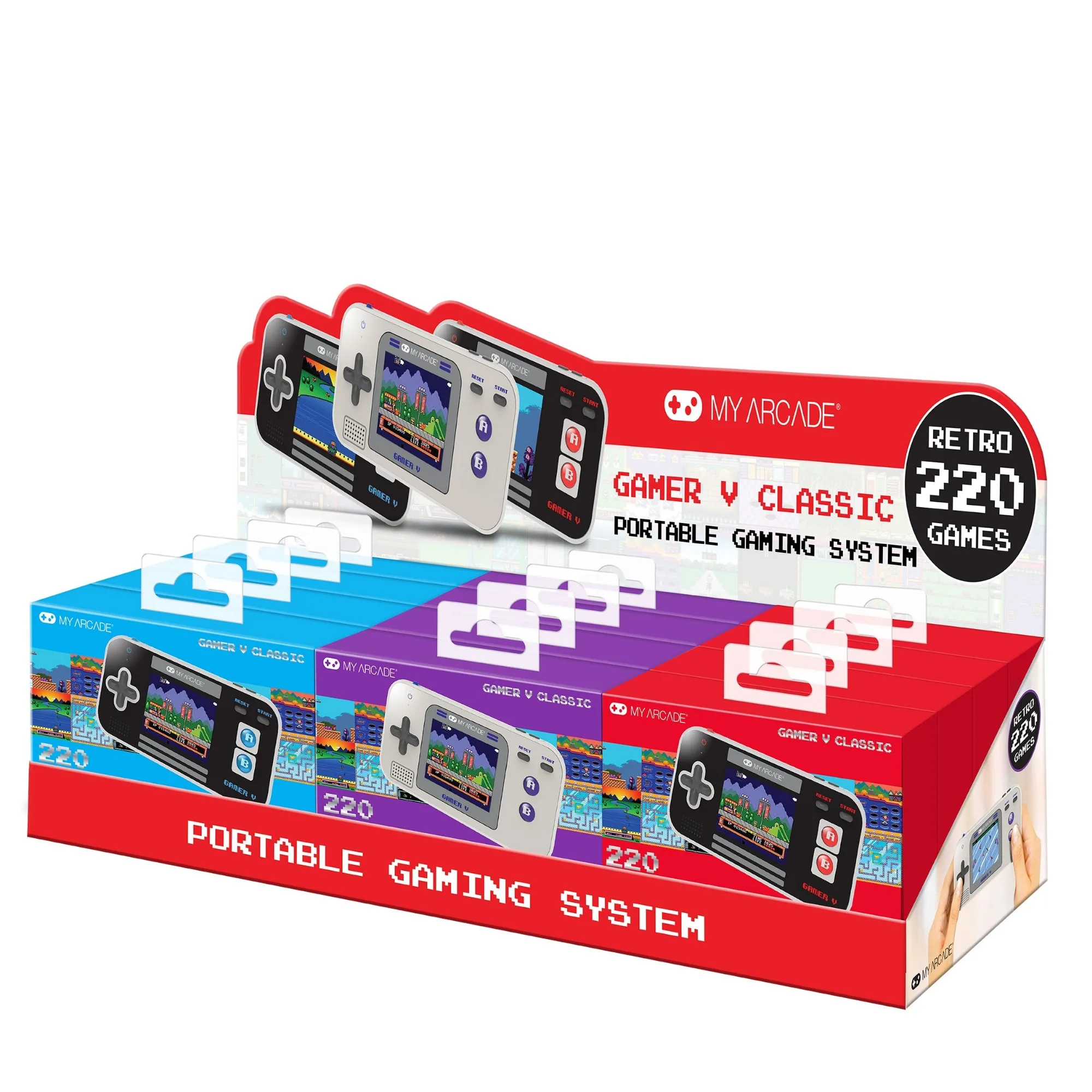
GAMER V CLASSIC TRAY -12 PCS
-
GAMER V CLASSIC TRAY -12 PCS: Each handheld has 220 built-in games, a full color 2.5" screen, and a built-in speaker with volume control. Every device on your desk is ready to play, so you can grab any unit and start a game without setup.
Setting Up the Tray on Your Desk
Place the tray on a flat, stable surface where you can reach it comfortably. Because it's a countertop point-of-purchase display, it's designed to sit on a desk or shelf without taking up much space.
The tray holds each handheld upright, so you can see the screen and color at a glance. This makes it easy to pick a device based on mood or color preference. The three color variants—Red, Blue, and Purple—help you quickly identify which unit you want.
A Simple Desk Organization Routine
Follow these steps to keep your desk tidy while keeping your handhelds accessible.
- Clear a spot for the tray: Choose a corner of your desk or a shelf near your monitor. The tray needs about the same footprint as a small notebook.
- Unpack and arrange the handhelds: Remove each Gamer V Classic from its packaging and place it in one of the 12 slots. You can group by color or mix them for a varied look.
- Keep batteries handy: Each handheld is powered by 3 AAA batteries (not included). Store a small supply of batteries in a drawer or cup nearby so you can swap them when needed.
- Use the tray as a daily pick-up station: Grab a device for a quick game during a break, then return it to its slot. The tray keeps each unit upright and visible, so you never lose track of a handheld.
How This Tray Improves Your Workspace
A dedicated display tray reduces the clutter of loose handhelds on your desk. Instead of stacking devices or tucking them into drawers, you have a single, organized station that shows off your collection.
Because the tray holds 12 identical-shaped devices, it creates a clean, uniform look. The three colors add visual interest without chaos. It's desk organization that works for both function and display.