When to Swap Your SkyHawk Propellers
Drone propellers endure constant stress from rotation, debris, and minor impacts. Over time, even small nicks or warping can reduce flight efficiency and stability. For the SkyHawk drone, replacing worn propellers is a straightforward maintenance task that helps keep your flights smooth and predictable.
Common signs that it's time to swap include visible cracks, chips, or bending on any blade edge, persistent vibration during hover or flight, or reduced climb performance. If you notice any of these, replacing all propellers at once is recommended to maintain balanced thrust.
What the Osmo SkyHawk Replacement Propellers Listing Confirms
-
Osmo SkyHawk Replacement Propellers: Osmo SkyHawk Replacement Propellers are offered under the Osmo brand as replacement propellers for SkyHawk use. This confirms compatibility specifically with the SkyHawk drone, so you can be confident the props are designed to fit and perform as intended.
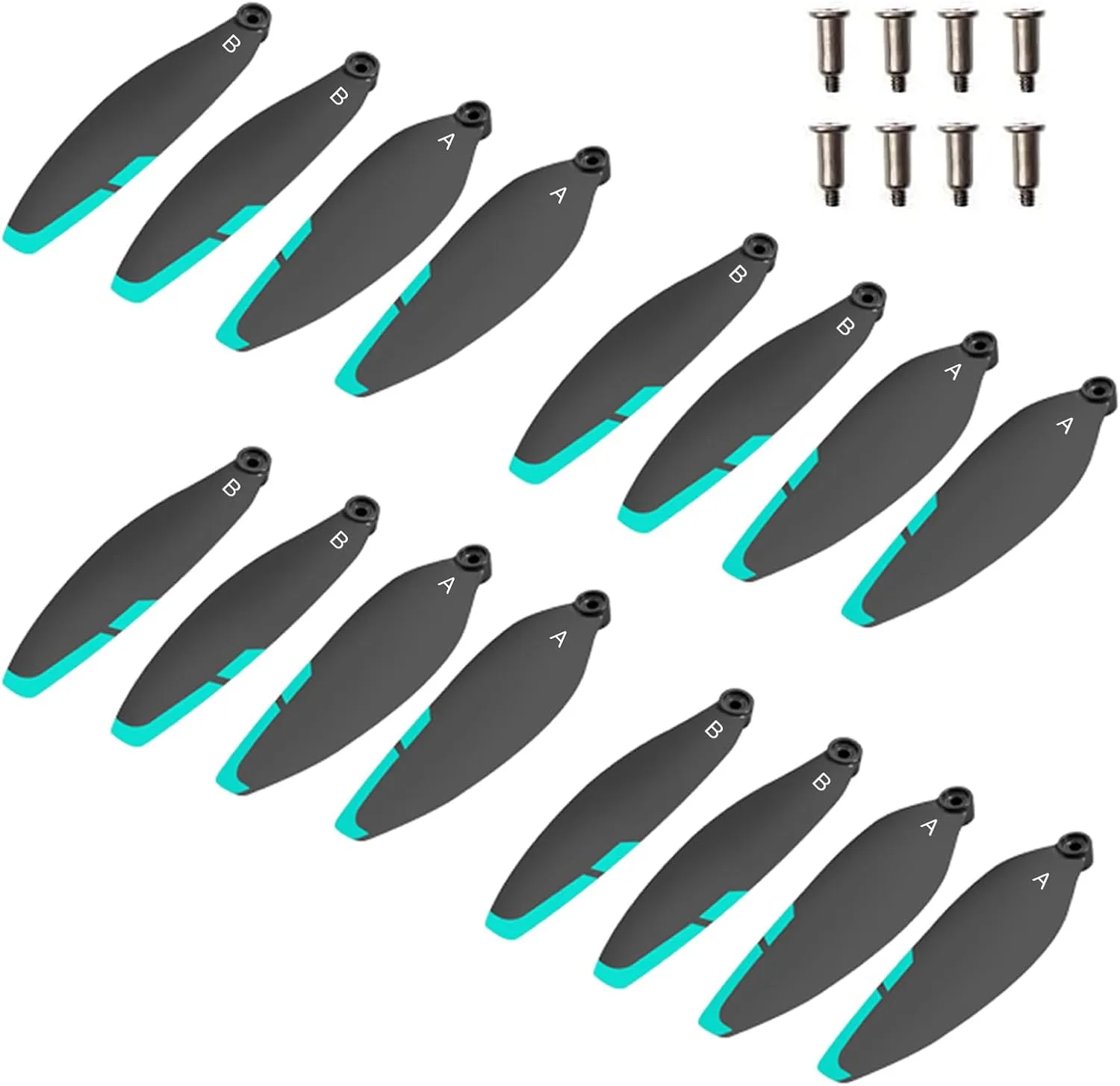
Osmo SkyHawk Replacement Propellers
-
Osmo SkyHawk Replacement Propellers: The listing provides a straightforward option for buyers seeking replacement propellers, available in a Standard option with SKU PRD001-CBLK. The Standard option is the only variant confirmed, simplifying your choice. No additional options or configurations are listed, so what you see is what you get.
How to Swap SkyHawk Propellers (General Process)
The exact installation steps depend on your SkyHawk model's design. The following is a general safe procedure for replacing multi-rotor propellers. Always consult your drone's manual for specific instructions.
- 1. Power off and remove the battery: Ensure the drone is completely powered down and the battery is disconnected to prevent accidental motor startup during the swap.
- 2. Inspect the old propellers: Check each blade for cracks, chips, or deformation. Note the orientation (clockwise vs. counterclockwise) and which motor each prop attaches to. Mark or photograph the setup if needed.
- 3. Remove the old propellers: Unscrew the mounting screws or release the locking mechanism (depending on your SkyHawk model). Keep the screws in a safe place.
- 4. Install the new Osmo SkyHawk Replacement Propellers: Align each new propeller with its correct motor rotation direction. Secure it firmly with the original screws. Do not overtighten.
- 5. Verify installation: Spin each propeller by hand to ensure it rotates freely without binding. Reattach the battery and perform a low-hover test in a safe open area to confirm balanced flight.
What the Listing Does Not Cover
The Osmo SkyHawk Replacement Propellers listing does not include specific torque values for screws, recommended replacement intervals (e.g., every 50 flight hours), or detailed installation diagrams. For these details, refer to your drone's original manual or contact the manufacturer. The propellers are sold as a standard set; no multi-pack quantity is confirmed, so order accordingly.
Final Check Before Your Next Flight
After swapping, always perform a pre-flight inspection: check that all propellers are secure, rotate freely, and show no signs of imbalance. A quick hover test in a safe area can confirm the swap was successful. Replacing worn propellers promptly keeps your SkyHawk flying reliably.