PAC-MAN 45th Anniversary Mighty Player Care and Maintenance FAQ
Keep your PAC-MAN 45th Anniversary Mighty Player looking and playing great with these simple care tips. This mini arcade cabinet celebrates 45 years of chomping fun, and a little routine maintenance goes a long way.
How should I clean the exterior of the Mighty Player?
Use a soft, dry microfiber cloth to gently wipe the plastic shell and screen bezel. For stubborn smudges, lightly dampen the cloth with water (never spray directly on the device) and wipe immediately. Avoid abrasive cleaners, alcohol, or ammonia-based products, as they can damage the finish.
What is the best way to clean the screen?
The screen is a standard LCD panel. Use a dry, lint-free microfiber cloth designed for electronics. Gently wipe in a circular motion to remove dust and fingerprints. Do not press hard on the screen, and never use paper towels or rough fabrics. If needed, a small amount of distilled water on the cloth is safe.
Can I use compressed air to clean the joystick and buttons?
Yes, compressed air can be used to blow dust out from around the joystick base and button edges. Hold the can upright and use short bursts. For deeper cleaning around the controls, use a soft brush (like a clean paintbrush) to gently dislodge debris. Avoid getting moisture near the controls.
How should I store the Mighty Player when not in use?
Store the device in a cool, dry place away from direct sunlight, extreme heat, or humidity. A shelf or cabinet at room temperature is ideal. If storing for an extended period, place it in a dust cover or a breathable cloth bag to prevent dust buildup. Avoid stacking heavy items on top of the cabinet.
What should I do if the screen gets scratched?
Minor scratches may be less visible by applying a thin screen protector designed for small LCDs. For deeper scratches, the screen is not user-replaceable according to the supplied information. To prevent scratches, always clean with a soft cloth and avoid contact with sharp objects.
Are there any power or battery care tips?
The Mighty Player is powered by USB (cable included). Use the supplied cable and a standard USB power adapter. Unplug the device when not in use to prevent unnecessary power draw. Do not expose the device to moisture near the USB port.
How do I prevent the joystick from becoming stiff or loose?
The joystick is designed for regular arcade-style use. If it feels stiff, check for dust or debris around the base. Gently move the joystick in all directions to loosen any particles. Do not apply lubricants or oils, as they can attract dirt and damage the internal mechanism.
What should I do if the buttons start sticking?
Sticky buttons are often caused by dust or sugar residue from fingers. Turn off the device and clean around each button with a slightly damp cloth. Use a dry cloth afterward. Avoid liquids entering the button gaps. If sticking persists, there may be debris inside; compressed air can help.
Product Reference
-
PAC-MAN 45th Anniversary Mighty Player: Celebrating 45 years of chomping fun, PAC-MAN remains one of the most iconic and beloved video games of all time. This anniversary edition is a collector's item, so proper care helps preserve its appearance and playability for years to come.
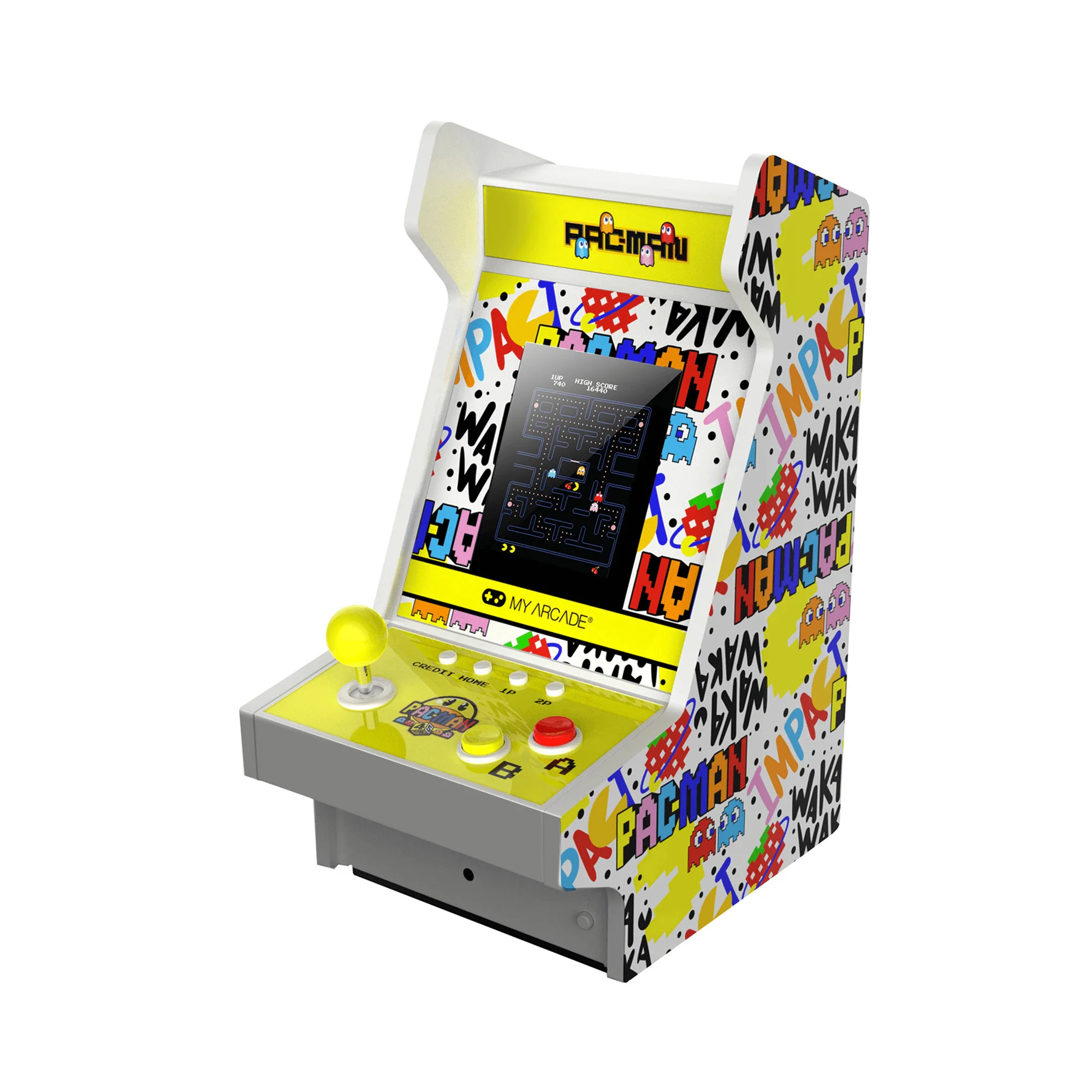
PAC-MAN 45th Anniversary Mighty Player