Quick answer
To get perfect results with your PDF embroidery pattern, print at actual size, check scaling, and use the included transfer instructions. This guide walks you through each step.
Why correct sizing matters
Embroidery patterns are designed to stitch at a specific scale. Printing at the wrong size can distort the design, make stitches too tight or too loose, or cause the finished piece to not fit your intended fabric or hoop. Sublime Stitching PDFs include a reversed version and color guide, so matching the original size ensures all those extras work as intended.
Common printing pitfalls
Many home printers default to 'fit to page' which shrinks or enlarges the design. Always select 'actual size' or '100% scale' in your printer settings. Also, check that your paper size matches the PDF page size—most Sublime Stitching PDFs are set to US Letter or A4. If you see a test square or ruler on the first page, measure it after printing to confirm accuracy.
Step-by-step printing and sizing instructions
- Open the PDF and check page size: Open your Sublime Stitching PDF in a PDF reader (like Adobe Acrobat or your browser). Look at the document properties or the page setup to confirm whether it's US Letter (8.5" x 11") or A4. Do not rely on the screen preview—use the actual page size setting. Common mistake: assuming the PDF is A4 when it's Letter, or vice versa, causing misalignment on the fabric.
- Set your printer to 'Actual Size' or 100% scale: In the print dialog, find the scaling option. Choose 'Actual Size' or enter 100% in the custom scale field. Uncheck 'Fit to Page' or 'Shrink Oversized Pages' if those options appear. This ensures the design prints at the exact intended dimensions. Checkpoint: Print only the first page with a test square or ruler if available. Measure it with a ruler to confirm it matches 1 inch or 1 cm.
- Print the pattern and transfer instructions: Once scaling is verified, print the full document. Sublime Stitching PDFs include transfer instructions, a reversed version for tracing, and a color guide. Keep these pages together for reference. Use carbon transfer paper or a transfer pen to trace the design onto your fabric. Common mistake: printing only the design page and discarding the instructions, which contain valuable tips for stitching and color placement.
- Transfer the design to fabric: Place the printed pattern under your fabric (or use transfer paper between the pattern and fabric) and trace the lines with a pencil or transfer pen. For iron-on transfers, use the included hot-iron sheet instead. Follow the specific transfer method recommended in your pattern's instructions. Checkpoint: If the design appears distorted or stretched after transfer, re-check your printer scaling and try again on a scrap piece of fabric.
- Stitch along the printed lines: Use the color guide and stitching lessons included in the PDF to choose threads and stitches. The pattern lines show where to stitch—follow them closely for a clean finish. The reversed version helps if you want the design facing the opposite direction. Common mistake: ignoring the color guide and guessing thread colors, which can lead to a less harmonious result.
Patterns mentioned in this guide
-
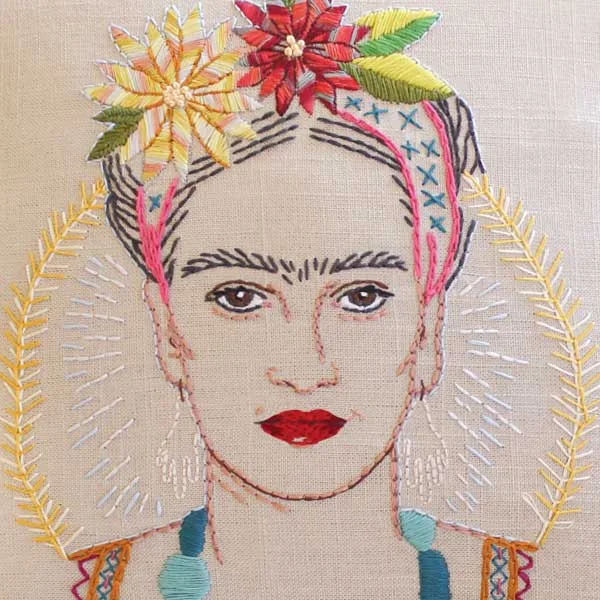
CARNIVAL - PDF Embroidery Pattern: Print out this PDF and transfer the design to fabric by tracing with Carbon Transfer Papers or Transfer Pens and then stitch along the lines. Includes full instructions, reversed version, color guide, and three stitching lessons. The Carnival pattern is ideal for practicing sizing because its clear lines and color guide make it easy to verify scale before you start stitching.

CARNIVAL - PDF Embroidery Pattern
-
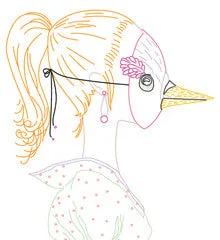
Mark Allen Drawings - PDF Pattern: Mark Allen's drawings reinterpreted as embroidery designs in PDF format. Print out and transfer to fabric by tracing with carbon paper or transfer pen. Includes full instructions. The Mark Allen Drawings pattern benefits from precise sizing to preserve the intricate details of the original artwork.
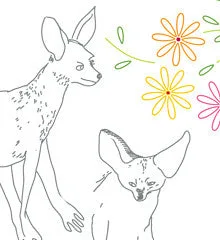
Mark Allen Drawings - PDF Pattern
-
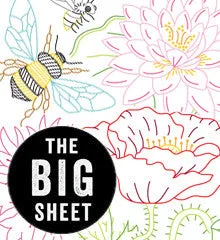
BIG BLOOMS - Big Sheet Embroidery Transfer Patterns: BIG SHEET includes one 11" x 17" hot-iron transfer sheet and color guides. The PDF is automatically included with the purchase of the iron-on sheet. The Big Blooms pattern is large-scale, so printing the PDF at the correct size ensures the flowers fill your hoop as intended.