Why the Pedal Commander Fixes Throttle Lag in Your Saturn Aura
If your Saturn Aura feels slow to respond when you press the accelerator, you're experiencing throttle lag. Modern drive-by-wire systems often soften pedal input for fuel economy, which can make the car feel sluggish. The Pedal Commander is a throttle response controller that plugs into your vehicle's electronic throttle system, reducing that delay and making the pedal feel more direct.
For the Saturn Aura, the Pedal Commander is available for the first generation (2006–2009) with the 3.5L or 3.6L engine, and for the 2007–2009 models with the 2.4L engine. It fits the Green Line, Hybrid, XE, and XR trims. This guide helps you confirm the right fit and understand what the installation involves.
Saturn Aura Fitment at a Glance
-
Pedal Commander for Saturn Aura: PC64 / Saturn / Aura / 1st Gen (2006-2009) / (3.5L-3.6L) Use this variant if your Aura has the 3.5L or 3.6L engine, regardless of the model year within the first generation.
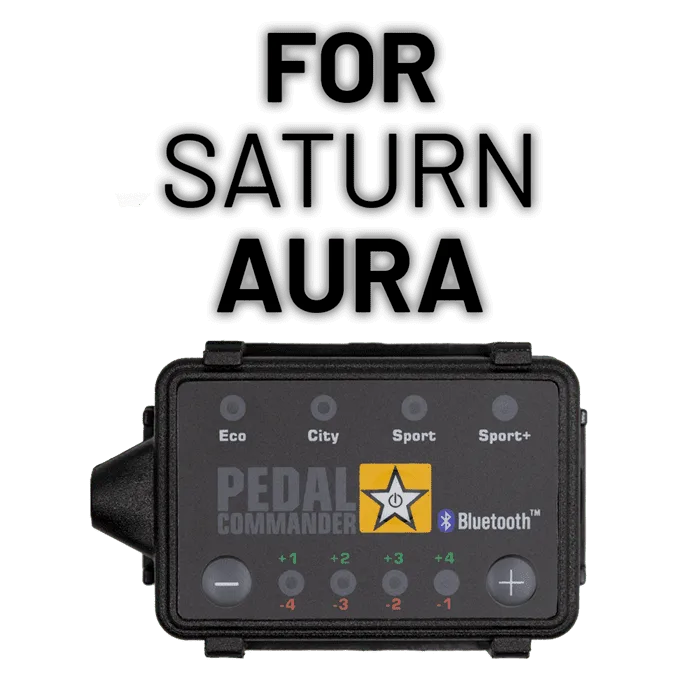
Pedal Commander for Saturn Aura
-
Pedal Commander for Saturn Aura: PC64 / Saturn / Aura / 1st Gen (2007-2009) / (2.4L) Choose this variant for Auras with the 2.4L engine, which was offered from 2007 through 2009.
-
Pedal Commander for Saturn Aura: Applicable trims: Green Line, Hybrid, XE, XR The Pedal Commander is compatible with all listed Aura trims, so you don't need to worry about trim-specific exceptions.
How to Choose the Right Pedal Commander for Your Aura
Before ordering, check your Aura's engine size. Look under the hood or in your owner's manual to confirm whether you have the 2.4L or the 3.5L/3.6L engine. The correct variant depends on that engine, not on the trim level. All trims (Green Line, Hybrid, XE, XR) are covered, so the engine is your only fitment variable.
If you're unsure, you can verify the engine size by checking the VIN or the emissions label under the hood. This step is quick and prevents ordering the wrong part. The Pedal Commander is priced at $230.99, with a catalog comparison price of $329.99, so it's a relatively affordable upgrade compared to other performance modifications.
A Practical Setup Sequence for Your Aura
The exact installation steps are not confirmed in the catalog, but the general process for a Pedal Commander is straightforward. Here's a practical sequence based on how the device works:
- Confirm fitment: Verify your Aura's engine size (2.4L vs 3.5L/3.6L) and select the matching PC64 variant.
- Locate the throttle pedal connector: The Pedal Commander plugs into the wiring harness near the accelerator pedal. You'll need to access the connector behind the pedal.
- Disconnect the factory connector: Unplug the original connector from the pedal, then connect it to the Pedal Commander's harness, and plug the other end back into the pedal.
- Mount the control module: Secure the Pedal Commander module in a convenient location, such as under the dash, using the included mounting hardware.
- Adjust the response: After installation, use the buttons on the module to cycle through modes (Eco, City, Sport, Sport+) and adjust the response level to your preference.
What the Catalog Does Not Confirm About Installation
The catalog does not include detailed step-by-step installation instructions or specific torque specs. It also doesn't specify whether any tools are required beyond basic hand tools. If you're not comfortable working with vehicle electronics, consider having a professional install it. The Pedal Commander is designed to be plug-and-play, but the exact process for your Aura may vary slightly.
Also, the catalog doesn't mention any safety or care instructions, so follow general best practices: disconnect the battery before working with electrical connectors, and avoid routing wires near moving parts or heat sources.