Quick answer
Clip the Pivot Clip Personal Air Circulator to a desk edge or shelf for the most flexible everyday setup. Choose a stand or wall mount only when you need the airflow higher, farther away, or completely off your work surface.
Why the clamp changes your placement options
The Pivot Clip’s robust clamp and minimal footprint let it grip surfaces a standard desk fan cannot use, such as a shelf lip or the edge of a standing desk. That saves desk space, but it also means the fan’s position depends on finding a surface thick enough to clamp securely.
The pivoting head and swiveling chrome bar let you aim airflow without moving the clamp. Set the clamp first, then adjust the head and bar to direct air where you sit or stand.
When a stand or wall mount makes more sense
A stand lifts the fan above the desk, which helps when your work surface is crowded or when you want airflow across your face rather than your hands. A wall mount clears the desk entirely, but it requires a stable mounting point and a way to route the cord safely.
The Pivot Clip includes an integrated cord clip, which helps keep the cord tidy whether you clip, stand, or wall-mount the fan. Use it to prevent the cord from pulling on the clamp or dangling into your workspace.
How to set up your Pivot Clip in 5 steps
- Choose a secure clamping surface: Look for a desk edge, shelf, or headboard rail that is thick enough for the clamp to grip firmly and deep enough that the fan will not tip. Common mistake: clamping to a thin or rounded edge that lets the fan slip when you adjust the head. Test the clamp by giving it a gentle tug before you let go.
- Position the fan at the right height: For desk cooling, clamp the fan slightly above or level with your face so airflow reaches you without blowing directly into your eyes. For shelf use, aim the head downward toward your seating area. If the airflow feels weak, move the fan closer before increasing the speed.
- Aim the head and swivel bar: Loosen the pivot, tilt the head toward your target, and tighten it again. Use the swiveling chrome bar to fine-tune the angle left or right without moving the clamp. Adjust the bar before you re-clamp; small angle changes often solve uneven airflow.
- Route the cord with the integrated clip: Press the cord into the integrated cord clip so it runs along the clamp and away from your workspace. Leave enough slack that the cord does not pull on the fan when you swivel the head. A taut cord can gradually shift the clamp, so check slack after every adjustment.
- Switch to a stand or wall mount only if needed: If the desk edge is too thick or the shelf is out of reach, use a stable stand or a wall mount instead of forcing the clamp. Keep the same height and angle rules, and confirm the mount can hold the fan securely before letting go. Never hang the fan by its cord or clamp it to a surface that flexes.
Product facts
-
Pivot Clip Personal Air Circulator: The Pivot Clip has a robust clamp design and a minimal footprint. A secure clamp lets you attach the fan to desk edges and shelves without taking up valuable work space.
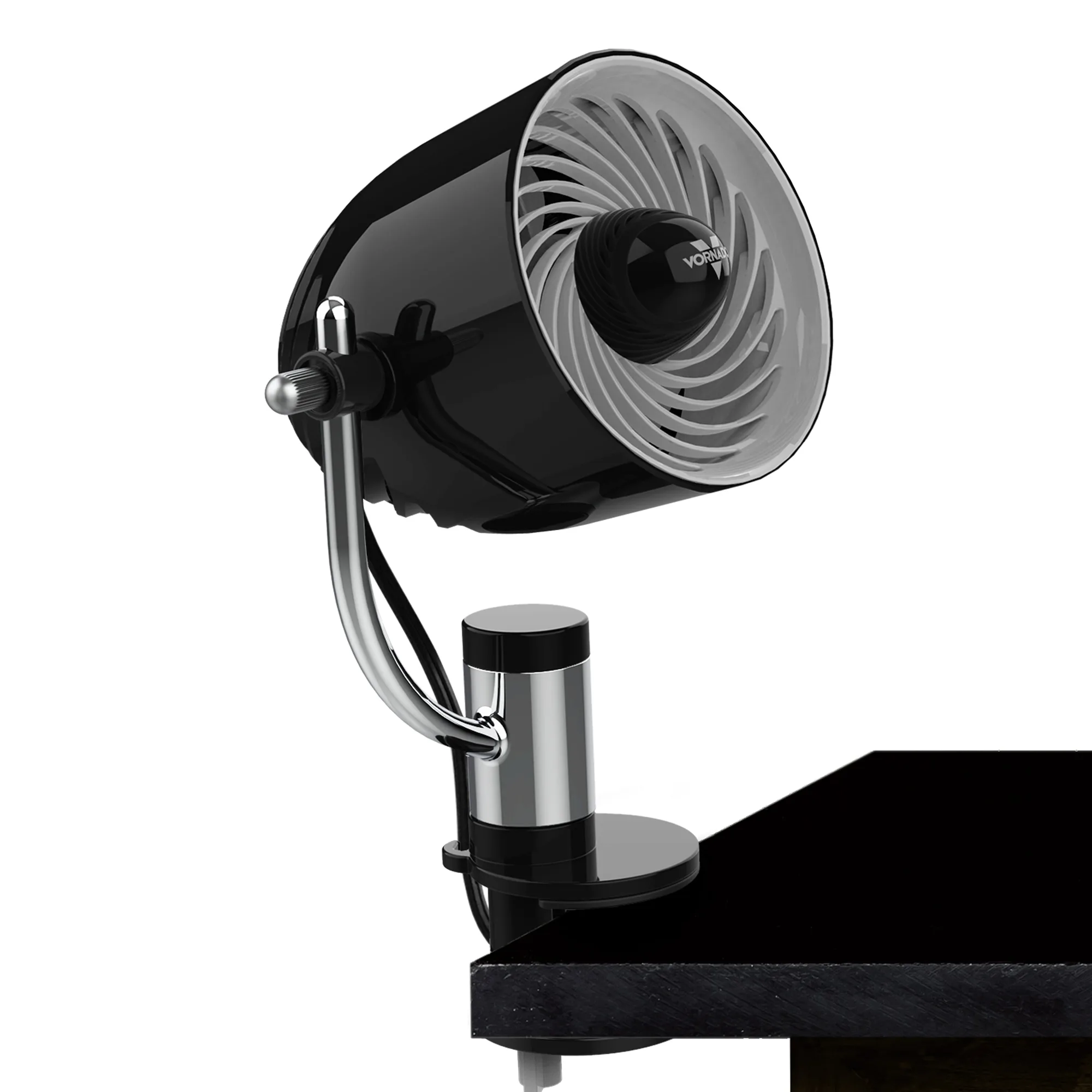
Pivot Clip Personal Air Circulator
-
Pivot Clip Personal Air Circulator: The pivoting head and swiveling chrome bar let you direct airflow at any angle. You can aim cooling where you need it without unclamping or repositioning the fan.
-
Pivot Clip Personal Air Circulator: It offers 3 speeds of personal comfort. Start on low for close-range desk use and increase speed only when you need more airflow across a larger area.