Why Your USB Serial Adapter May Not Be Detected
If your USB to RS-232 serial adapter isn't working, the most common cause is a driver conflict or an incompatible chipset. Many adapters on the market use counterfeit Prolific chips that fail with official drivers on modern operating systems like Windows 11. The Plugable USB to RS-232 DB9 Serial Adapter uses a genuine Prolific PL-2303GT chipset, which ensures compatibility with the latest drivers from Prolific and avoids the 'not recognized' problem that clone chips cause.
Genuine Chipset Guarantee
-
Plugable USB to RS-232 DB9 Serial Adapter (Prolific PL2303GT Chipset): We use only genuine Prolific chips. There has been a problem with some USB serial adapters using clone chips not actually from Prolific. These adapters will not work with Prolific's latest drivers, thus won't have support on recent operating systems like Windows 7 - 11. A genuine chipset is the foundation for reliable driver support. Without it, the adapter may stop working after a system update, which is a frequent frustration for users.
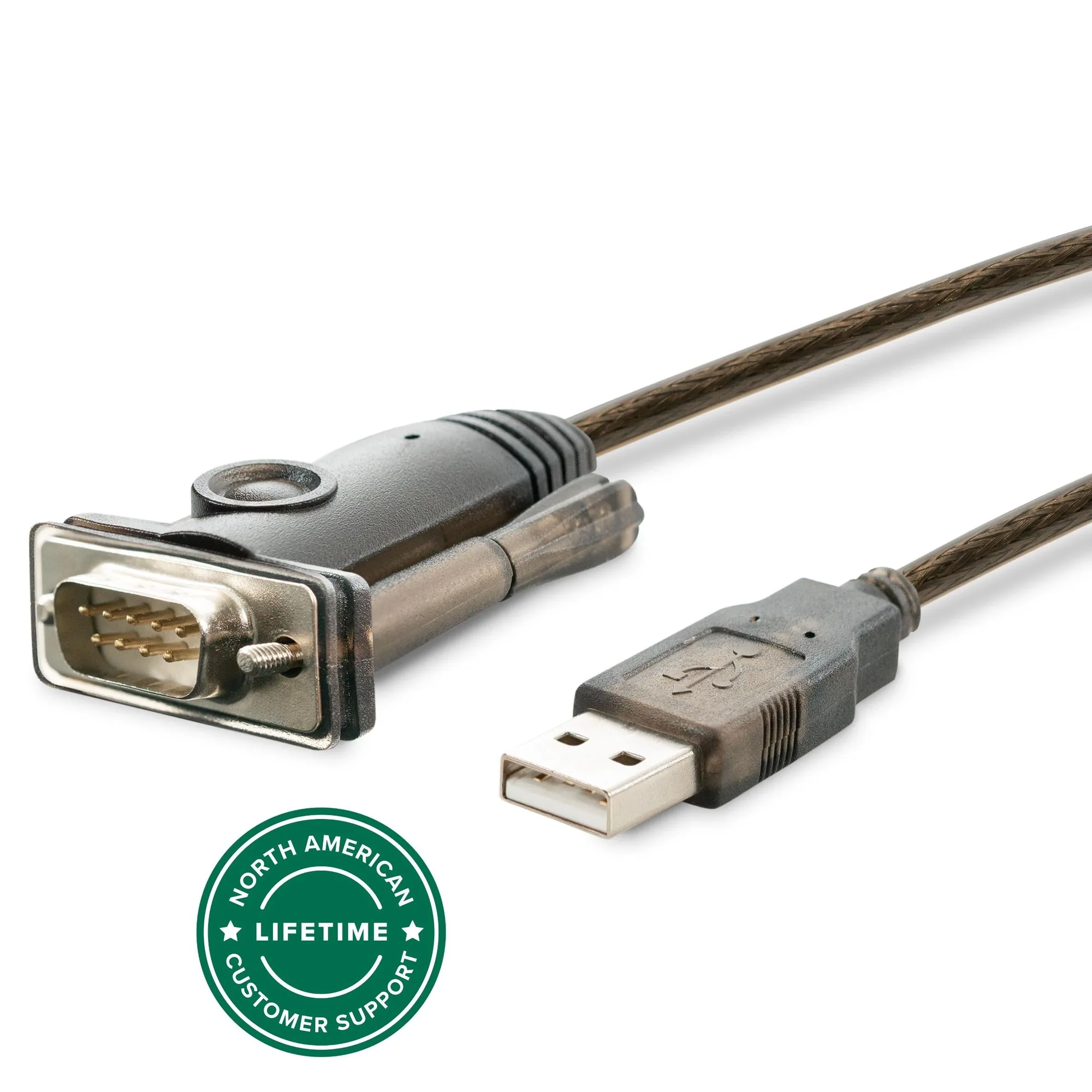
Plugable USB to RS-232 DB9 Serial Adapter (Prolific PL2303GT Chipset)
Driver Setup: What You Need to Know
For Windows 7 through Windows 11, the Plugable adapter offers native driver support — no installation is needed. Just plug it in, and the system should recognize it automatically. If you are on macOS (10.6 or later) or Linux (kernel 2.4.31+), drivers are available from the open-source community or directly from Prolific. The adapter also supports older Windows versions (Vista, Server 2008/2012/2016/2019/2022). If you encounter a driver error, ensure you have downloaded the official Prolific driver for the PL2303GT chipset, not a generic one.
When Driver Issues Still Occur
Even with a genuine chipset, driver issues can arise if you have previously installed drivers for a counterfeit adapter. The conflicting driver may prevent the Plugable adapter from being recognized. In that case, uninstall all existing serial adapter drivers, reboot, and let Windows detect the Plugable adapter fresh. For Windows 11, the native driver should load automatically. If you are using an ARM-based Windows device (like a Microsoft Surface), this adapter is not compatible — that is a hardware limitation, not a driver problem.
Compatibility Check
- Plugable USB to RS-232 DB9 Serial Adapter (Prolific PL2303GT Chipset): Not compatible with ARM-based Windows (MS Surface). If you are using a Surface or other ARM-based Windows tablet, this adapter will not work. You need a different solution for serial connectivity on those devices.
Physical Connection: DB9 Male Screw-Lock Connectors
The Plugable adapter has a DB9 connector with attached male screw-lock connectors. If your device also has male screw-lock connectors, you will need an inexpensive DB9 Female/Female Mini Gender Changer (Coupler) to connect them. This is a common oversight that leads to 'adapter not connecting' frustration. Always check the gender of your device's serial port before purchasing.
Testing Your Setup
Once the adapter is connected and drivers are installed, test it with terminal software like PuTTY, HyperTerminal, or TeraTerm. On Linux, any open-source serial software should work. If the software does not see the adapter, check the COM port assignment in Device Manager (Windows) or use `ls /dev/tty*` (Linux/macOS) to list available serial ports. The adapter works with a wide range of RS-232 devices: routers, switches, GPS receivers, embedded boards, and more.