Quick answer
Clip your Polaroid Go print into the Photo Tag and attach it to your keys or bag for a durable, go-anywhere display. The tag is sized exclusively for Polaroid Go film, so check your print size before clipping.
Why the Photo Tag is a practical display option
The Polaroid Go Photo Tag turns a single instant print into a carryable accessory. Because it clips directly to keys or a bag, your photo stays visible without needing a frame or album. This makes it a simple way to keep a favorite image close, especially when you want to avoid loose prints getting bent in a pocket.
Sizing matters: only Polaroid Go film fits
The Photo Tag is compatible only with Polaroid Go film. Polaroid Go prints are smaller than standard Polaroid 600 or i-Type prints, so larger formats will not fit securely. If you use other instant film formats, you'll need a different display solution. Always confirm your film type before clipping a print into the tag.
When to choose a different display method
If you want to display multiple prints or larger formats, the Photo Tag isn't the right tool. It's designed for one Polaroid Go print at a time. For albums, frames, or wall displays, look for products that explicitly support your film size. The Photo Tag shines as a personal, portable holder rather than a archival storage solution.
Steps to size and display your Polaroid Go print
- Confirm your film format: Check that your print is from Polaroid Go film. Look for the Polaroid Go logo on the film pack or compare the print size to a known Go print. Common mistake: assuming all Polaroid prints are the same size—Go film is smaller than 600 or i-Type. If your print is not Polaroid Go, do not force it into the tag.
- Clip the print into the Photo Tag: Slide the top edge of your Polaroid Go print into the clip of the Photo Tag until it feels secure. Handle the print by the edges to avoid fingerprints on the image area. Common mistake: clipping too far down, which can bend the print or obscure the image. The print should sit snugly without wobbling.
- Attach the tag to keys or bag: Use the integrated loop or clip to fasten the Photo Tag to your keyring, backpack, or tote. Give it a gentle tug to ensure it's attached securely. Common mistake: attaching to a thin strap that could slip off—choose a sturdy anchor point. Test the attachment before heading out.
- Protect the print from wear: While the tag holds the print, it doesn't fully seal it from moisture or scratches. Avoid exposing it to rain or rough surfaces. If you need extra protection, consider a small plastic sleeve that fits the Go print size. Common mistake: assuming the tag is waterproof—it is not. For long-term display, keep the tag away from water and abrasive materials.
- Rotate prints regularly: To prevent fading from sunlight, swap the print every few weeks or keep the tag out of direct sun. Instant photos can fade with prolonged UV exposure. Common mistake: leaving the same print in a sunny spot for months. Store spare prints in a cool, dark place.
Product facts
-
Polaroid Go Photo Tag: Photo tag only compatible with the Polaroid Go film. This means you must use a Polaroid Go print; other instant film sizes won't fit, so verify your film before attaching.
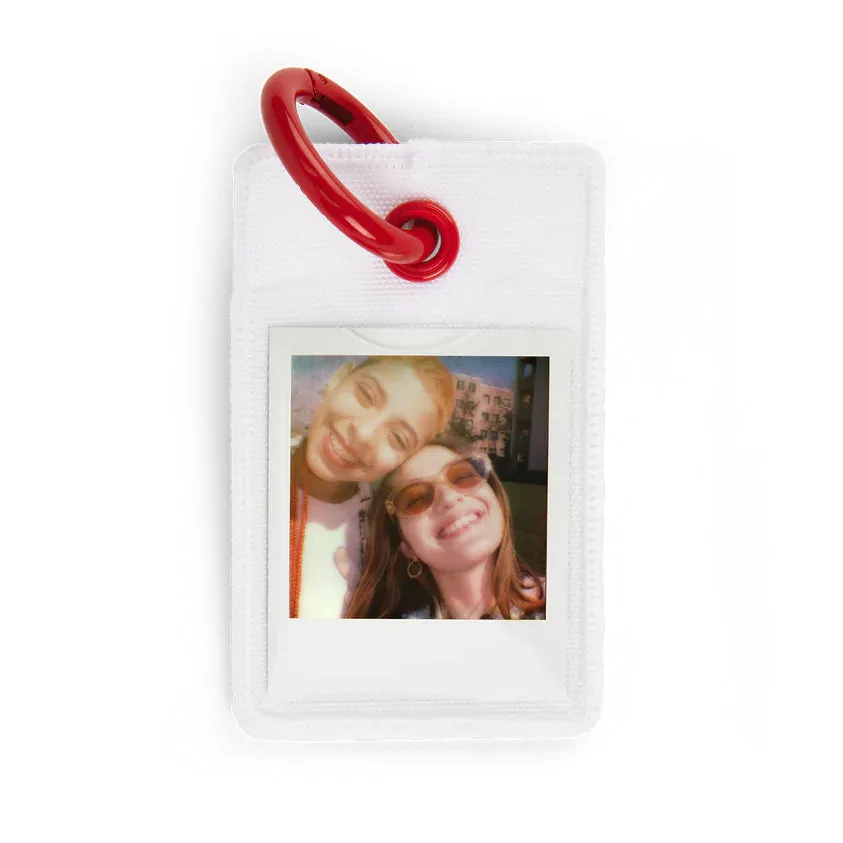
Polaroid Go Photo Tag