Getting Started with Power Kit Plus
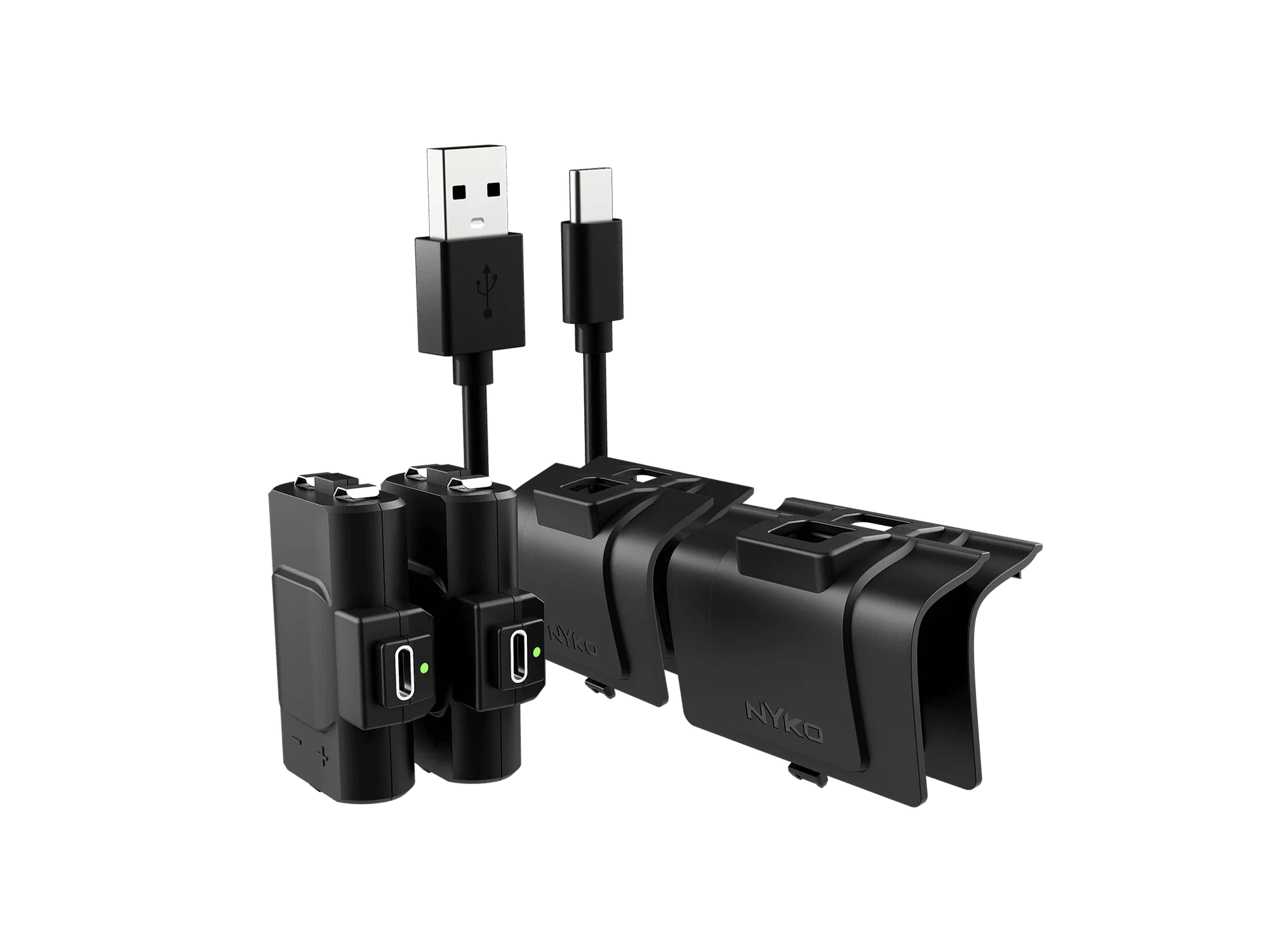
The Power Kit Plus for Xbox Series X/S and Xbox One gives you two rechargeable battery packs that can keep you playing for hours. Each pack provides up to 25 hours of play per charge, and you can recharge them through your controller while you game. This guide covers setup, battery life expectations, and practical tips to keep your controller powered.
Key Product Facts
-
Power Kit Plus For Xbox Series X/S™ and Xbox One™: 2 high quality 1200 mAh NiMH rechargeable batteries for excellent performance and long life Knowing the capacity helps you estimate how long each charge lasts and plan your charging routine.
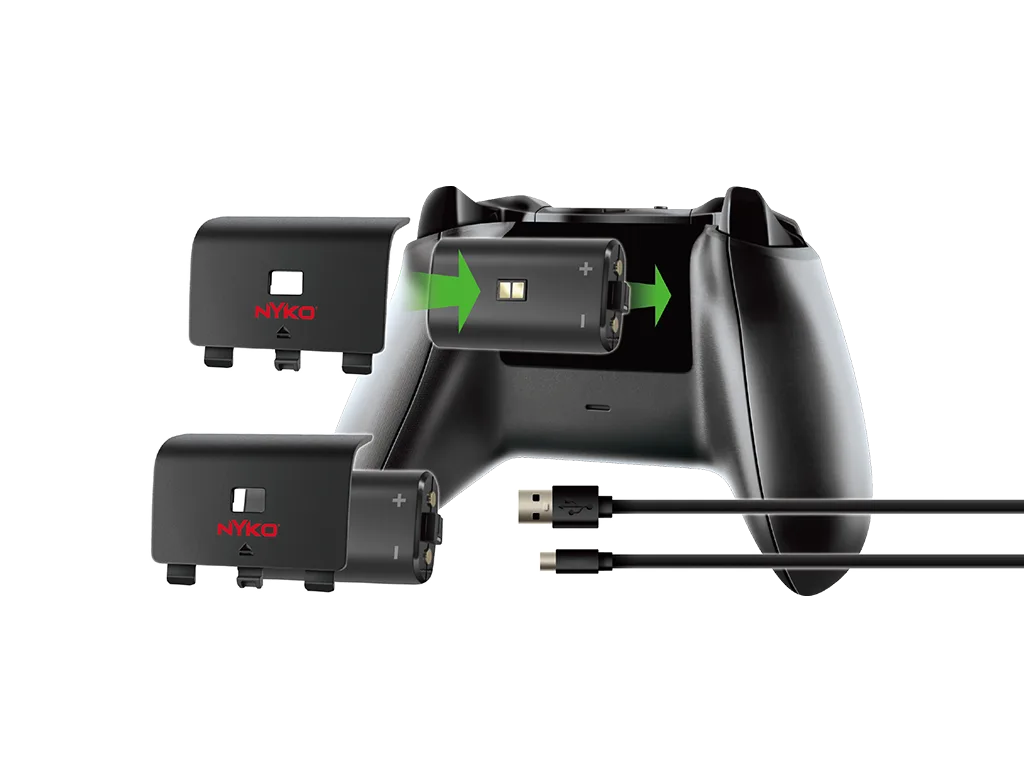
Power Kit Plus For Xbox Series X/S™ and Xbox One™
-
Power Kit Plus For Xbox Series X/S™ and Xbox One™: Up to 25 hours of play per charge This is the maximum playtime you can expect from a full charge under normal use.
-
Power Kit Plus For Xbox Series X/S™ and Xbox One™: Recharge while you play with included 10ft cable for convenient battery recharge from the USB ports on your console You don't have to stop gaming to charge—just plug the cable into your console and keep playing.
-
Power Kit Plus For Xbox Series X/S™ and Xbox One™: Compatible with Xbox Series X and Xbox One Controllers Ensures the battery packs will work with your controller model. Note: the cable is also compatible with the Xbox One Elite Controller.
How to Set Up and Charge Your Power Kit Plus
Follow these steps to get your battery packs ready for use.
- Install the battery packs: Open the battery compartment on your Xbox controller and insert one of the rechargeable packs. Use the included replacement battery covers to fit your controller model—the kit comes with 2 covers for Xbox Series X/S and 2 for Xbox One.
- Charge the packs through the controller: Connect the included 10ft USB cable from the controller to a USB port on your Xbox console. The packs will charge while you play or when the console is on. A micro USB cord is not included, so use the cable provided.
- Monitor charge and swap packs: When the battery runs low, swap in the second charged pack. The 10ft cable lets you keep playing while charging the depleted pack. The packs are CE approved for safety.
Maximizing Battery Life
To get the most from your Power Kit Plus, keep these tips in mind. The 1200 mAh NiMH packs deliver up to 25 hours per charge, but actual playtime depends on factors like headset use, vibration, and game intensity. Charging through the controller is straightforward, but remember that the micro USB cord is not included in the kit—use the provided 10ft cable. If you need a spare, any standard micro USB cable will work. Swapping packs between sessions ensures you always have a charged backup ready.