Quick answer
Choose PoweredUSB when your POS peripheral needs 12V or 24V power and data over one cable, such as a receipt printer or cash drawer. Choose standard USB when the device is self-powered or low-draw and you want the widest compatibility at the lowest cost. Most retail terminals use both: PoweredUSB for high-draw peripherals and standard USB for everything else.
What PoweredUSB adds that standard USB cannot
Standard USB carries 5V and data on one connector. PoweredUSB keeps the same data lines but adds a separate power pair, typically 12V or 24V, on a keyed connector. That extra pair is why a POS powered USB cable can run a thermal receipt printer without a separate power brick.
The trade-off is compatibility. A PoweredUSB port will not accept a standard USB plug, and a standard USB port cannot deliver 12V or 24V. If you mix the two by force or with adapters, you risk damaging the device or the port.
Where standard USB still wins in retail POS cabling
Standard USB remains the default for barcode scanners, card readers, keyboards and signature pads because those devices either have their own power supply or draw very little. It is cheaper, universally available, and easy to replace mid-shift.
If your POS terminal already has enough standard USB ports, adding a PoweredUSB splitter only makes sense when you need more 12V or 24V outlets than the terminal provides. Otherwise, a standard USB extension or panel-mount cable solves the reach problem for a fraction of the cost.
Cable quality and routing matter more than the standard
A PoweredUSB printer cable that is too thin or too long will drop voltage under load, which shows up as faded receipts or random disconnects. Keep powered runs as short as practical and avoid daisy-chaining multiple splitters.
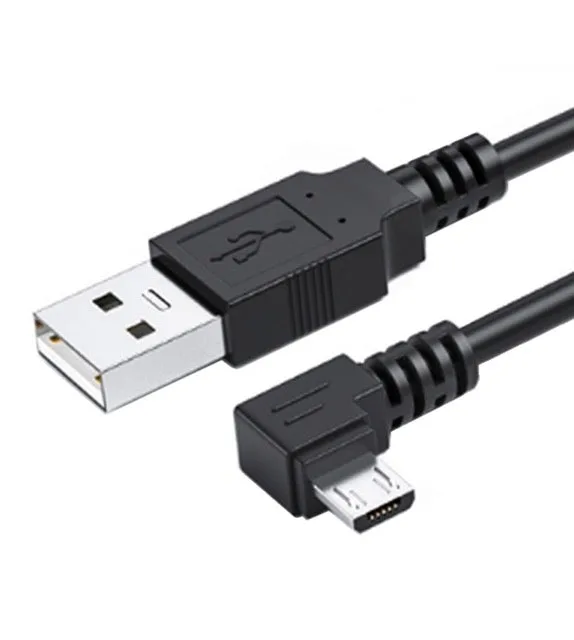
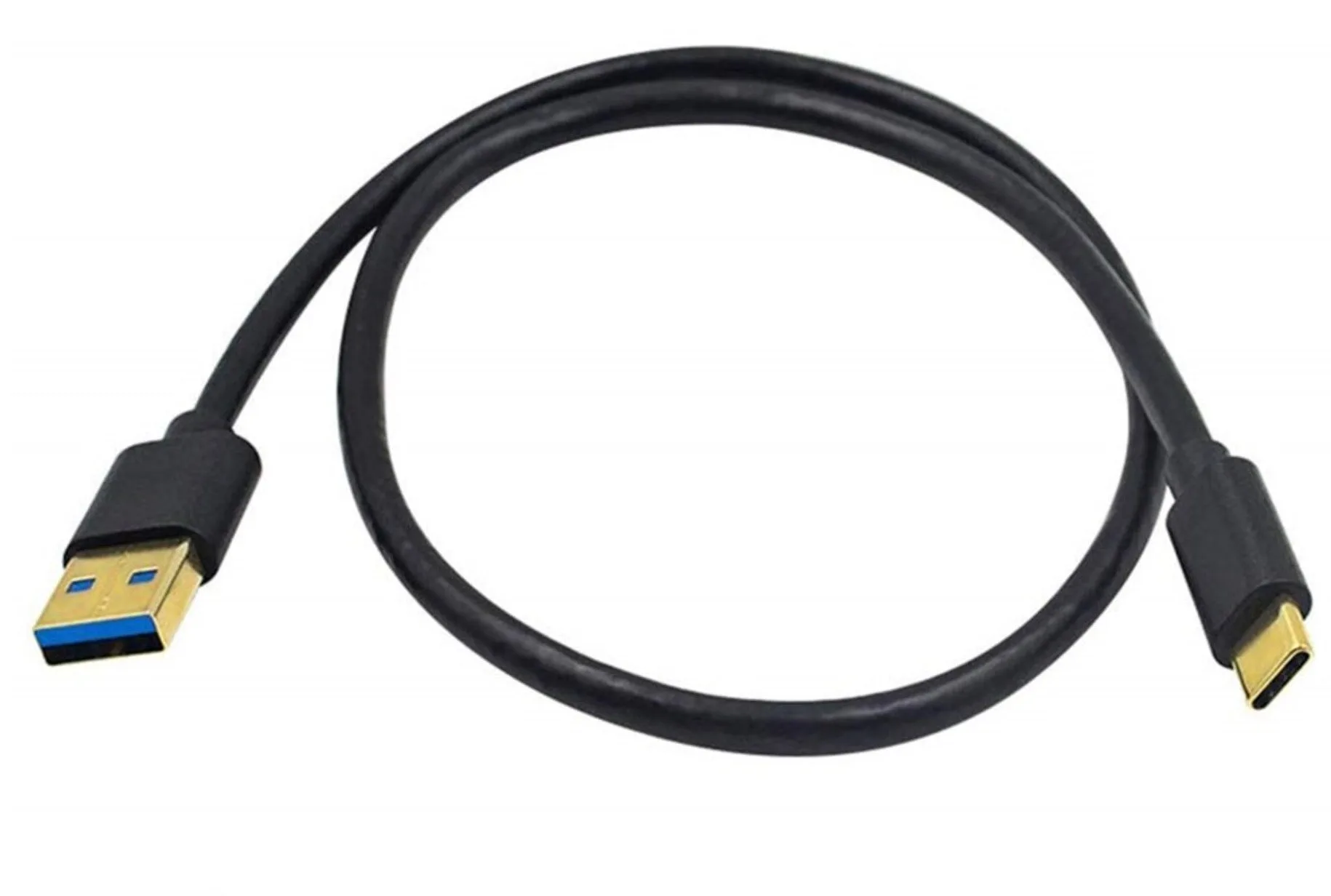
For standard USB runs, match the cable to the job. A USB-C to USB-A 3.0 cable rated for 5Gbps is overkill for a barcode scanner but useful for a tablet or drive. A left-angle Micro USB cable helps where a straight connector would strain against a wall or housing.
How to decide at the counter
Check the peripheral label first. If it says 12V or 24V input and has a PoweredUSB socket, you need a PoweredUSB cable and a PoweredUSB port or splitter. If it says 5V or has its own power adapter, standard USB is the simpler and cheaper path.
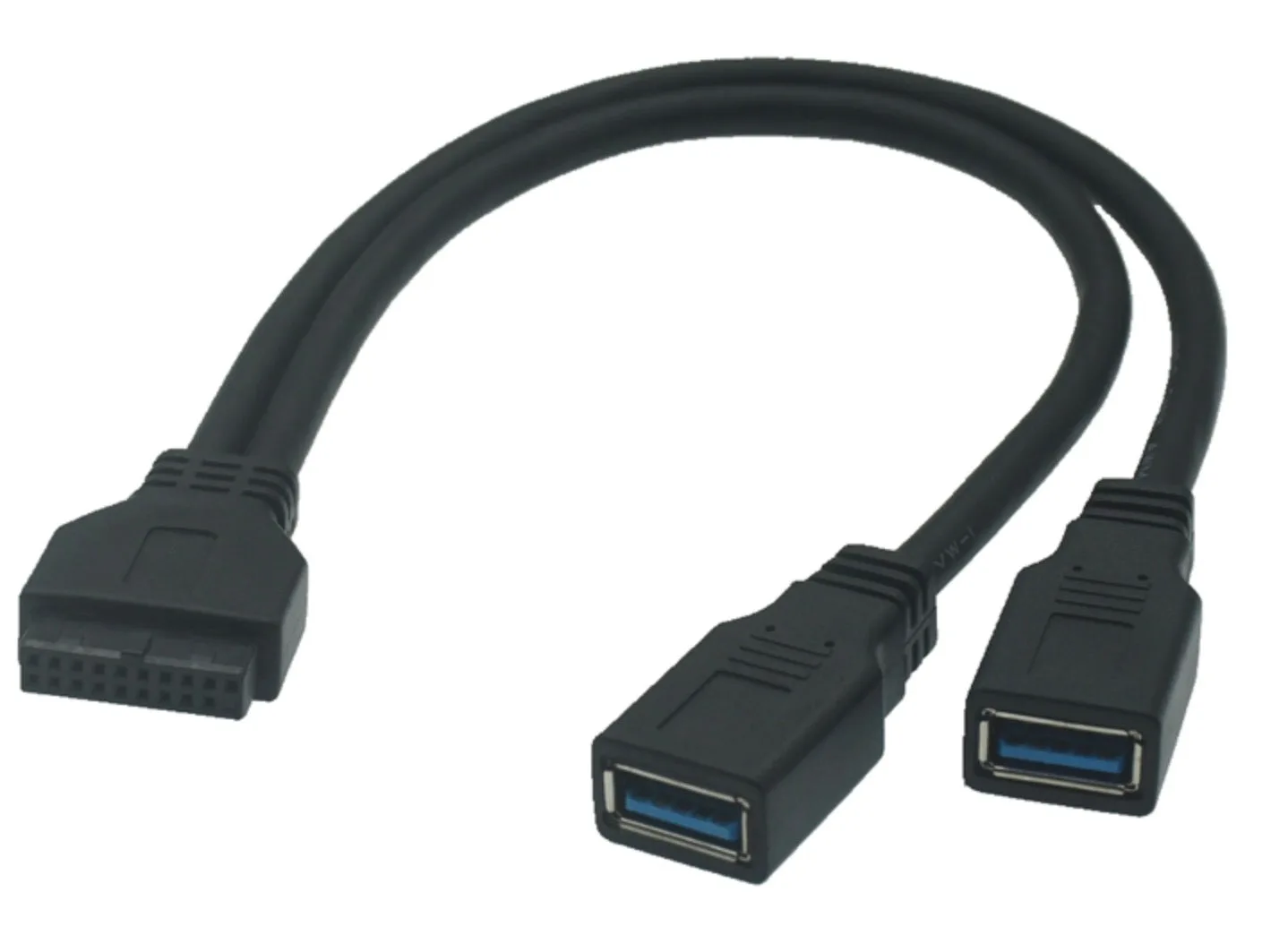
Then count your ports. A terminal with two PoweredUSB ports and four standard USB ports covers most checkout lanes. If you are short on standard ports, a motherboard 20-pin to dual USB 3.0 cable adds two external ports without a PCI card.
PoweredUSB vs standard USB trade-offs
- Power delivery: PoweredUSB carries 12V or 24V plus data on one keyed cable. Standard USB carries 5V and data. If your printer or drawer needs 12V/24V, standard USB cannot replace PoweredUSB.
- Compatibility: Standard USB works with almost every peripheral and port. PoweredUSB requires a matching PoweredUSB port or splitter. Standard USB is the safer default for mixed device fleets.
- Cost and complexity: PoweredUSB cables and splitters cost more and add a power source. Standard USB cables are cheaper and easier to swap. Use PoweredUSB only where the device genuinely needs the higher voltage.
- Cable routing: PoweredUSB connectors are larger and keyed, so they need more clearance. Standard USB offers more angle and length options. Plan behind-counter space before committing to PoweredUSB.
Products that fit each side of the comparison
- Micro USB 5 Pin to USB 2.0 A Left Angle Data Charge Cable 1.5m: Micro USB 5 Pin to USB 2.0 A Left Angle Data Charge Cable 1.5m supports USB 2.0 transfer speeds up to 480Mbps and charging up to 5V 2A. A practical standard USB option for low-draw POS peripherals where a straight connector would strain, such as a small scanner or customer display.
- USB-C to USB-A 3.0 Data and Charging Cable | 5Gbps Fast Sync: USB-C to USB-A 3.0 Data and Charging Cable supports data transfer speeds up to 5Gbps and is fully backward compatible. Useful when a POS tablet or back-office device needs faster sync than USB 2.0 provides, while still working with older USB-A ports.
- Motherboard 20pin to Dual USB 3.0 Ports Female Cable 0.3m: Motherboard 20pin to Dual USB 3.0 Ports Female Cable 0.3m adds two extra external USB 3.0 ports from a 20 Pin motherboard connection. Solves standard USB port shortages at the terminal without taking up a PCI slot, which is common in compact POS PCs.
Which should you choose?
Choose PoweredUSB if
- Your receipt printer or cash drawer requires 12V or 24V power and data on one cable
- You want to eliminate separate power bricks at the checkout lane
- Your POS terminal already has PoweredUSB ports or you are adding a PoweredUSB splitter
Choose standard USB if
- Your peripherals are self-powered or draw only 5V
- You need the widest compatibility and lowest cable cost
- You are extending reach for scanners, card readers or keyboards