Quick answer
Treat the Jasmine Princess Profile sticker as the page anchor: place it first on a clean planner cover or weekly spread, then build smaller stickers and writing space around it. Add the matching outfit sticker only after the anchor sits flat and the page still has room to write.
Why the profile sticker works as an anchor
The Princess Profile sticker is roughly 1.9 by 2.2 inches, so it takes up a visible block of space without covering a whole weekly column. That makes it useful as a focal point on planner covers, dashboard pages, or the top corner of a monthly spread.
Because the sticker is protected with UV laminate, it can handle handling and light exposure better than an unprotected paper sticker. Keep in mind that waterproof lamination protects the sticker itself; it does not make planner paper waterproof, so avoid soaking the page.
When a second character sticker helps, and when it crowds the page
The Jasmine Outfit sticker comes in red or blue at about 1 inch by 2.8 inches. Its narrow shape can sit beside the profile sticker or run vertically along a page edge, but two character stickers on one small spread can leave little room for notes.
Use the outfit sticker when the page has a clear empty column or margin. Skip it on dense weekly pages where the profile sticker already fills the main decorative area.
Planner placement steps
- Choose the anchor page: Pick one planner surface for the Princess Profile sticker, such as a cover, dashboard, or monthly spread. Place it before any smaller stickers so you can judge the remaining writing space. Checkpoint: the sticker should not cover dates, headers, or the main note column.
- Test the position without peeling: Set the sticker in place lightly and look at the page from reading distance. Adjust it until the profile faces into the page or toward the notes you want to emphasize. Common mistake: pressing the sticker down before checking that it clears binder rings and page edges.
- Add the outfit sticker only if space allows: If you use the Jasmine Outfit sticker, align its long edge with the profile sticker or a page margin. Choose red or blue based on the page's existing accent color, not on a new color scheme. Checkpoint: leave at least one clear column for writing after both stickers are placed.
- Press and smooth from the center out: Once the layout looks right, press the sticker flat starting at the center and smoothing toward the edges. Work on a clean, dry page so dust does not get trapped under the laminate. Common mistake: rubbing from the edge inward, which can trap air pockets.
- Protect the page from moisture: Keep the planner away from spills and damp bags even though the sticker is waterproof. If the page gets wet, blot it dry rather than wiping across the sticker edge. Checkpoint: the sticker stays flat and the paper around it stays dry.
Product facts
-
Waterproof Sticker - (Jasmine) Princess Profile: The Princess Profile sticker measures about 1.9 by 2.2 inches and is protected with UV laminate. That size gives you a defined anchor area to plan around, and the laminate helps it hold up on frequently handled planner covers.
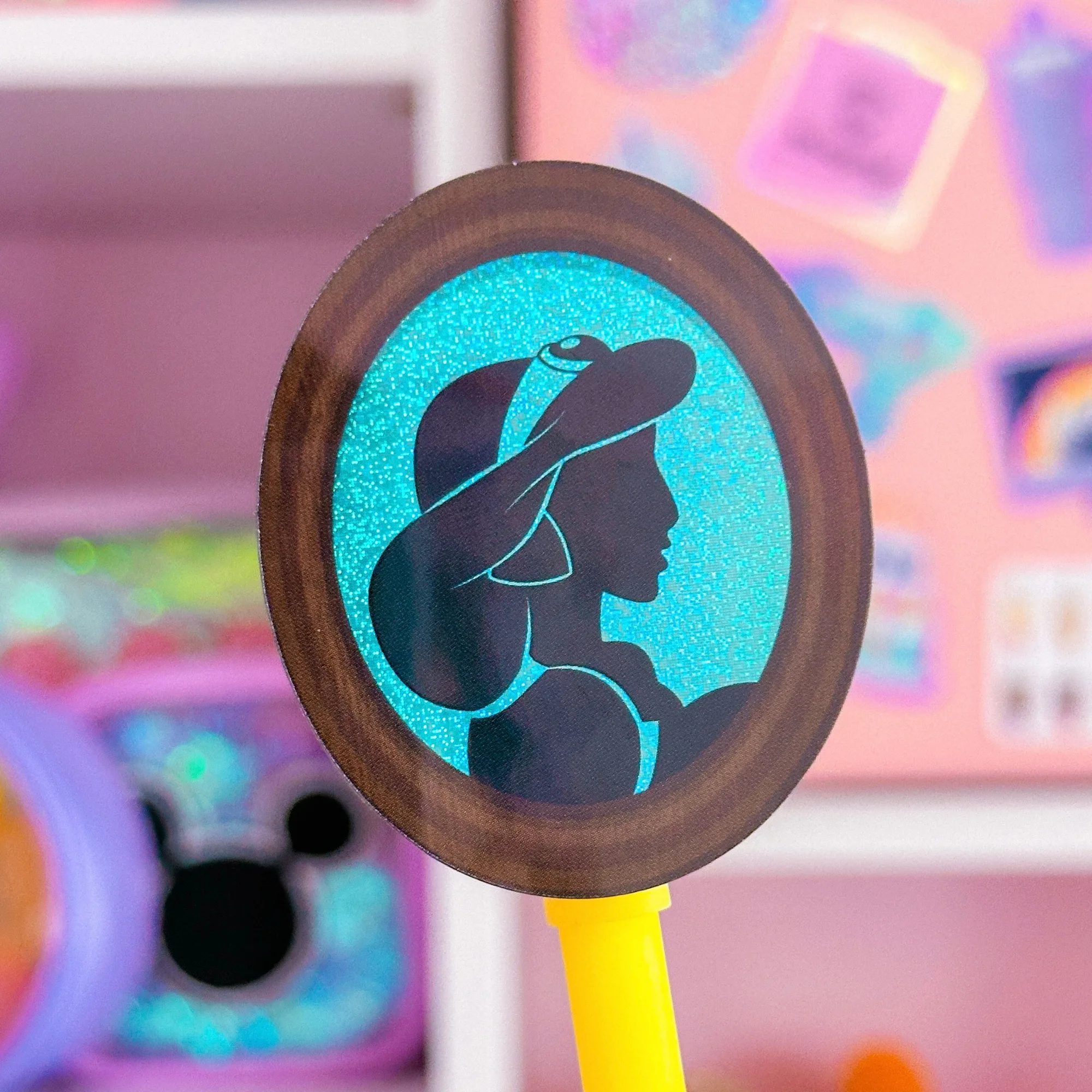
Waterproof Sticker - (Jasmine) Princess Profile
-
Waterproof Sticker - (Jasmine) Outfit: The Jasmine Outfit sticker is available in red or blue and measures about 1 inch by 2.8 inches. The narrow vertical shape fits side margins and edge strips better than wide center blocks.
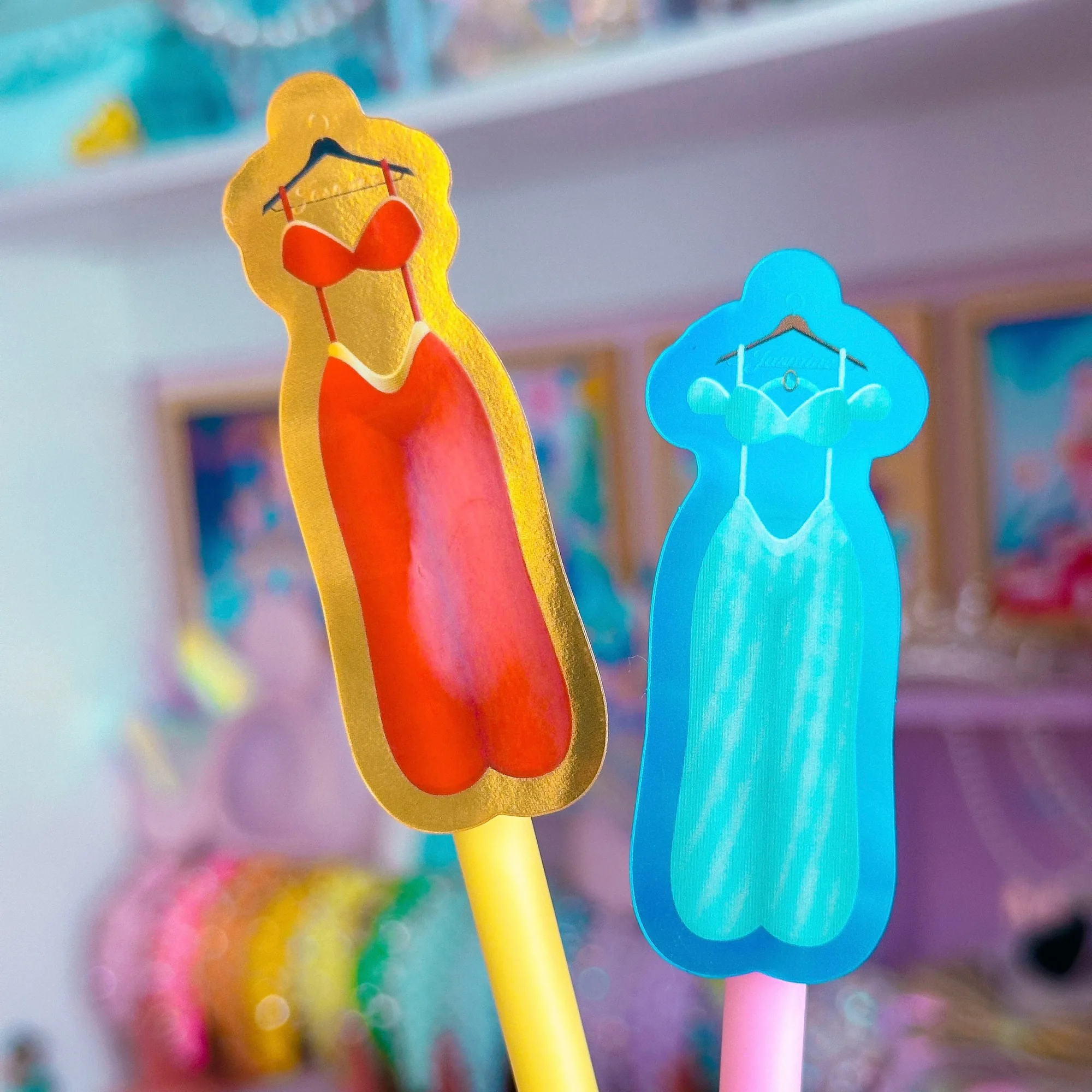
Waterproof Sticker - (Jasmine) Outfit