Quick answer
For a working PS2 setup, you need four things: a controller, a memory card, an AV cable, and a game. A DualShock 2 is ideal, but a DualShock 4 works with a compatible adapter. Buy an official 8MB memory card or a reliable third-party equivalent. Use the AV cable that matches your TV; if your TV lacks composite inputs, get a PS2-to-HDMI adapter. Storage is optional unless you plan to save many games or use homebrew.
The four accessories that make a PS2 playable
A PS2 console alone won't get you far. You need a controller to play, a memory card to save progress, an AV cable to connect to your TV, and at least one game. Everything else is optional. Start with these four, then add storage or extra controllers only if your habits demand it.
- Controller: One wired or wireless controller per player. Original DualShock 2 controllers are common and reliable.
- Memory card: An 8MB card holds saves for most games. Official Sony cards are the safest bet; third-party cards can corrupt saves.
- AV cable: Composite cables are standard. If your TV only has HDMI, you'll need a PS2-to-HDMI adapter.
- Game: Any PS2 or PS1 disc. The console plays both.
Controller choices: DualShock 2 vs. DualShock 4
The DualShock 2 is the native controller and works with every PS2 game. It uses a wired connection, so no charging or pairing is needed. If you prefer a modern feel, the DualShock 4 (for PS4) can work with a third-party adapter, but not all games support it and button mapping may be off. For a no-fuss setup, stick with a DualShock 2. If you already own a DualShock 4, a wireless adapter is a cheaper alternative to buying another controller.
Memory cards: capacity, brands, and risks
PS2 memory cards come in 8MB and larger sizes. 8MB is enough for dozens of saves, but some games (like RPGs) can fill it quickly. Official Sony cards are the most reliable. Third-party cards are cheaper but may corrupt data or fail to recognize certain games. If you plan to play many games, consider a larger card or a hard drive with the official network adapter for storage. Avoid unbranded cards from unknown sellers.
AV cables and modern TV connections
The PS2 outputs composite video (yellow, white, red) by default. Most modern TVs lack composite inputs, so you'll need a PS2-to-HDMI adapter. These adapters range from simple upscalers to dedicated line doublers. Cheap adapters may introduce lag or poor image quality. If your TV has component inputs (green, blue, red), a PS2 component cable offers a sharper picture. For the best quality, use a dedicated upscaler like the RetroTINK or OSSC, but those cost more than the console itself.
Storage and other add-ons: when to buy
A memory card is enough for most players. But if you want to store game saves, music, and movies on a hard drive, you'll need the official PS2 Network Adapter (for original models) and a compatible IDE hard drive. This is mainly for homebrew users or those with large libraries. Other accessories like multitaps (for four-player games), light guns (for rail shooters), and dance mats are game-specific. Buy them only if you own the games that require them. A PS2 remote is handy for DVD playback but not essential for gaming.
Decision rules for PS2 accessories
- Controller: If you want zero setup, buy a wired DualShock 2. If you already own a DualShock 4 or Xbox One controller and want wireless, buy a compatible adapter instead of a new controller. Check adapter compatibility with the specific games you play.
- Memory card: If you play a handful of games, an official 8MB card is enough. If you play many RPGs or sports games, buy a larger card or consider a hard drive setup. Avoid unbranded cards; data loss costs more than the card.
- AV cable: If your TV has composite inputs, use the included cable. If not, buy a PS2-to-HDMI adapter. If you want the best picture, buy a component cable or dedicated upscaler. Test for input lag before committing to a cheap adapter.
- Storage: If you only save game progress, skip the hard drive. If you want to store media or use homebrew, buy the official network adapter and a compatible IDE drive. Hard drive setup requires technical know-how.
- Extra controllers: If you often play multiplayer, buy a second controller and a multitap for games that support more than two players. Check the game's manual for player support.
Products that fit this setup
- [Pre-Owned/Refurbished] Sony DualShock 4 Wireless Controller PlayStation 4 RED CAMOUFLAGE ps4 CUH-ZCT2U: Pre-Owned/Refurbished Sony DualShock 4 Wireless Controller PlayStation 4 RED CAMOUFLAGE (CUH-ZCT2U). A DualShock 4 can work with a PS2 via a third-party adapter, offering a modern wireless option if you already own one or prefer its shape.
- [Pre-Owned/Refurbished] Microsoft Xbox One Sport Red Special Edition Gaming Wireless Controller 1708: Pre-Owned/Refurbished Microsoft Xbox One Sport Red Special Edition Wireless Controller (model 1708) with original box (distressed). Not natively compatible with PS2, but can be used with a third-party adapter for players who prefer Xbox-style ergonomics.
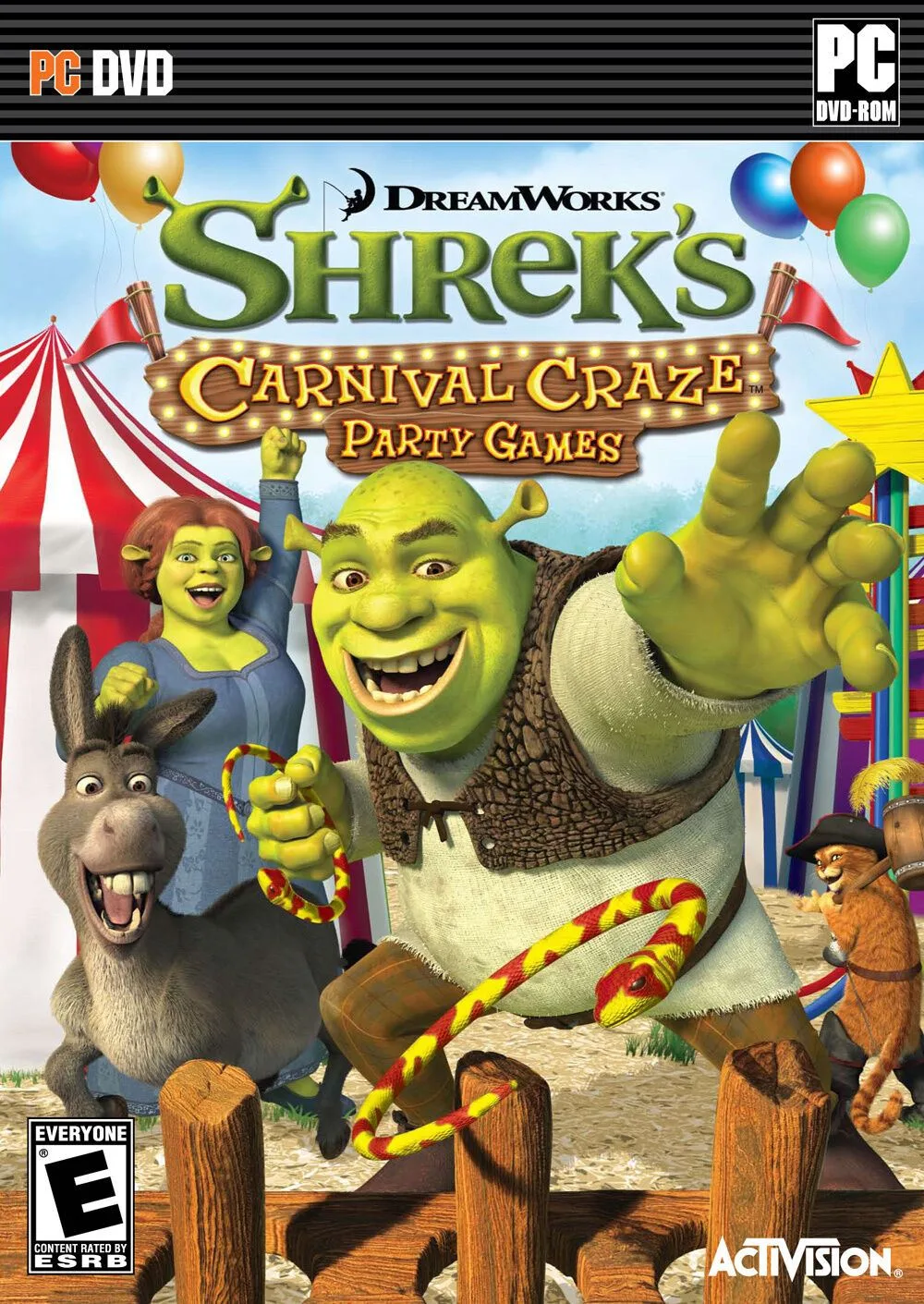
- NEW Shrek's Carnival Craze Party Games PC Game SEALED: NEW Shrek's Carnival Craze Party Games PC Game SEALED. A budget-friendly party game for PC, not PS2, but shows the kind of low-cost software you might find while building a family-friendly collection.
Who this guide is for
Best for
- First-time PS2 owners who want a working setup without overspending
- Retro gamers who need to connect a PS2 to a modern TV
- Players who want to know which accessories are essential vs. optional
Not for
- Collectors seeking rare or region-specific accessories
- Users who already have a fully equipped PS2 setup
- Those looking for modding or homebrew installation guides
![[Pre-Owned/Refurbished] Sony DualShock 4 Wireless Controller PlayStation 4 RED CAMOUFLAGE ps4 CUH-ZCT2U](https://xilands.com/api/media/sync/fe/fea974754cb4aa75ed3041d2042e1b7c2bcd25ddfdee933625f247584d7dd8a1.webp)
![[Pre-Owned/Refurbished] Microsoft Xbox One Sport Red Special Edition Gaming Wireless Controller 1708](https://xilands.com/api/media/sync/0e/0ecce009d531370d223c20f82f813d657d24c02a148acea32aa1640c2b31b880.webp)