Quick Answer
Start by identifying your device and mounting locations, then choose a Quad Lock 360 head and mount arms that match those surfaces. Use the 360 Kit Builder to visualize and assemble a system that fits your vehicle and daily routine.
Why a Modular System Pays Off
The Quad Lock 360 Kit Builder is a modular mounting system that lets you mix and match heads, arms, and mounts. Instead of buying a one-size-fits-all kit, you can build a setup that works for your car, bike, or desk. The main trade-off is that you need to plan ahead: each component must be compatible with the others, and your device case needs to match the head you choose.
Compatibility Starts with Your Device
Before picking mounts, confirm that your phone has a Quad Lock case or adapter. The 360 head attaches to the back of the case, so a compatible case is non-negotiable. If you have a newer iPhone, check for MagSafe compatibility or consider a universal adapter. For special editions, like the MAG Cases - Oscar Piastri Edition, the case itself is the base for the entire system.
Think About Your Mounting Surfaces
Where will you use the mount? A car vent mount, a handlebar mount for a bike, or a desk stand for home use each require a different arm and base. Measure the space and consider the viewing angle. A long arm might be flexible, but it can also wobble on rough roads. Short, rigid arms are more stable but offer less adjustment.
Step-by-Step: Choose Your Components
- Step 1: Identify your device and case: Check that your phone has a Quad Lock case or universal adapter. For iPhone, consider the MAG case line for MagSafe compatibility. If you’re using a special edition like the Oscar Piastri case, it works with the standard 360 head. Make sure the case is attached firmly before moving on.
- Step 2: Choose your mounting location: Decide where you’ll mount the device: car dashboard, vent, handlebar, or desk. Measure the available space and note the angle you need for easy viewing. If you’re mounting in a car, avoid blocking airbags or critical controls.
- Step 3: Pick the right 360 head: Select a 360 head that matches your case and intended use. The standard head works with most cases, but for heavy-duty use, consider the vibration dampening option if you’re on a motorcycle. Double-check the head’s compatibility with your case model.
- Step 4: Select the mount arm and base: Choose an arm length and base type that fits your location. For a car, a short arm with a vent or dashboard mount is common. For bikes, a handlebar mount with a longer arm may be needed. Ensure the arm’s ball joint matches the head’s socket size.
- Step 5: Assemble and test: Use the 360 Kit Builder to assemble your components virtually, then physically test the setup. Make sure the device is secure and that you can reach it easily without distraction. Test the mount with your device in place to verify stability.
Product Facts
-
MAG Cases - Oscar Piastri Edition: The MAG Cases - Oscar Piastri Edition is part of the 2026 McLaren x Quad Lock collection, celebrating McLaren’s 2025 Constructors’ Championship win with a bold camouflage design. If you’re a fan, this case gives you a unique look while still fitting the standard Quad Lock 360 head, so you don’t have to compromise on mounting compatibility.
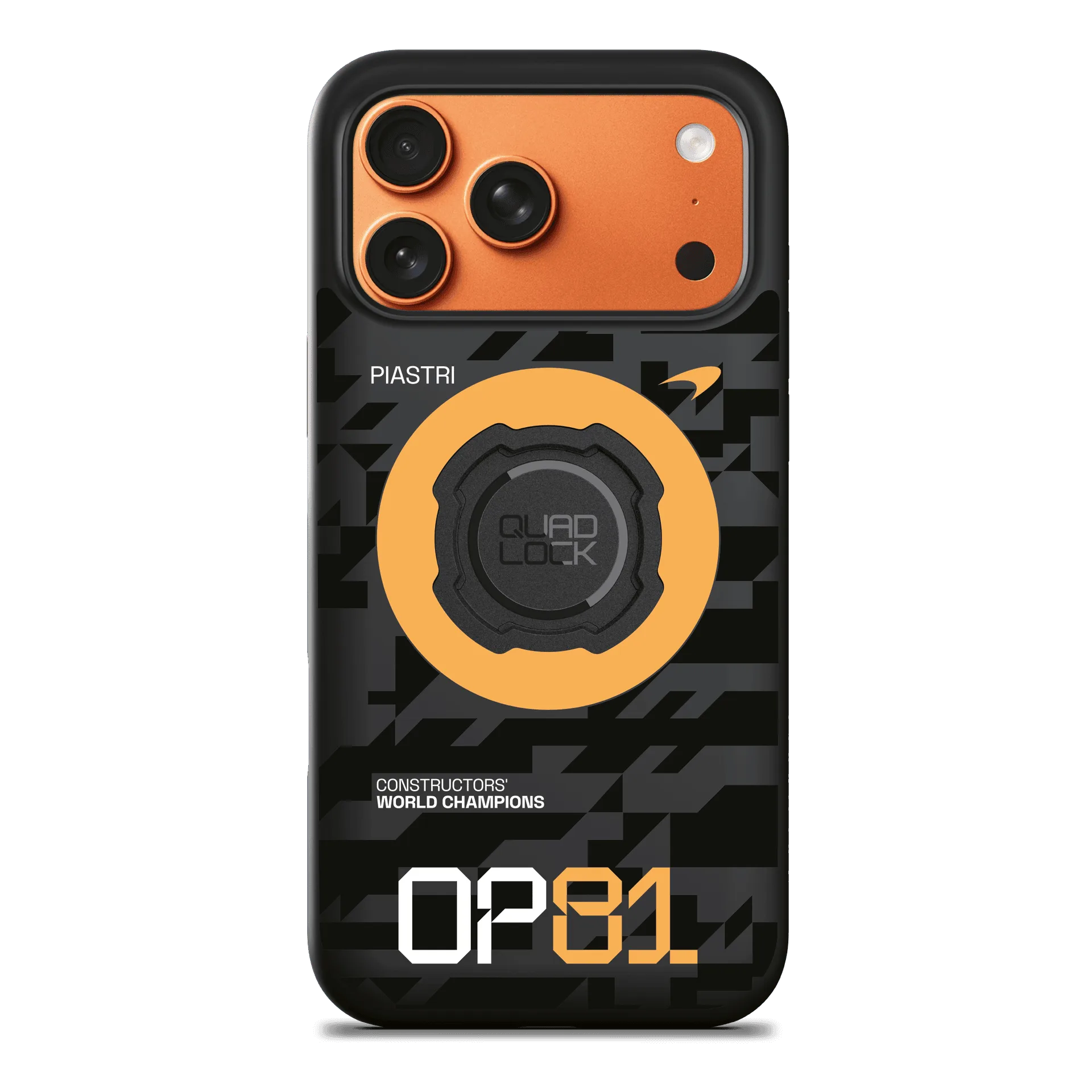
MAG Cases - Oscar Piastri Edition