Quick answer
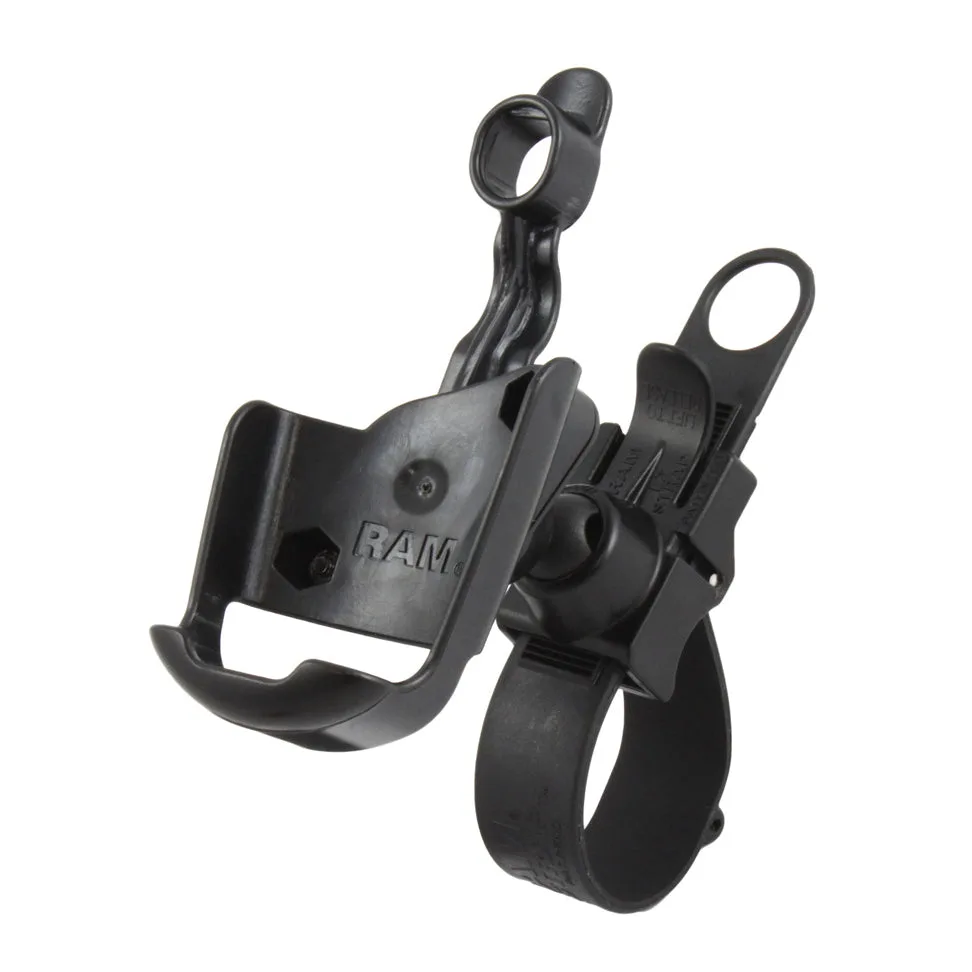
The RAM EZ-Strap rail mount installs without drilling: wrap the strap around your rail, cut it to fit tubing or irregular shapes from 0.5" to 2.58" in diameter, then tighten and attach the diamond base and short double-ball arm. The mount rotates 180 degrees and has multiple adjustment points, so you can set your Garmin GPSMAP 60, GPS 60, or Astro 220 at the best viewing angle. Expect a secure, vibration-resistant hold on handlebars, ATV racks, or boat rails.
What you need before you start
Gather your RAM EZ-Strap rail mount kit (RAP-SB-187-GA12), which includes the EZ-Strap base, a short double-ball arm, a diamond adapter base, and a high-strength composite cradle sized for your Garmin device. You'll also need scissors or a utility knife to trim the strap, and a clean cloth to wipe down the rail. No drills or tools are required for the mount itself, but a small flathead screwdriver helps with the arm tension knob.
Check your rail diameter: the strap works on tubing, square rails, and irregular shapes from 0.5" to 2.58". If your rail falls outside that range, this mount won't grip securely. Also confirm your device model—this cradle fits Garmin Astro 220, GPS 60, and GPSMAP 60 series. If you have a different Garmin, you'll need a different cradle.
Installation steps
- Clean the rail: Wipe the rail with a clean cloth to remove dirt, oil, or moisture. A clean surface helps the strap grip and prevents slipping. Checkpoint: The rail should be dry and free of debris before you wrap the strap.
- Wrap and trim the strap: Thread the EZ-Strap around the rail and through the buckle. Pull it snug, then trim excess strap with scissors or a utility knife. The strap can be cut to fit tubing, square rails, and irregular shapes from 0.5" to 2.58" in diameter. Common mistake: Cutting too short—leave a few inches of tail to grab when tightening.
- Tighten the strap: Pull the strap tight until the base is firmly seated against the rail. The EZ-Strap design holds without drilling, so make sure there's no wobble. Checkpoint: Try to rotate the base by hand—it should not move independently of the rail.
- Attach the diamond base and arm: Screw the diamond adapter base to the back of your Garmin cradle using the included hardware. Then connect the diamond base to the short double-ball arm, and the arm to the EZ-Strap base. Tighten the arm knob until the balls are firmly seated. Common mistake: Over-tightening the arm knob can crack the composite; tighten until snug, then a quarter turn more.
- Adjust the viewing angle: Loosen the arm knob slightly, rotate the mount to your preferred angle—it rotates 180 degrees—and retighten. Multiple adjustment points let you position the GPS for easy viewing without glare. Checkpoint: Sit in your normal operating position and verify you can read the screen without leaning.
- Test for security: Gently push and pull the mount to ensure it's secure. If it shifts, retighten the strap and arm. For rough terrain, consider adding a safety tether to your GPS. Next step: After your first ride or trip, recheck the strap tension—vibration can loosen it slightly.
Product facts
- RAM® EZ-Strap™ Rail Mount for Garmin Astro 220, GPS 60, GPSMAP 60 Series: The RAP-SB-187-GA12 consists of the RAM EZ-Strap base, double ball SHORT arm, diamond adapter base and high strength composite cradle. The strap can be cut to fit tubing, square rails and irregular shapes from 0.5" to 2.58" in diameter. Multiple adjustment points allow you to move the mount to your optimum viewing position. This mount rotates 180 degrees. This mount is designed for no-drill installation on a wide range of rail sizes and shapes, and its adjustability lets you fine-tune the GPS angle without tools.
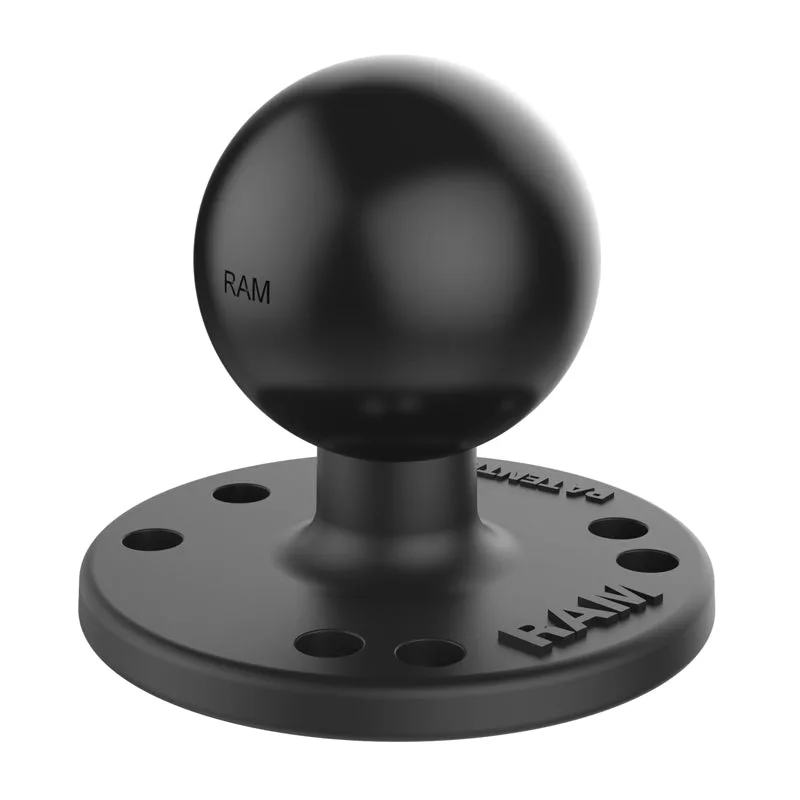
- RAM® Round Plate with Ball - C Size: The RAM® Round Plate with Ball (RAM-202U) features a 1.5" C size overmolded rubber ball attached to a 2.5" diameter round plate. This mounting component includes pre-drilled holes in the universal 4-hole AMPS pattern and is constructed from powder-coated, marine-grade aluminum for long-lasting durability in demanding environments. The ball base can function as an adapter—connecting to devices or holders with... If you already have a device holder with an AMPS hole pattern, this plate lets you adapt it to the RAM ball system, giving you more flexibility in how you mount your Garmin.