Quick answer
The RAM Quick-Grip Phone Mount with Drill-Down Base offers a secure, adjustable cradle for your device. This guide walks you through installation so you can mount it in your vehicle without guesswork.
What makes the Quick-Grip different
Unlike a universal friction mount, the Quick-Grip uses a spring-loaded mechanism with adjustable side keepers to hold a wide range of devices, from a slim smartphone to a Bluetooth speaker. The drill-down base lets you attach the mount directly to a flat surface, giving you a permanent, theft-resistant installation.
Before you drill
The drill-down base requires you to drill a hole in your mounting surface. Choose a location that gives you easy access to your phone while driving, but does not interfere with airbags, vents, or controls. The B size 1" rubber ball and socket system provides plenty of adjustment, so you do not need to place the base in an awkward position.
Installation steps
- Choose the mounting location: Hold the drill-down base against the surface where you want the mount. Make sure the area is flat and clear of wiring or components behind it. Mark the center hole with a pencil. Check behind the panel before drilling to avoid damaging wires or airbags.
- Drill the pilot hole: Use a drill bit that matches the diameter of the included mounting bolt. Drill straight through the marked spot. Remove any burrs or debris from the hole. Start with a smaller pilot bit if you are unsure of the exact size, then enlarge the hole.
- Attach the drill-down base: Insert the mounting bolt through the base and into the hole. Tighten the bolt from the underside using the provided hardware. Do not overtighten, as this could crack the surface or strip the threads. Use a washer on both sides of the surface to distribute pressure evenly.
- Assemble the ball and socket arm: Attach the B size 1" rubber ball and socket system to the drill-down base. Tighten the socket knob by hand until the arm holds its position without sagging. Do not use tools on the knob; hand-tightening is enough to secure the arm.
- Mount the Quick-Grip cradle: Press the Quick-Grip cradle onto the other ball end of the arm. Squeeze the spring-loaded side keepers open, insert your phone, and release. Adjust the side keepers so they grip the device snugly without pressing the buttons. Test the grip by gently shaking the mount; if the device shifts, tighten the side keepers slightly.
Product facts
-
RAM® Quick-Grip™ Spring-Loaded Phone Mount with Drill-Down Base: The RAM Quick-Grip device mount is capable of holding a broad range of electronic devices, including cell phones, GPS units, and Bluetooth speakers. You can switch between devices without buying a new cradle, making this mount versatile for daily use.
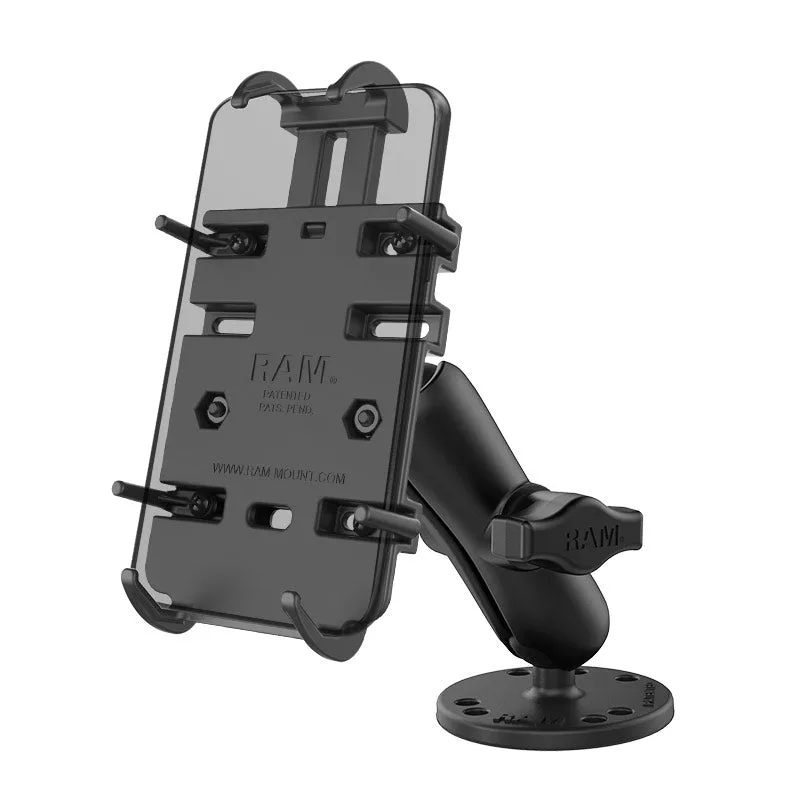
RAM® Quick-Grip™ Spring-Loaded Phone Mount with Drill-Down Base
-
RAM® Quick-Grip™ Spring-Loaded Phone Mount with Drill-Down Base: The spring loaded mechanism and the adjustable side keepers allow for a secure grip on your device. Your phone stays firmly in place even on rough roads, reducing the risk of it bouncing out of the mount.