Quick answer
Start by charging all pieces, download the companion app, pair the vibrators via Bluetooth, then explore solo or hand the remote to your partner. For long-distance play, connect through the app over Wi-Fi.
Why a remote-control set works for couples
A remote-control vibrator set lets you or your partner take charge of the intensity, pattern, and timing. The Naughty Veggies set includes five different vibrators, so you can switch shapes and sensations without interrupting the moment. The app adds a layer of interactivity: you can create custom patterns, let your partner control from across the room, or even sync the vibrations to music. This variety keeps play fresh and reduces the need for verbal cues, which can sometimes break the mood.
What to keep in mind before you start
Because the set relies on Bluetooth and Wi-Fi, signal range matters. Bluetooth typically works within 30 feet (10 meters) indoors, while the app’s long-distance mode uses an internet connection for unlimited range. If you plan to use it during travel, check that both phones have a stable data connection. Also, each vibrator is rechargeable, so charge all five before your first session to avoid mid-play pauses.
How to use the remote-control vibrator set with a partner
- Charge and clean each piece: Charge all five vibrators fully before first use. Wipe each with a toy cleaner or mild soap and water. A common mistake is starting with a low battery, which can drop the Bluetooth connection mid-session. Check battery levels before each use to avoid interruptions.
- Download the app and pair the vibrators: Install the companion app on your phone. Turn on one vibrator and follow the app’s pairing instructions—usually pressing a button on the toy until it blinks. Pair each vibrator one at a time. A checkpoint: keep your phone within 3 feet during pairing to ensure a stable connection. Pair all five vibrators before play so you can switch without re-pairing.
- Test the remote control and app controls: Use the physical remote to cycle through vibration patterns and intensities. Then open the app to try custom patterns, sound sync, or the slider control. A common mistake is assuming the remote and app work simultaneously—some sets require you to choose one control mode at a time. Check the manual for your specific set. Decide who controls what: partner with remote, you with app, or swap halfway.
- Start with solo exploration: Before involving a partner, try each vibrator alone to learn how it feels and which patterns you like. This builds confidence and lets you guide your partner later. A checkpoint: note your favorite settings so you can recreate them together. Share your favorite pattern with your partner via the app’s favorites or history feature.
- Hand over control during partnered play: Choose one vibrator and hand the remote or app access to your partner. Let them adjust intensity and pattern while you relax. A common mistake is jumping to the highest setting too fast—start low and build gradually to maintain arousal without desensitization. Agree on a safe word or gesture to pause if the sensation becomes too much.
- Try long-distance mode for teasing: If you’re apart, use the app’s long-distance mode. Both phones need internet access. Your partner can control the vibrator from anywhere in the world. A checkpoint: test long-distance mode when you’re both on the same Wi-Fi network first to troubleshoot any connectivity issues. Long-distance play works best with a stable Wi-Fi or mobile data connection on both ends.
Product facts
-
Naughty Veggies™ – 5-Piece App & Remote-Control Vibrator Set: The Naughty Veggies set includes five waterproof, rechargeable vibrators that pair with an app and remote control. You get multiple shapes for different types of stimulation, and the waterproof design makes cleaning and bathroom play easy.
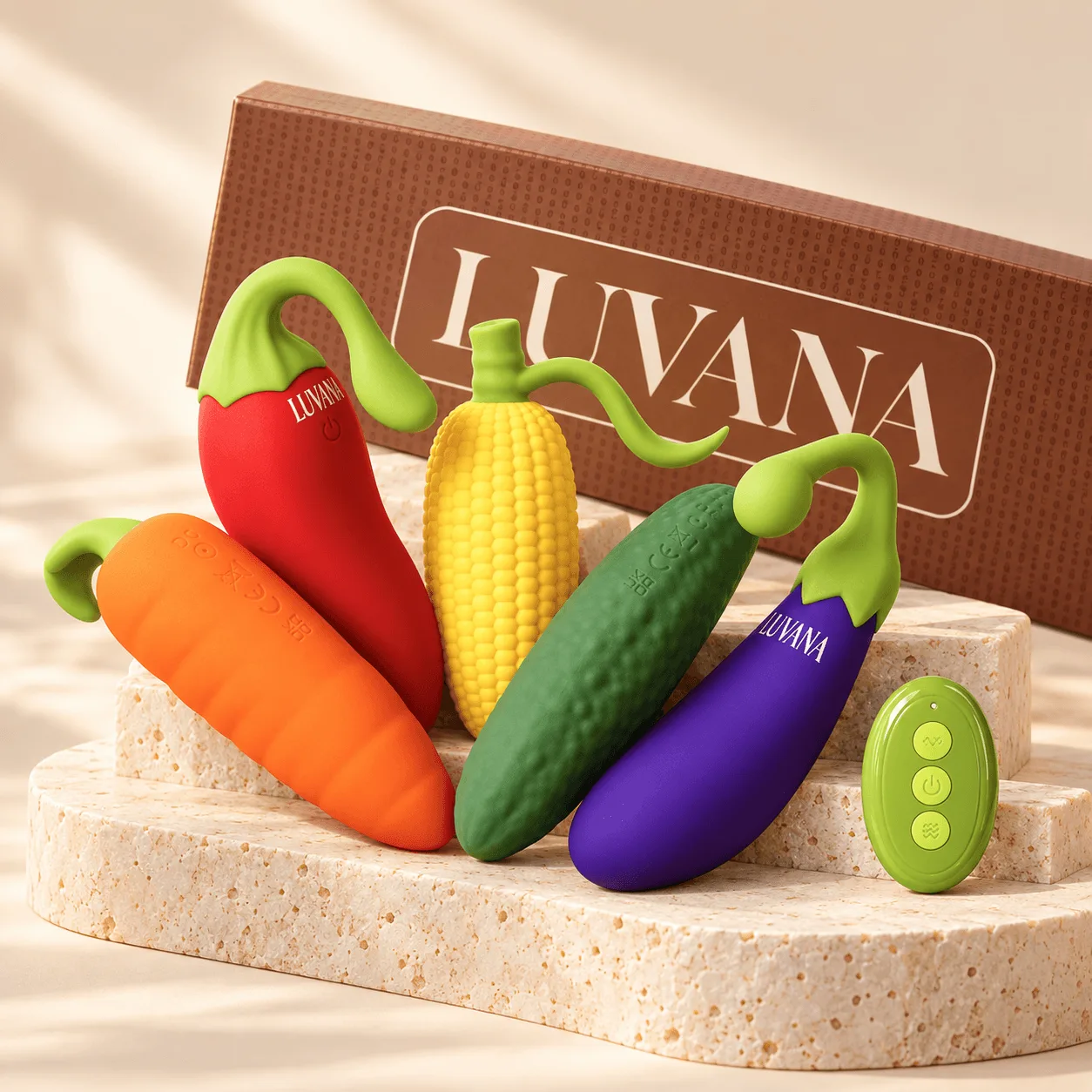
Naughty Veggies™ – 5-Piece App & Remote-Control Vibrator Set