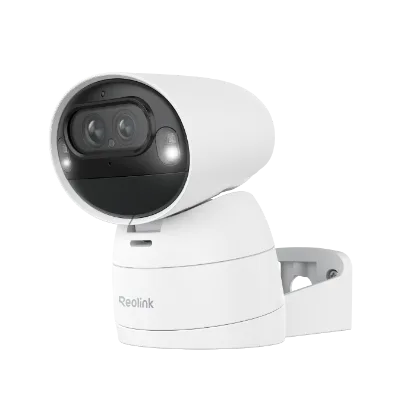
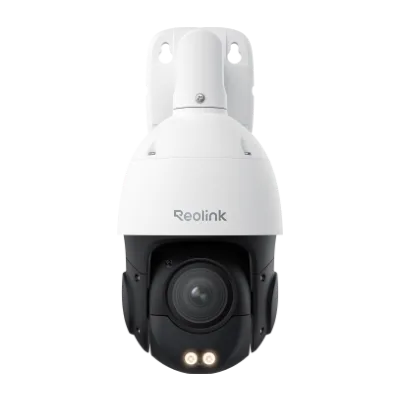
Start with what the E1 Outdoor Pro is built to do
The Reolink E1 Outdoor Pro is a 4K Wi-Fi 6 PTZ camera with auto tracking, designed for outdoor security monitoring. That combination of pan, tilt, zoom, and wireless transmission shapes how you should care for it. The moving parts and outdoor placement mean your routine should focus on keeping the PTZ mechanism free to move, the lens clear, and the Wi-Fi 6 connection stable.
Because the supplied product record does not include a weatherproof rating, care instructions, or a list of supported accessories, this guide sticks to general outdoor camera care that applies to any PTZ camera. It does not replace the manufacturer's documentation. Where a specific step depends on details not provided, treat it as a checkpoint to verify rather than an instruction to assume.
PTZ and auto tracking: why movement matters for maintenance
-
E1 Outdoor Pro: Pan-tilt-zoom (PTZ) functionality for comprehensive coverage PTZ movement is the feature most likely to be affected by debris, ice, or obstruction, so a care routine should include checking that the camera can move freely through its range.
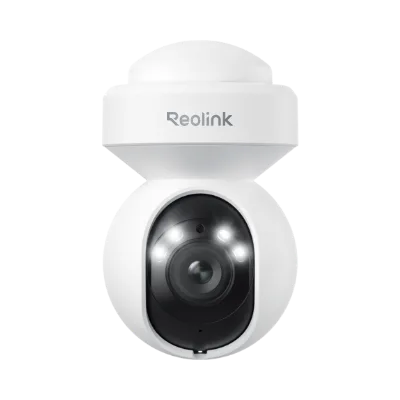
E1 Outdoor Pro
-
E1 Outdoor Pro: Auto tracking feature to follow moving objects automatically Auto tracking relies on the camera being able to pan and tilt smoothly. If the camera appears to lag or stop tracking, inspect the movement path before assuming a software problem.
A practical outdoor PTZ care walkthrough
Use this sequence as a monthly or seasonal check. It is written for the E1 Outdoor Pro but applies to most outdoor PTZ cameras. Stop and consult the manufacturer's documentation if any step does not match what you see on your camera.
- 1. Look before you touch: From the ground, check the camera housing for leaves, spiderwebs, bird droppings, or ice buildup around the moving joint. Note any cracking or loose parts. Do not climb or disassemble the camera unless you have the manufacturer's instructions.
- 2. Test the pan and tilt range: Use the app to move the camera through its pan and tilt range. Listen for grinding or straining, and watch for hesitation. If movement is stiff, stop and inspect for obstruction rather than forcing it.
- 3. Clean the lens and housing gently: Use a soft microfiber cloth and a lens-safe cleaning solution. Wipe the lens in a circular motion, then dry with a clean cloth. Avoid abrasive pads or harsh solvents. Clean the housing separately so debris does not fall onto the lens.
- 4. Check the Wi-Fi 6 signal at the camera location: The E1 Outdoor Pro uses Wi-Fi 6 for wireless transmission. In the app, review the signal strength. If it is weak, consider adjusting the router position or removing nearby interference sources. Do not assume a specific range or wall-penetration figure; the supplied record does not provide one.
- 5. Review auto tracking behavior: Trigger a test by walking through the camera's field of view. Confirm the camera follows movement and returns to its preset position. If tracking is erratic, check for obstructions, clean the lens, and verify the Wi-Fi connection before changing settings.
- 6. Prepare for winter before the first freeze: Clear leaves and debris from around the camera. Check that the mounting point is secure. If ice is forecast, avoid spraying water on the camera. After a storm, inspect for ice on the moving parts and let it melt naturally rather than forcing movement.
Winter care checkpoints for an outdoor PTZ camera
Cold weather adds stress to moving parts and wireless connections. These checkpoints help you spot problems early without guessing at temperature limits the supplied record does not state.
- Ice on the PTZ joint: If the camera will not pan or tilt, look for ice before using the app to force movement. Let ice melt naturally. Do not pour hot water on the camera.
- Condensation on the lens: A foggy image can come from moisture on the lens. Gently clean and dry the lens, then check again. If condensation returns, the housing may need inspection by a professional.
- Snow or debris blocking the view: Clear snow from the camera's line of sight without hitting the housing. Use a soft brush or cloth, not a hard tool.
- Wi-Fi 6 signal in cold weather: Signal strength can vary with environmental changes. Recheck the connection in the app after severe weather and adjust the router or camera position if needed.
Lens cleaning without damaging the coating
The lens is the most delicate part of any outdoor camera. For the Reolink E1 Outdoor Pro, use a blower or soft brush to remove loose dust first. Then wipe with a microfiber cloth dampened with lens cleaner. Avoid paper towels, tissues, or clothing, which can scratch. Do not spray cleaner directly onto the lens; apply it to the cloth. Clean the lens only when needed, and never use abrasive or solvent-based products.
Troubleshooting: when care does not solve the problem
If the camera does not respond to pan or tilt commands, first check that it has power and that the app shows it as online. If it is online but will not move, inspect for physical obstruction or ice. If the image is blurry after cleaning, check for condensation or a scratched lens. If auto tracking stops working, review the tracking settings in the app and confirm the Wi-Fi 6 connection is stable. The supplied record does not include reset procedures or firmware update steps, so consult the manufacturer's documentation for those actions. Do not disassemble the camera unless instructed.
The E1 Outdoor Pro at a glance
- E1 Outdoor Pro: 4K ultra-high-definition video for clear details Higher resolution makes lens cleanliness more noticeable. A smudge that would be minor on a lower-resolution camera can soften details in 4K, so regular lens checks are worthwhile.
- E1 Outdoor Pro: Wi-Fi 6 connectivity for faster and more reliable wireless transmission A stable wireless link supports remote PTZ control and auto tracking. If the camera feels slow to respond, check the Wi-Fi signal before assuming a mechanical fault.