Quick Answer
If your Shure SE215 earphones have intermittent sound, crackling, or one side cutting out, the MMCX cable is likely the culprit. Replacing it with a compatible 3.5mm cable restores full audio without buying new earphones.
Why the Cable Fails Before the Drivers
Shure SE215 and other MMCX earphones use a detachable cable design that is convenient for upgrades but also a common failure point. The tiny MMCX connectors can wear out, bend, or lose tension over time, especially with frequent plugging and unplugging. The cable itself may develop internal breaks near the strain relief or the 3.5mm jack from daily bending.
Replacing just the cable is far cheaper than buying new earphones, and it lets you keep your preferred fit and sound signature. A fresh cable also gives you a chance to switch to a silver wire or a different length for better durability or aesthetics.
Diagnose and Fix Your Shure Cable
- Symptom: Audio cuts out in one ear, crackling when you move the cable near the earpiece, or no sound at all despite the source working.
- Likely Cause: A broken wire inside the cable, a loose MMCX connection, or a damaged 3.5mm plug. The MMCX connectors are the most common failure point on Shure earphones. If the cable is visibly frayed or bent sharply, it is almost certainly the cause.
- Corrective Action: Order a compatible MMCX to 3.5mm replacement cable (e.g., Brainwavz for Shure SE215). Remove the old cable by gently pulling the MMCX connectors straight out from the earpieces. Align the new cable's MMCX connectors with the earpiece ports and push firmly until they click. Route the cable over your ears using the moldable ear hooks, then adjust the cinch slider under your chin. Test both channels by playing a stereo track before fully securing the cable.
- When to Stop or Choose Another Option: If the new cable does not resolve the issue, the problem may be inside the earpiece driver or the 3.5mm source. In that case, contact Brainwavz support or consider professional repair. Do not force a cable that does not click into place—it may damage the MMCX port. A loose connection after replacement indicates a worn port; stop and consult a technician.
Compatible Replacement Cable
-
Replacement Cable for Shure SE215, SE315, SE425, SE535 & SE846 Earphones, Silver Clear Wire, 3.5mm With MMCX Connectors - 1.6M / 62”: Compatible with Shure SE215, SE315, SE425, SE535 & SE846 earphones. Third-party product by Brainwavz. Ensures you get a proper fit for your specific Shure model without paying the premium for an official replacement.
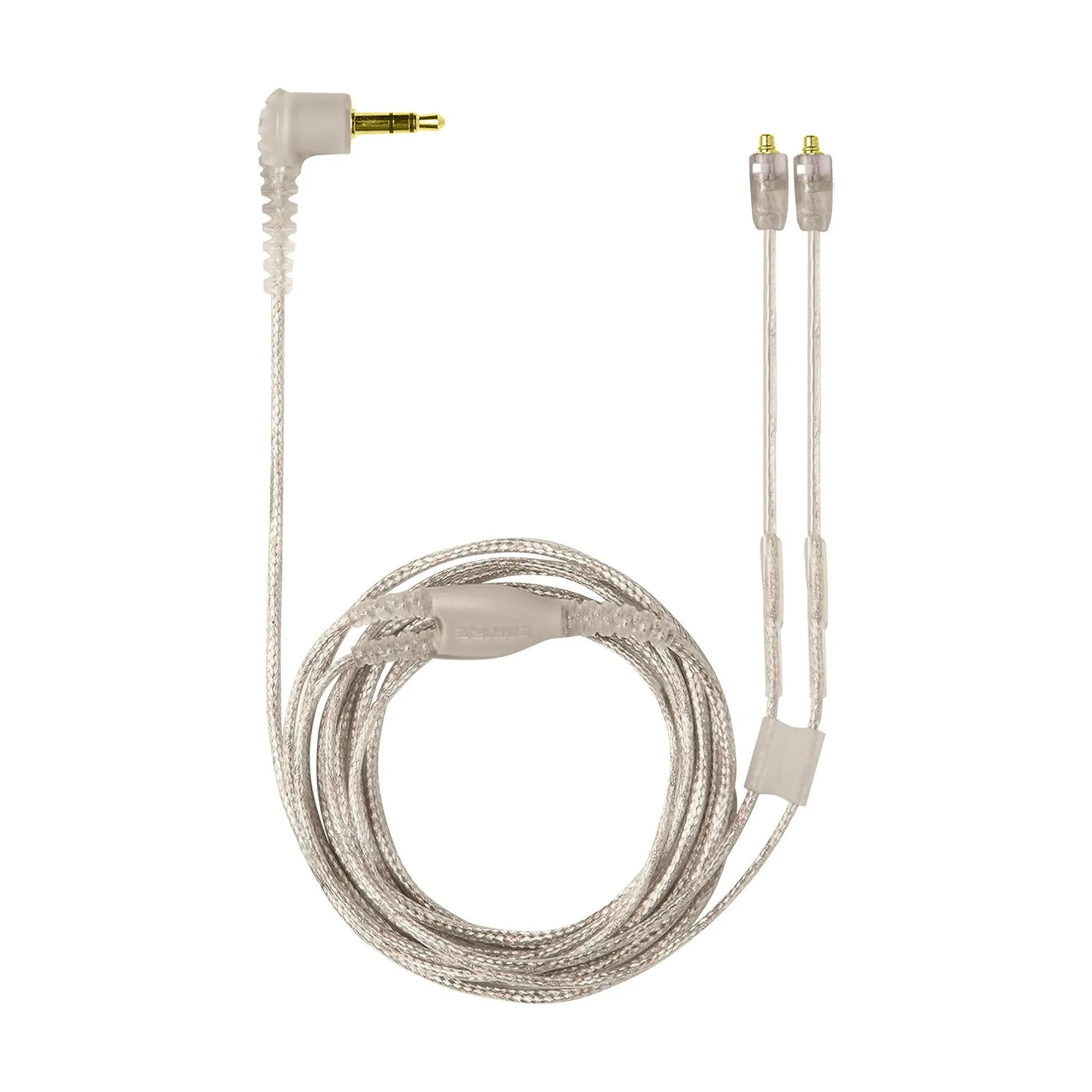
Replacement Cable for Shure SE215, SE315, SE425, SE535 & SE846 Earphones, Silver Clear Wire, 3.5mm With MMCX Connectors - 1.6M / 62”
-
Replacement Cable for Shure SE215, SE315, SE425, SE535 & SE846 Earphones, Silver Clear Wire, 3.5mm With MMCX Connectors - 1.6M / 62”: Includes moldable ear hooks and a cinch slider for a secure, customized fit. The ear hooks keep the cable in place during movement, and the slider prevents tangling—both reduce future strain on the connectors.
-
Replacement Cable for Shure SE215, SE315, SE425, SE535 & SE846 Earphones, Silver Clear Wire, 3.5mm With MMCX Connectors - 1.6M / 62”: Gold-plated MMCX and 3.5mm connectors for clear signal transmission. Gold plating resists corrosion and maintains consistent contact, reducing the chance of crackling or dropouts.